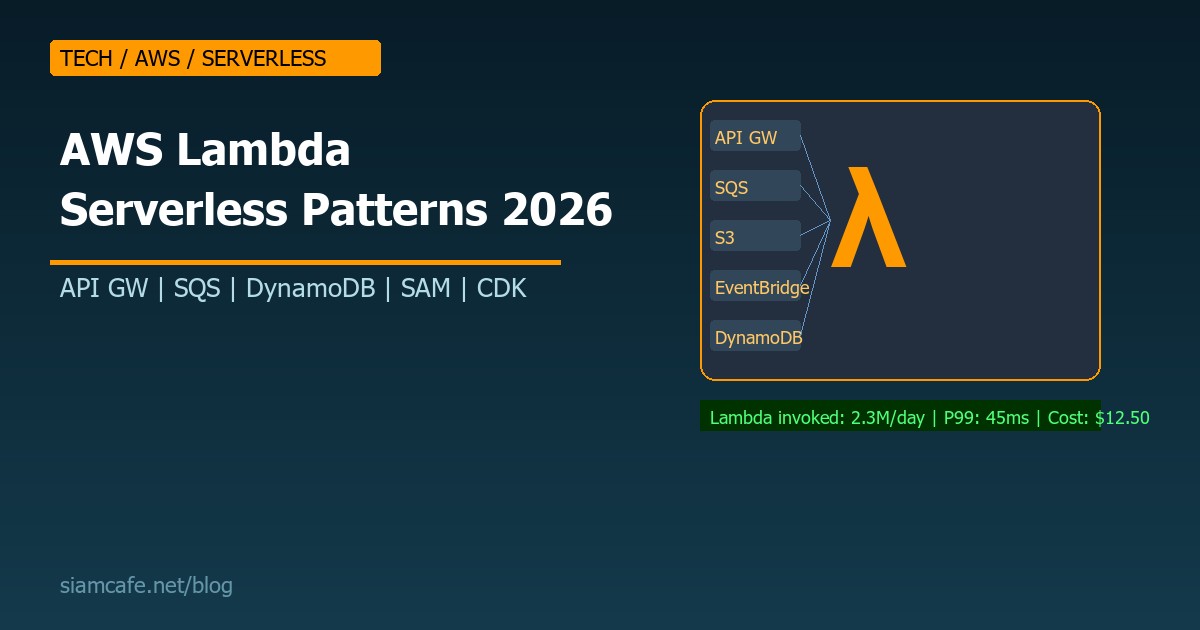
AWS Lambda คืออะไร? สอน Serverless Patterns สำหรับ Production ที่ใช้ได้จริง 2026
AWS Lambda เปลี่ยนวิธีคิดเรื่อง Backend ไปตลอดกาล ไม่ต้องจัดการ Server ไม่ต้อง Patch OS ไม่ต้อง Auto-scale จ่ายเฉพาะที่ใช้ แต่ Lambda มีข้อจำกัดและ Patterns เฉพาะที่ต้องรู้ บทความนี้รวม Serverless patterns ที่ใช้ใน Production จริง
Lambda Fundamentals
Handler Function
// Node.js Lambda handler
export const handler = async (event, context) => {
  // event: ข้อมูลที่เข้ามา (API Gateway request, SQS message, S3 event ฯลฯ)
  // context: ข้อมูล Lambda runtime (function name, memory, timeout remaining)

  console.log('Event:', JSON.stringify(event));
  console.log('Remaining time:', context.getRemainingTimeInMillis());

  return {
    statusCode: 200,
    headers: { 'Content-Type': 'application/json' },
    body: JSON.stringify({ message: 'Hello from Lambda!' }),
  };
};

# Python Lambda handler
def handler(event, context):
    print(f"Event: {event}")
    print(f"Function: {context.function_name}")
    print(f"Memory: {context.memory_limit_in_mb} MB")
    print(f"Time remaining: {context.get_remaining_time_in_millis()} ms")

    return {
        'statusCode': 200,
        'body': json.dumps({'message': 'Hello from Lambda!'})
    }
Pattern 1: Lambda + API Gateway (REST API)
# SAM template
AWSTemplateFormatVersion: '2010-09-09'
Transform: AWS::Serverless-2016-10-31

Resources:
  GetUsersFunction:
    Type: AWS::Serverless::Function
    Properties:
      Handler: src/handlers/users.getAll
      Runtime: nodejs20.x
      MemorySize: 256
      Timeout: 10
      Events:
        GetUsers:
          Type: Api
          Properties:
            Path: /users
            Method: GET

  CreateUserFunction:
    Type: AWS::Serverless::Function
    Properties:
      Handler: src/handlers/users.create
      Runtime: nodejs20.x
      MemorySize: 256
      Timeout: 10
      Events:
        CreateUser:
          Type: Api
          Properties:
            Path: /users
            Method: POST
Pattern 2: Lambda + SQS (Async Processing)
// Producer: ส่ง Message ไป SQS
import { SQSClient, SendMessageCommand } from '@aws-sdk/client-sqs';

const sqs = new SQSClient({});

export const apiHandler = async (event) => {
  await sqs.send(new SendMessageCommand({
    QueueUrl: process.env.QUEUE_URL,
    MessageBody: JSON.stringify({ orderId: '123', action: 'process' }),
    MessageGroupId: 'orders',  // FIFO queue
  }));

  return { statusCode: 202, body: 'Accepted' };
};

// Consumer: Lambda ถูกเรียกเมื่อมี Message ใหม่
export const workerHandler = async (event) => {
  for (const record of event.Records) {
    const body = JSON.parse(record.body);
    console.log('Processing order:', body.orderId);
    await processOrder(body);
  }
};
Pattern 3: Lambda + SNS (Fan-out)
// SNS → หลาย Lambda พร้อมกัน (Fan-out pattern)
// เมื่อ Order สร้าง → SNS ส่งไป:
//   1. Lambda: ส่ง Email ยืนยัน
//   2. Lambda: อัปเดต Inventory
//   3. Lambda: ส่ง Analytics event
//   4. SQS: เก็บสำหรับ Processing

// SAM template
OrderTopic:
  Type: AWS::SNS::Topic
  Properties:
    TopicName: order-created

EmailFunction:
  Type: AWS::Serverless::Function
  Properties:
    Handler: src/handlers/email.handler
    Events:
      OrderCreated:
        Type: SNS
        Properties:
          Topic: !Ref OrderTopic

InventoryFunction:
  Type: AWS::Serverless::Function
  Properties:
    Handler: src/handlers/inventory.handler
    Events:
      OrderCreated:
        Type: SNS
        Properties:
          Topic: !Ref OrderTopic
Pattern 4: Lambda + DynamoDB Streams
// DynamoDB Streams → Lambda ถูกเรียกเมื่อมีการเปลี่ยนแปลงข้อมูล
export const streamHandler = async (event) => {
  for (const record of event.Records) {
    const { eventName, dynamodb } = record;

    switch (eventName) {
      case 'INSERT':
        // สร้างข้อมูลใหม่
        const newItem = AWS.DynamoDB.Converter.unmarshall(dynamodb.NewImage);
        await indexToElasticsearch(newItem);
        break;
      case 'MODIFY':
        // อัปเดตข้อมูล
        const oldItem = AWS.DynamoDB.Converter.unmarshall(dynamodb.OldImage);
        const updatedItem = AWS.DynamoDB.Converter.unmarshall(dynamodb.NewImage);
        await syncToCache(updatedItem);
        break;
      case 'REMOVE':
        // ลบข้อมูล
        const deletedItem = AWS.DynamoDB.Converter.unmarshall(dynamodb.OldImage);
        await removeFromIndex(deletedItem);
        break;
    }
  }
};
Pattern 5: Lambda + S3 Events
// S3 upload → Lambda ประมวลผลอัตโนมัติ
export const imageProcessor = async (event) => {
  for (const record of event.Records) {
    const bucket = record.s3.bucket.name;
    const key = decodeURIComponent(record.s3.object.key);

    // ดาวน์โหลด Image จาก S3
    const image = await s3.getObject({ Bucket: bucket, Key: key });

    // Resize image
    const resized = await sharp(image.Body)
      .resize(800, 600)
      .jpeg({ quality: 80 })
      .toBuffer();

    // Upload resized image
    await s3.putObject({
      Bucket: bucket,
      Key: `thumbnails/${key}`,
      Body: resized,
      ContentType: 'image/jpeg',
    });
  }
};
Pattern 6: Lambda + EventBridge (Event-Driven)
// EventBridge: Event bus สำหรับ Event-driven architecture
// ส่ง Custom event
import { EventBridgeClient, PutEventsCommand } from '@aws-sdk/client-eventbridge';

const eb = new EventBridgeClient({});

await eb.send(new PutEventsCommand({
  Entries: [{
    Source: 'com.myapp.orders',
    DetailType: 'OrderCreated',
    Detail: JSON.stringify({
      orderId: '123',
      customerId: 'c-456',
      total: 1500,
    }),
    EventBusName: 'my-app-bus',
  }],
}));

// SAM: Lambda subscribe to EventBridge
OrderProcessorFunction:
  Type: AWS::Serverless::Function
  Properties:
    Handler: src/handlers/orderProcessor.handler
    Events:
      OrderCreated:
        Type: EventBridgeRule
        Properties:
          EventBusName: my-app-bus
          Pattern:
            source:
              - com.myapp.orders
            detail-type:
              - OrderCreated
Lambda Layers
# Lambda Layers: แชร์ Code/Dependencies ระหว่าง Functions

# สร้าง Layer
mkdir -p layer/nodejs
cd layer/nodejs
npm init -y
npm install axios lodash dayjs
cd ../..
zip -r layer.zip layer/

# Upload Layer
aws lambda publish-layer-version \
  --layer-name shared-deps \
  --zip-file fileb://layer.zip \
  --compatible-runtimes nodejs20.x

# SAM template
SharedLayer:
  Type: AWS::Serverless::LayerVersion
  Properties:
    LayerName: shared-deps
    ContentUri: layer/
    CompatibleRuntimes:
      - nodejs20.x

MyFunction:
  Type: AWS::Serverless::Function
  Properties:
    Layers:
      - !Ref SharedLayer
Cold Start Optimization
| เทคนิค | ผลลัพธ์ | ข้อเสีย |
|---|---|---|
| ลด Package size | ลด Cold start 30-50% | ต้อง Tree-shake, Minify |
| ใช้ Runtime เร็ว | Python/Node เร็วกว่า Java | อาจไม่ตรงกับ Skill ทีม |
| SnapStart (Java) | ลด Cold start 90% | Java เท่านั้น |
| Provisioned Concurrency | ไม่มี Cold start | มีค่าใช้จ่ายเพิ่ม |
| Init code นอก Handler | DB connection reuse | ต้อง Handle connection pool |
| ARM64 (Graviton) | เร็วขึ้น 20% ถูกลง 20% | ต้อง Test compatibility |
// Init code นอก Handler — Run ครั้งเดียว
import { DynamoDBClient } from '@aws-sdk/client-dynamodb';

// สร้าง Client นอก Handler → Reuse ข้าม Invocations
const ddb = new DynamoDBClient({
  region: process.env.AWS_REGION,
});

// Handler — Run ทุก Invocation
export const handler = async (event) => {
  // ใช้ ddb client ที่สร้างไว้แล้ว (ไม่ต้องสร้างใหม่ทุกครั้ง)
  const result = await ddb.send(new GetItemCommand({ /* ... */ }));
  return result;
};
Lambda@Edge vs CloudFront Functions
| Feature | Lambda@Edge | CloudFront Functions |
|---|---|---|
| Runtime | Node.js, Python | JavaScript only |
| Execution time | 5-30 seconds | < 1 ms |
| Memory | 128 MB - 10 GB | 2 MB |
| Network access | ได้ | ไม่ได้ |
| ราคา | แพงกว่า | ถูกกว่า 6x |
| ใช้สำหรับ | Auth, A/B testing, Dynamic routing | URL rewrite, Header manipulation |
SAM vs CDK vs SST
| Feature | SAM | CDK | SST |
|---|---|---|---|
| Language | YAML | TypeScript/Python/Java | TypeScript |
| Learning curve | ต่ำ | ปานกลาง | ปานกลาง |
| Local dev | sam local | ไม่มี built-in | sst dev (ดีที่สุด) |
| Deployment | sam deploy | cdk deploy | sst deploy |
| เหมาะสำหรับ | เริ่มต้น Simple | Complex infra | Full-stack serverless |
Testing Lambda
// Unit test (Jest)
import { handler } from '../src/handlers/users';

describe('getUsers handler', () => {
  it('should return 200 with users', async () => {
    const event = {
      httpMethod: 'GET',
      path: '/users',
      headers: {},
    };

    const result = await handler(event, {} as any);

    expect(result.statusCode).toBe(200);
    expect(JSON.parse(result.body)).toHaveProperty('users');
  });
});

// Integration test
describe('API Integration', () => {
  it('should create and get user', async () => {
    const createResult = await fetch(`${API_URL}/users`, {
      method: 'POST',
      body: JSON.stringify({ name: 'Test', email: 'test@example.com' }),
    });
    expect(createResult.status).toBe(201);

    const userId = (await createResult.json()).id;
    const getResult = await fetch(`${API_URL}/users/${userId}`);
    expect(getResult.status).toBe(200);
  });
});
Lambda Pricing Optimization
# Lambda pricing (ap-southeast-1):
# Requests: $0.20 per 1M requests
# Duration: $0.0000166667 per GB-second
#
# ตัวอย่าง: 5M requests/month, 256 MB, avg 100ms
# Requests: 5 x $0.20 = $1.00
# Duration: 5M x 0.1s x 0.25 GB x $0.0000166667 = $2.08
# Total: $3.08/month
#
# เทียบกับ EC2 t3.small (always on):
# $15.18/month (on-demand)
#
# Lambda ถูกกว่า 5x สำหรับ workload นี้!

# Optimization tips:
# 1. ลด Memory ให้เหมาะสม (ใช้ AWS Lambda Power Tuning)
# 2. ลด Duration (optimize code, use caching)
# 3. ใช้ ARM64 (Graviton) ถูกลง 20%
# 4. ใช้ Reserved Concurrency ป้องกัน Over-provision
Lambda vs Fargate Decision
| เลือก Lambda เมื่อ | เลือก Fargate เมื่อ |
|---|---|
| Request/response ง่ายๆ | Long-running processes (>15 min) |
| Traffic ไม่แน่นอน (Spiky) | Traffic คงที่สูง |
| ต้องการ Scale to zero | ต้อง Container ecosystem |
| Budget ต่ำ | ต้องการ Custom runtime |
| Microservices ขนาดเล็ก | Monolith containerized |
| Event-driven workloads | WebSocket / Streaming |
Common Serverless Patterns
Fan-out Pattern
SNS/EventBridge → หลาย Lambda พร้อมกัน สำหรับ Process event หลายทาง
Saga Pattern
Step Functions orchestrate หลาย Lambda ถ้า Step ไหนล้มเหลว → Compensating transaction (Rollback)
Circuit Breaker
Lambda ตรวจสอบ Downstream service ถ้า Error rate สูง → หยุดเรียก (Circuit open) → ลอง Periodic health check → เปิดใหม่ (Circuit close)
สรุป
AWS Lambda เปลี่ยนวิธีสร้าง Backend ไปตลอดกาล ไม่มี Server ให้ดูแล Scale อัตโนมัติ จ่ายเฉพาะที่ใช้ แต่ต้องเข้าใจ Patterns ที่ถูกต้อง เลือก Event source ที่เหมาะสม Optimize cold start และ Design สำหรับ Serverless ตั้งแต่แรก ไม่ใช่แค่ย้าย Code จาก EC2 มาใส่ Lambda