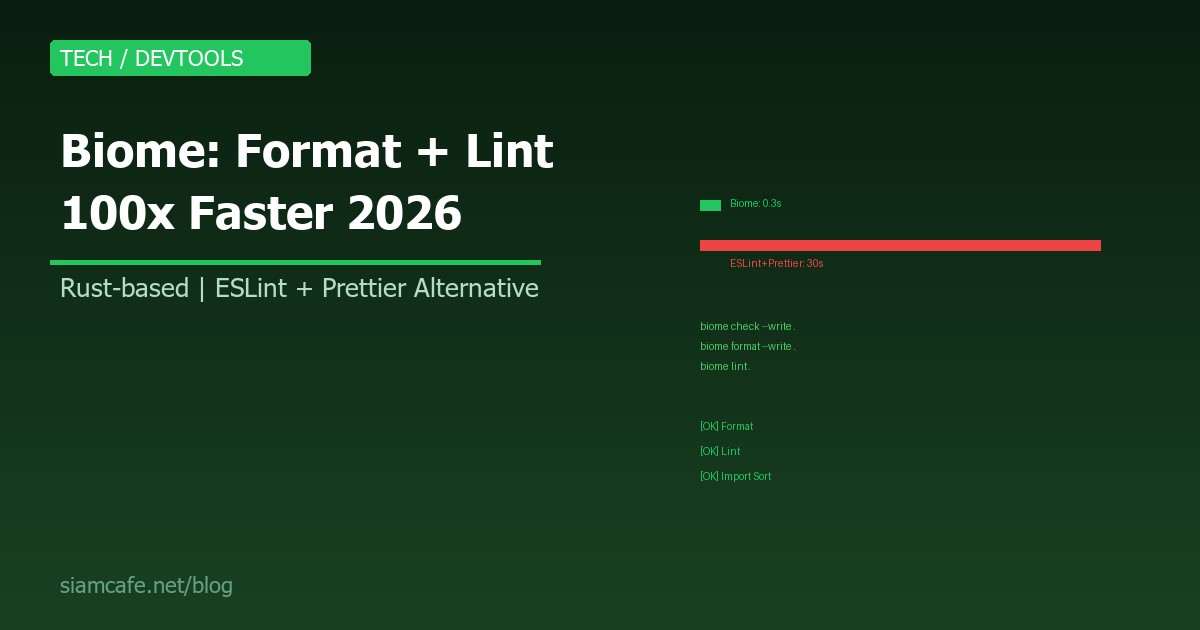
Biome คืออะไร? Formatter + Linter ที่เร็วกว่า ESLint + Prettier 100 เท่า 2026
ถ้าคุณเป็น JavaScript/TypeScript Developer คุณต้องเคยใช้ ESLint สำหรับ Linting และ Prettier สำหรับ Formatting แล้วเจอปัญหาเหล่านี้: ช้ามาก (โดยเฉพาะโปรเจคใหญ่), Config ซับซ้อน (ESLint + Prettier + eslint-config-prettier + eslint-plugin-prettier), Plugins ชนกัน ในปี 2026 มีทางเลือกใหม่ที่ดีกว่า ชื่อ Biome
Biome คืออะไร?
Biome (เดิมชื่อ Rome) เป็นเครื่องมือ Toolchain สำหรับ Web Development ที่เขียนด้วย Rust ทำหน้าที่เป็น:
- Formatter: จัด Format code (แทน Prettier)
- Linter: ตรวจจับ Bug และ Code smell (แทน ESLint)
- Import Sorter: จัดเรียง Import statements
ทั้งหมดใน Binary เดียว ไม่ต้องติดตั้ง Plugin หลายตัว ไม่ต้อง Config หลายไฟล์ และที่สำคัญ เร็วกว่า ESLint + Prettier ประมาณ 100 เท่า
ทำไมถึงเร็วขนาดนั้น?
- Rust-based: เขียนด้วย Rust ที่เร็วเทียบเท่า C/C++ ไม่ต้องรัน Node.js
- Parallel processing: ใช้ทุก CPU core ที่มี
- Zero dependencies: ไม่ต้องโหลด node_modules หลายร้อย MB
- Custom parser: Parse JavaScript/TypeScript/JSON/CSS ด้วย Parser ที่เขียนเองจาก Scratch
Biome vs ESLint+Prettier — Speed Benchmark
| Metric | ESLint + Prettier | Biome | ต่างกัน |
|---|---|---|---|
| Format 1,000 files | ~30 วินาที | ~0.3 วินาที | 100x เร็วกว่า |
| Lint 1,000 files | ~45 วินาที | ~0.5 วินาที | 90x เร็วกว่า |
| Format + Lint | ~75 วินาที | ~0.6 วินาที | 125x เร็วกว่า |
| Install size | ~200 MB (node_modules) | ~20 MB (single binary) | 10x เล็กกว่า |
| Config files | .eslintrc + .prettierrc + .eslintignore + .prettierignore | biome.json (1 ไฟล์) | Simple กว่า |
| Dependencies | หลายสิบ packages | 0 | ไม่มี Dependency hell |
การติดตั้ง
# npm
npm install --save-dev --save-exact @biomejs/biome

# pnpm
pnpm add --save-dev --save-exact @biomejs/biome

# yarn
yarn add --dev --exact @biomejs/biome

# bun
bun add --dev --exact @biomejs/biome

# หรือติดตั้ง Global (standalone binary)
# macOS/Linux
curl -fsSL https://biomejs.dev/install.sh | sh

# Windows (PowerShell)
# irm https://biomejs.dev/install.ps1 | iex
Initial Setup
# สร้าง biome.json (config file)
npx @biomejs/biome init

# จะสร้างไฟล์ biome.json ที่ root ของโปรเจค
# พร้อม Default config ที่ใช้งานได้ทันที
biome.json Configuration
{
  "$schema": "https://biomejs.dev/schemas/1.9.0/schema.json",
  "organizeImports": {
    "enabled": true
  },
  "formatter": {
    "enabled": true,
    "indentStyle": "space",
    "indentWidth": 2,
    "lineWidth": 100,
    "lineEnding": "lf"
  },
  "linter": {
    "enabled": true,
    "rules": {
      "recommended": true,
      "complexity": {
        "noExtraBooleanCast": "error",
        "noMultipleSpacesInRegularExpressionLiterals": "error",
        "noUselessCatch": "error",
        "noUselessTypeConstraint": "error"
      },
      "correctness": {
        "noConstAssign": "error",
        "noConstantCondition": "warn",
        "noEmptyPattern": "error",
        "noUnusedVariables": "warn",
        "useIsNan": "error"
      },
      "suspicious": {
        "noDebugger": "error",
        "noDoubleEquals": "error",
        "noExplicitAny": "warn"
      },
      "style": {
        "noVar": "error",
        "useConst": "error",
        "useTemplate": "warn"
      }
    }
  },
  "javascript": {
    "formatter": {
      "quoteStyle": "single",
      "trailingCommas": "all",
      "semicolons": "always"
    }
  },
  "json": {
    "formatter": {
      "trailingCommas": "none"
    }
  },
  "files": {
    "ignore": [
      "node_modules",
      "dist",
      "build",
      ".next",
      "coverage"
    ]
  }
}
Formatting Rules
# Format ทุกไฟล์
npx @biomejs/biome format --write .

# Format ไฟล์เดียว
npx @biomejs/biome format --write src/app.tsx

# Check formatting (ไม่แก้ไข — สำหรับ CI)
npx @biomejs/biome format .

# Format เฉพาะ TypeScript
npx @biomejs/biome format --write --files-ignore-unknown=true "src/**/*.ts"
Formatting Options
| Option | Values | Default | คำอธิบาย |
|---|---|---|---|
indentStyle | space, tab | tab | ใช้ Space หรือ Tab |
indentWidth | 2, 4, 8 | 2 | จำนวน Space/Tab width |
lineWidth | 1-320 | 80 | ความยาวบรรทัดสูงสุด |
lineEnding | lf, crlf, cr | lf | Line ending style |
quoteStyle | single, double | double | Quote style สำหรับ JS/TS |
semicolons | always, asNeeded | always | ใส่ Semicolons หรือไม่ |
trailingCommas | all, es5, none | all | Trailing commas |
Linting Rules (150+ Rules)
Biome มี Lint rules มากกว่า 150 rules แบ่งเป็นหมวดหมู่:
| Category | จำนวน Rules | ตัวอย่าง |
|---|---|---|
| correctness | 30+ | noUnusedVariables, noConstAssign, useIsNan |
| suspicious | 30+ | noDebugger, noDoubleEquals, noExplicitAny |
| style | 25+ | noVar, useConst, useTemplate |
| complexity | 15+ | noExtraBooleanCast, noUselessCatch |
| performance | 10+ | noAccumulatingSpread, noDelete |
| a11y (Accessibility) | 20+ | noBlankTarget, useAltText, useKeyWithClickEvents |
| security | 5+ | noDangerouslySetInnerHtml, noGlobalEval |
| nursery | 30+ | Rules ใหม่ที่กำลังทดสอบ |
# Lint ทุกไฟล์
npx @biomejs/biome lint .

# Lint + Auto-fix
npx @biomejs/biome lint --write .

# Check ทุกอย่าง (Format + Lint + Import Sort)
npx @biomejs/biome check --write .

# CI mode (ไม่แก้ไข แค่ Report)
npx @biomejs/biome ci .
Import Sorting
Biome จัดเรียง Import statements อัตโนมัติ:
// ก่อน Biome:
import { useState } from 'react';
import axios from 'axios';
import { Button } from './components/Button';
import React from 'react';
import styles from './App.module.css';
import { API_URL } from '../config';

// หลัง Biome (biome check --write):
import React, { useState } from 'react';
import axios from 'axios';

import { API_URL } from '../config';
import { Button } from './components/Button';
import styles from './App.module.css';
Migration จาก ESLint + Prettier
# Biome มี Migration tool:
npx @biomejs/biome migrate eslint --write
npx @biomejs/biome migrate prettier --write

# จะอ่าน .eslintrc.json และ .prettierrc
# แล้วสร้าง biome.json ที่เทียบเท่า

# ขั้นตอน Migration:
# 1. ติดตั้ง Biome
npm install --save-dev --save-exact @biomejs/biome

# 2. Migrate config
npx @biomejs/biome migrate eslint --write
npx @biomejs/biome migrate prettier --write

# 3. ทดสอบ
npx @biomejs/biome check .

# 4. แก้ไข Errors (ถ้ามี)
npx @biomejs/biome check --write .

# 5. ลบ ESLint + Prettier
npm uninstall eslint prettier eslint-config-prettier   eslint-plugin-prettier @typescript-eslint/parser   @typescript-eslint/eslint-plugin

# 6. ลบ Config files
rm .eslintrc.json .prettierrc .eslintignore .prettierignore

# 7. Update package.json scripts
# "lint": "biome check ."
# "lint:fix": "biome check --write ."
# "format": "biome format --write ."
Biome ใน CI/CD
# GitHub Actions
# .github/workflows/lint.yml
name: Lint & Format
on: [push, pull_request]
jobs:
  biome:
    runs-on: ubuntu-latest
    steps:
      - uses: actions/checkout@v4
      - uses: actions/setup-node@v4
        with:
          node-version: 20
      - run: npm ci
      - name: Biome CI Check
        run: npx @biomejs/biome ci .

# GitLab CI
# .gitlab-ci.yml
lint:
  image: node:20
  script:
    - npm ci
- npx @biomejs/biome ci .biome ci แทน biome check ใน CI — มันจะ Report errors แบบ CI-friendly format และ Exit code ที่ถูกต้อง
Biome กับ VS Code
// 1. ติดตั้ง Extension: "Biome" (biomejs.biome)
// 2. ตั้งค่า .vscode/settings.json:

{
  "editor.defaultFormatter": "biomejs.biome",
  "editor.formatOnSave": true,
  "editor.codeActionsOnSave": {
    "quickfix.biome": "explicit",
    "source.organizeImports.biome": "explicit"
  },
  // ปิด ESLint + Prettier (ถ้ายังติดตั้งอยู่)
  "eslint.enable": false,
  "prettier.enable": false
}
Biome กับ Monorepo
// biome.json ที่ Root ของ Monorepo
{
  "$schema": "https://biomejs.dev/schemas/1.9.0/schema.json",
  "formatter": {
    "indentStyle": "space",
    "indentWidth": 2
  },
  "linter": {
    "rules": {
      "recommended": true
    }
  }
}

// packages/web/biome.json (Override สำหรับ React project)
{
  "extends": ["../../biome.json"],
  "linter": {
    "rules": {
      "a11y": {
        "recommended": true
      }
    }
  }
}

// packages/api/biome.json (Override สำหรับ Node.js project)
{
  "extends": ["../../biome.json"],
  "linter": {
    "rules": {
      "suspicious": {
        "noConsoleLog": "warn"
      }
    }
  }
}
Biome + Husky Pre-commit
# ติดตั้ง Husky + lint-staged
npm install --save-dev husky lint-staged
npx husky init

# .husky/pre-commit
npx lint-staged

# package.json
{
  "lint-staged": {
    "*.{js,jsx,ts,tsx,json,css}": [
      "biome check --write --no-errors-on-unmatched"
    ]
  }
}

# หรือใช้ Biome โดยตรง (ไม่ต้อง lint-staged):
# .husky/pre-commit
npx @biomejs/biome check --write --staged --no-errors-on-unmatched
Biome vs oxlint vs deno lint
| Feature | Biome | oxlint | deno lint |
|---|---|---|---|
| Language | Rust | Rust | Rust |
| Formatter | มี | ไม่มี | มี (deno fmt) |
| Linter | มี (150+ rules) | มี (300+ rules) | มี (จำกัด) |
| Import Sort | มี | ไม่มี | ไม่มี |
| CSS Support | มี | ไม่มี | ไม่มี |
| JSON Support | มี | ไม่มี | มี |
| Config | biome.json | .oxlintrc.json | deno.json |
| ESLint Compat | Migration tool | Plugin compat | จำกัด |
| Standalone | ใช่ | ใช่ (lint only) | ต้องใช้ Deno runtime |
| Best For | ทดแทน ESLint+Prettier | เสริม ESLint (เร็วกว่า) | Deno projects |
เมื่อไหร่ควรย้ายจาก ESLint + Prettier ไป Biome?
ควรย้าย ถ้า:
- โปรเจคใช้ JavaScript/TypeScript เป็นหลัก
- ESLint + Prettier ช้ามาก (โปรเจคใหญ่)
- เบื่อ Config complexity (eslint-config-prettier, eslint-plugin-xxx)
- ต้องการ CI ที่เร็วขึ้น
- เริ่มโปรเจคใหม่ (ย้ายง่ายที่สุด)
ยังไม่ควรย้าย ถ้า:
- ใช้ ESLint Plugins เฉพาะทาง (เช่น eslint-plugin-react-hooks, eslint-plugin-import) ที่ Biome ยังไม่ครอบคลุม
- โปรเจคมี Custom ESLint rules ที่เขียนเอง
- ทีมยังไม่พร้อมเปลี่ยน (ต้อง Training)
- ใช้ Language อื่นนอกจาก JS/TS/JSON/CSS
Limitations ของ Biome
- ไม่ Cover ทุก ESLint Plugin: Plugin เฉพาะทางบางตัวยังไม่มี Biome equivalent
- CSS Support ยัง Early: รองรับ CSS แล้ว แต่ยังไม่ครบเท่า Stylelint
- ไม่ Extensible เท่า ESLint: ไม่สามารถเขียน Custom rules ได้ง่ายเท่า ESLint plugins
- Community เล็กกว่า ESLint: ESLint มี Ecosystem ใหญ่กว่ามาก แต่ Biome กำลังเติบโตเร็ว
- ไม่รองรับ Vue SFC: ยังไม่รองรับ .vue Single File Components อย่างสมบูรณ์
สรุป
Biome เป็นอนาคตของ JavaScript/TypeScript Tooling ที่รวม Formatter + Linter + Import Sorter ไว้ใน Binary เดียว เร็วกว่า ESLint + Prettier 100 เท่า Config ง่ายกว่า และมี Migration tool ที่ช่วยย้ายจาก ESLint + Prettier ได้สะดวก
ถ้าคุณเริ่มโปรเจคใหม่ในปี 2026 ให้ลอง Biome ก่อน ถ้าโปรเจคเก่า ให้ประเมินว่า ESLint plugins ที่ใช้อยู่ Biome ครอบคลุมหรือยัง ถ้าครอบคลุม ย้ายเลย คุณจะประหยัดเวลาใน CI ได้หลายนาทีต่อ Run และ Developer experience จะดีขึ้นอย่างเห็นได้ชัด