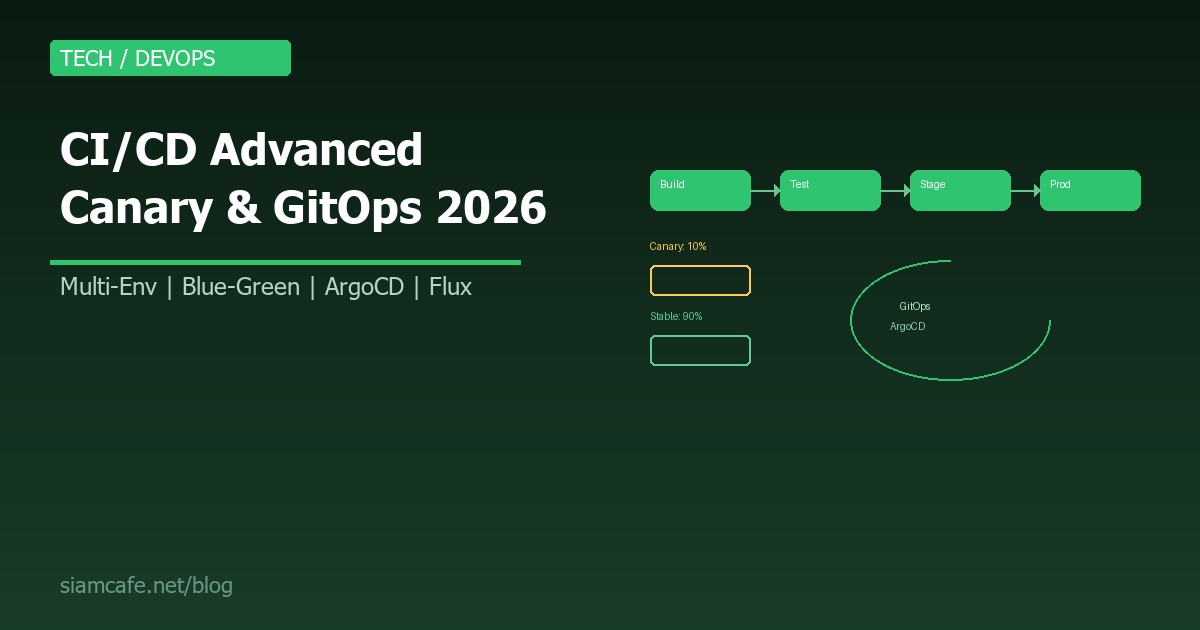
CI/CD ขั้นสูง Multi-Environment, Canary Deploy, GitOps สำหรับ Production-Ready Pipeline 2026
CI/CD พื้นฐานที่เรารู้จักกัน เช่น Build, Test, Deploy อัตโนมัติ เป็นจุดเริ่มต้นที่ดี แต่ในระบบ Production จริงที่มีผู้ใช้หลายล้านคน การ Deploy ต้องซับซ้อนกว่านั้นมาก ต้องมี Multi-Environment Pipeline, Canary Deploy ที่ค่อยๆ ปล่อย Traffic, GitOps ที่ใช้ Git เป็น Single Source of Truth และระบบ Rollback ที่พร้อมรับมือกับ Incident ได้ทันที
บทความนี้จะพาคุณก้าวข้าม CI/CD พื้นฐาน เข้าสู่โลกของ Production-Ready Pipeline ที่ใช้กันจริงในบริษัท Tech ระดับ Enterprise ครอบคลุมตั้งแต่ Multi-Environment Strategy, Deployment Patterns, GitOps ไปจนถึง Pipeline Security
Multi-Environment Pipeline
ระบบ Production จริงไม่ได้มีแค่ Environment เดียว แต่มีหลาย Environment เพื่อทดสอบและตรวจสอบก่อน Deploy ถึงผู้ใช้จริง
Environment Stages ทั่วไป
- Development (Dev): สำหรับนักพัฒนาทดสอบ Feature ใหม่ มีข้อมูล Mock หรือ Seed Data อัปเดตอัตโนมัติทุก Commit
- Staging: จำลอง Production ให้เหมือนที่สุด ใช้ทดสอบ Integration, Performance, UAT มีข้อมูลที่ใกล้เคียงกับ Production (Sanitized)
- Production: ระบบจริงที่ผู้ใช้เข้าถึง Deploy ผ่าน Approval Gate มี Monitoring และ Alerting เต็มรูปแบบ
# GitHub Actions: Multi-Environment Pipeline
name: Deploy Pipeline
on:
  push:
    branches: [main, develop]

jobs:
  build-and-test:
    runs-on: ubuntu-latest
    steps:
      - uses: actions/checkout@v4
      - uses: actions/setup-node@v4
        with:
          node-version: 20
      - run: npm ci
      - run: npm test
      - run: npm run build
      - uses: actions/upload-artifact@v4
        with:
          name: build
          path: dist/

  deploy-dev:
    needs: build-and-test
    if: github.ref == 'refs/heads/develop'
    runs-on: ubuntu-latest
    environment: development
    steps:
      - uses: actions/download-artifact@v4
        with:
          name: build
      - run: ./deploy.sh dev

  deploy-staging:
    needs: build-and-test
    if: github.ref == 'refs/heads/main'
    runs-on: ubuntu-latest
    environment: staging
    steps:
      - uses: actions/download-artifact@v4
        with:
          name: build
      - run: ./deploy.sh staging
      - name: Run E2E Tests
        run: npm run test:e2e -- --env staging

  deploy-production:
    needs: deploy-staging
    runs-on: ubuntu-latest
    environment:
      name: production
      url: https://myapp.com
    steps:
      - uses: actions/download-artifact@v4
        with:
          name: build
      - run: ./deploy.sh production
Promotion Strategies
การเลื่อนจาก Environment หนึ่งไปอีก Environment มีสองแนวทางหลัก:
| Strategy | วิธีการ | เหมาะกับ |
|---|---|---|
| Auto Promotion | Deploy อัตโนมัติเมื่อ Test ผ่าน | Dev → Staging |
| Manual Gate | ต้องมีคน Approve ก่อน Deploy | Staging → Production |
| Scheduled Promotion | Deploy ตามเวลาที่กำหนด เช่น Release Train | องค์กรใหญ่ที่มี Release Cycle |
| Metric-based | Deploy เมื่อ Metrics ถึงเกณฑ์ (เช่น Error Rate ต่ำ) | Canary → Full Production |
# GitHub Actions: Manual Approval Gate
deploy-production:
  needs: deploy-staging
  runs-on: ubuntu-latest
  environment:
    name: production    # ต้องตั้ง Required Reviewers ใน Settings
  steps:
    - run: echo "Deploying to production..."
    # GitHub จะรอ Approval จาก Reviewer ก่อนรัน Steps
Canary Deployment
Canary Deployment คือการ Deploy เวอร์ชันใหม่ให้ผู้ใช้ส่วนน้อยก่อน (เช่น 5-10%) แล้วค่อยๆ เพิ่ม Traffic ถ้า Metrics ปกติ ถ้ามีปัญหาก็ Rollback ทันที
ขั้นตอน Canary Deploy
- Deploy เวอร์ชันใหม่ แต่ส่ง Traffic ไปแค่ 5%
- ตรวจสอบ Metrics (Error Rate, Latency, CPU)
- ถ้า Metrics ปกติ เพิ่มเป็น 25% → 50% → 100%
- ถ้า Metrics ผิดปกติ Rollback ทันที (ลดเป็น 0%)
# Kubernetes: Canary ด้วย Istio VirtualService
apiVersion: networking.istio.io/v1beta1
kind: VirtualService
metadata:
  name: myapp
spec:
  hosts:
    - myapp.example.com
  http:
    - route:
        - destination:
            host: myapp
            subset: stable
          weight: 90
        - destination:
            host: myapp
            subset: canary
          weight: 10
---
apiVersion: networking.istio.io/v1beta1
kind: DestinationRule
metadata:
  name: myapp
spec:
  host: myapp
  subsets:
    - name: stable
      labels:
        version: v1
    - name: canary
      labels:
        version: v2
Automated Canary ด้วย Flagger
# Flagger Canary Resource
apiVersion: flagger.app/v1beta1
kind: Canary
metadata:
  name: myapp
spec:
  targetRef:
    apiVersion: apps/v1
    kind: Deployment
    name: myapp
  progressDeadlineSeconds: 600
  service:
    port: 80
  analysis:
    interval: 1m           # ตรวจทุก 1 นาที
    threshold: 5            # ล้มเหลวได้สูงสุด 5 ครั้ง
    maxWeight: 50           # Traffic สูงสุด 50%
    stepWeight: 10          # เพิ่มทีละ 10%
    metrics:
      - name: request-success-rate
        thresholdRange:
          min: 99           # Success Rate ต้อง >= 99%
        interval: 1m
      - name: request-duration
        thresholdRange:
          max: 500          # Latency ต้อง <= 500ms
        interval: 1m
    webhooks:
      - name: load-test
        url: http://flagger-loadtester/
        metadata:
cmd: "hey -z 1m -q 10 http://myapp-canary/"Blue-Green Deployment
Blue-Green Deployment คือการมี Environment สองชุด (Blue และ Green) ที่เหมือนกันทุกอย่าง ชุดหนึ่งรับ Traffic อยู่ (Active) อีกชุดเตรียม Deploy เวอร์ชันใหม่ (Idle) เมื่อพร้อมก็สลับ Traffic ทั้งหมดไปทันที
# ขั้นตอน Blue-Green Deploy
# 1. Blue (v1) รับ Traffic อยู่ — Green (Idle)
# 2. Deploy v2 ไป Green
# 3. ทดสอบ Green (Smoke Test, Health Check)
# 4. สลับ Load Balancer → Green รับ Traffic
# 5. Blue กลายเป็น Idle (พร้อม Rollback)

# AWS ALB: สลับ Target Group
aws elbv2 modify-listener \
  --listener-arn $LISTENER_ARN \
  --default-actions Type=forward,TargetGroupArn=$GREEN_TG_ARN

# Kubernetes: สลับ Service Selector
kubectl patch service myapp -p \
  '{"spec":{"selector":{"version":"v2"}}}'

# Rollback: สลับกลับไป Blue
kubectl patch service myapp -p \
  '{"spec":{"selector":{"version":"v1"}}}'
เปรียบเทียบ Deployment Strategies
| Strategy | Downtime | Rollback Speed | Resource Cost | Risk |
|---|---|---|---|---|
| Rolling Update | ไม่มี | ช้า (ต้อง Redeploy) | ต่ำ | ปานกลาง |
| Blue-Green | ไม่มี | ทันที (สลับกลับ) | สูง (2x Resources) | ต่ำ |
| Canary | ไม่มี | เร็ว (ลด Traffic เป็น 0) | ปานกลาง | ต่ำมาก |
| Recreate | มี | ช้า | ต่ำ | สูง |
| A/B Testing | ไม่มี | เร็ว | ปานกลาง | ต่ำ |
Rolling Updates
Rolling Update คือการอัปเดต Instance ทีละตัว โดยไม่หยุดให้บริการ เป็น Default Strategy ใน Kubernetes
# Kubernetes Rolling Update Strategy
apiVersion: apps/v1
kind: Deployment
metadata:
  name: myapp
spec:
  replicas: 10
  strategy:
    type: RollingUpdate
    rollingUpdate:
      maxUnavailable: 2    # หยุดได้ทีละ 2 ตัว
      maxSurge: 3           # สร้างเพิ่มได้สูงสุด 3 ตัว
  template:
    spec:
      containers:
        - name: myapp
          image: myapp:v2
          readinessProbe:
            httpGet:
              path: /healthz
              port: 8080
            initialDelaySeconds: 5
            periodSeconds: 10
GitOps ด้วย ArgoCD
GitOps คือแนวคิดที่ใช้ Git Repository เป็น Single Source of Truth สำหรับ Infrastructure และ Application Configuration ทุกการเปลี่ยนแปลงต้องผ่าน Git (Pull Request → Review → Merge) และ GitOps Controller จะ Sync สิ่งที่อยู่ใน Git ไปยัง Cluster อัตโนมัติ
ArgoCD — GitOps Controller ที่นิยมที่สุด
# ติดตั้ง ArgoCD
kubectl create namespace argocd
kubectl apply -n argocd -f https://raw.githubusercontent.com/argoproj/argo-cd/stable/manifests/install.yaml

# เข้าถึง UI
kubectl port-forward svc/argocd-server -n argocd 8080:443

# ล็อกอิน
argocd login localhost:8080
argocd account update-password
ArgoCD Application
# argocd-app.yaml
apiVersion: argoproj.io/v1alpha1
kind: Application
metadata:
  name: myapp-production
  namespace: argocd
spec:
  project: default
  source:
    repoURL: https://github.com/myorg/k8s-manifests.git
    targetRevision: main
    path: apps/myapp/overlays/production
  destination:
    server: https://kubernetes.default.svc
    namespace: production
  syncPolicy:
    automated:
      prune: true       # ลบ Resource ที่ไม่อยู่ใน Git
      selfHeal: true     # แก้ไข Drift อัตโนมัติ
    syncOptions:
      - CreateNamespace=true
    retry:
      limit: 5
      backoff:
        duration: 5s
        maxDuration: 3m
App of Apps Pattern
สำหรับระบบใหญ่ที่มีหลาย Application ใช้ App of Apps Pattern จัดการ โดยมี Root Application ที่สร้าง Application อื่นๆ อัตโนมัติ
# root-app.yaml
apiVersion: argoproj.io/v1alpha1
kind: Application
metadata:
  name: root-app
  namespace: argocd
spec:
  source:
    repoURL: https://github.com/myorg/k8s-manifests.git
    path: apps
  destination:
    server: https://kubernetes.default.svc

# apps/ directory structure:
# apps/
# ├── myapp.yaml         # Application for myapp
# ├── api-gateway.yaml   # Application for API Gateway
# ├── monitoring.yaml    # Application for Prometheus/Grafana
# └── redis.yaml         # Application for Redis
ApplicationSet — Dynamic Application Generation
# applicationset.yaml — สร้าง App ทุก Branch อัตโนมัติ
apiVersion: argoproj.io/v1alpha1
kind: ApplicationSet
metadata:
  name: myapp-envs
  namespace: argocd
spec:
  generators:
    - list:
        elements:
          - env: dev
            cluster: dev-cluster
            revision: develop
          - env: staging
            cluster: staging-cluster
            revision: main
          - env: production
            cluster: prod-cluster
            revision: main
  template:
    metadata:
      name: 'myapp-{{env}}'
    spec:
      source:
        repoURL: https://github.com/myorg/k8s-manifests.git
        targetRevision: '{{revision}}'
        path: 'apps/myapp/overlays/{{env}}'
      destination:
        server: '{{cluster}}'
        namespace: '{{env}}'
GitOps ด้วย Flux
Flux เป็น GitOps Controller อีกตัวที่นิยม เป็น CNCF Graduated Project มีจุดเด่นที่ความเรียบง่ายและ Integration ดีกับ Helm
# ติดตั้ง Flux
flux bootstrap github \
  --owner=myorg \
  --repository=fleet-infra \
  --branch=main \
  --path=./clusters/production \
  --personal

# GitRepository Source
apiVersion: source.toolkit.fluxcd.io/v1
kind: GitRepository
metadata:
  name: myapp
  namespace: flux-system
spec:
  interval: 1m
  url: https://github.com/myorg/myapp-manifests
  ref:
    branch: main
Flux Kustomization
# kustomization.yaml
apiVersion: kustomize.toolkit.fluxcd.io/v1
kind: Kustomization
metadata:
  name: myapp
  namespace: flux-system
spec:
  interval: 10m
  targetNamespace: production
  sourceRef:
    kind: GitRepository
    name: myapp
  path: ./overlays/production
  prune: true
  healthChecks:
    - apiVersion: apps/v1
      kind: Deployment
      name: myapp
      namespace: production
  timeout: 3m
Flux HelmRelease
# helmrelease.yaml
apiVersion: helm.toolkit.fluxcd.io/v2beta1
kind: HelmRelease
metadata:
  name: myapp
  namespace: production
spec:
  interval: 5m
  chart:
    spec:
      chart: myapp
      version: ">=1.0.0 <2.0.0"
      sourceRef:
        kind: HelmRepository
        name: myorg-charts
  values:
    replicaCount: 3
    image:
      repository: myorg/myapp
      tag: latest
    resources:
      requests:
        cpu: 100m
        memory: 128Mi
  upgrade:
    remediation:
      retries: 3
Feature Flags + Deployment Decoupling
การแยก Deployment ออกจาก Feature Release เป็นแนวคิดสำคัญ ด้วย Feature Flags คุณสามารถ Deploy Code ใหม่ไปยัง Production แต่ยังไม่เปิดให้ผู้ใช้เห็น จนกว่าจะพร้อม
# Feature Flag ด้วย environment variable
# deploy.yaml — deploy code ใหม่ทุกวัน
# feature-flags.yaml — เปิด/ปิดฟีเจอร์แยกจาก deploy

# ตัวอย่าง Config Map สำหรับ Feature Flags
apiVersion: v1
kind: ConfigMap
metadata:
  name: feature-flags
data:
  NEW_CHECKOUT: "false"        # ยังไม่เปิด
  DARK_MODE: "true"            # เปิดแล้ว
  AI_RECOMMENDATIONS: "beta"   # เปิดเฉพาะ Beta Users

# ในโค้ด (TypeScript)
function isFeatureEnabled(flag: string, user: User): boolean {
  const value = process.env[`FF_${flag}`];
  if (value === "true") return true;
  if (value === "beta") return user.isBetaTester;
  if (value === "percentage") return user.id % 100 < 10; // 10%
  return false;
}Database Migration ใน CI/CD
การจัดการ Database Schema ใน CI/CD Pipeline ต้องระมัดระวังเป็นพิเศษ เพราะ Database Migration ไม่สามารถ Rollback ได้ง่ายเหมือน Application Code
Expand-Contract Pattern
แทนที่จะเปลี่ยน Schema ทีเดียว ให้แบ่งเป็น 3 ขั้นตอน:
# ขั้นตอน Expand-Contract
# ตัวอย่าง: เปลี่ยนชื่อ Column จาก "name" เป็น "full_name"

# Phase 1: Expand — เพิ่ม Column ใหม่ (Deploy #1)
ALTER TABLE users ADD COLUMN full_name VARCHAR(255);
# App: เขียนทั้ง name และ full_name

# Phase 2: Migrate — คัดลอกข้อมูล (Deploy #2)
UPDATE users SET full_name = name WHERE full_name IS NULL;
# App: อ่านจาก full_name

# Phase 3: Contract — ลบ Column เก่า (Deploy #3)
ALTER TABLE users DROP COLUMN name;
# App: ใช้ full_name เท่านั้น
# GitHub Actions: Database Migration Step
migrate-db:
runs-on: ubuntu-latest
environment: production
steps:
- uses: actions/checkout@v4
- name: Run Migrations
env:
DATABASE_URL: ${{ secrets.DATABASE_URL }}
run: |
npx prisma migrate deploy
- name: Verify Migration
run: |
npx prisma migrate statusSecrets Management ใน Pipeline
การจัดการ Secrets (API Keys, Database Passwords, Certificates) ใน CI/CD Pipeline เป็นเรื่องสำคัญมาก ห้ามเก็บ Secret ใน Git โดยเด็ดขาด
SOPS (Secrets OPerationS)
# เข้ารหัส Secrets ด้วย SOPS
sops --encrypt --age $AGE_PUBLIC_KEY secrets.yaml > secrets.enc.yaml

# ไฟล์ที่เข้ารหัสเก็บใน Git ได้
# secrets.enc.yaml (เก็บใน Git)
apiVersion: v1
kind: Secret
metadata:
  name: myapp-secrets
stringData:
  DATABASE_URL: ENC[AES256_GCM,data:...,type:str]
  API_KEY: ENC[AES256_GCM,data:...,type:str]

# ถอดรหัสตอน Deploy
sops --decrypt secrets.enc.yaml | kubectl apply -f -
HashiCorp Vault
# อ่าน Secret จาก Vault ใน Pipeline
vault kv get -field=password secret/myapp/database

# GitHub Actions + Vault
- name: Import Secrets
  uses: hashicorp/vault-action@v2
  with:
    url: https://vault.mycompany.com
    method: jwt
    role: github-actions
    secrets: |
      secret/data/myapp/database password | DB_PASSWORD;
      secret/data/myapp/api api_key | API_KEY
External Secrets Operator
# ExternalSecret — ดึง Secret จาก AWS Secrets Manager
apiVersion: external-secrets.io/v1beta1
kind: ExternalSecret
metadata:
  name: myapp-secrets
spec:
  refreshInterval: 1h
  secretStoreRef:
    name: aws-secrets-manager
    kind: ClusterSecretStore
  target:
    name: myapp-secrets
  data:
    - secretKey: database-url
      remoteRef:
        key: production/myapp
        property: DATABASE_URL
Compliance และ Audit Trail
ในองค์กรที่มีข้อกำหนดด้าน Compliance (SOC2, PCI-DSS, ISO 27001) CI/CD Pipeline ต้องมี Audit Trail ที่ตรวจสอบได้
- Deployment Approval: ทุก Production Deploy ต้องมีคน Approve อย่างน้อย 2 คน
- Change Log: บันทึกว่าใคร Deploy อะไร เมื่อไหร่ เวอร์ชันอะไร
- Artifact Provenance: ตรวจสอบได้ว่า Binary ที่ Deploy มาจาก Source Code ไหน Build เมื่อไหร่
- Access Control: จำกัดว่าใครสามารถ Trigger Production Deploy ได้
# GitHub Actions: Deployment Record
- name: Record Deployment
  run: |
    curl -X POST https://api.mycompany.com/deployments \
      -H "Authorization: Bearer ${{ secrets.AUDIT_TOKEN }}" \
      -d '{
        "service": "myapp",
        "version": "${{ github.sha }}",
        "environment": "production",
        "deployer": "${{ github.actor }}",
        "timestamp": "'$(date -u +%Y-%m-%dT%H:%M:%SZ)'",
        "pr_number": "${{ github.event.pull_request.number }}",
        "approved_by": "${{ github.event.review.user.login }}"
      }'
Deployment Metrics และ SLOs
การวัดผล Deployment ช่วยให้ทีมปรับปรุงกระบวนการได้ต่อเนื่อง ตัวชี้วัดหลักที่ควรติดตามคือ DORA Metrics สี่ตัว
| Metric | คำอธิบาย | Elite Performance |
|---|---|---|
| Deployment Frequency | Deploy บ่อยแค่ไหน | หลายครั้งต่อวัน |
| Lead Time for Changes | จาก Commit ถึง Production | ไม่ถึง 1 ชั่วโมง |
| Change Failure Rate | % Deploy ที่ทำให้เกิดปัญหา | น้อยกว่า 5% |
| Mean Time to Recover | เวลาแก้ไขปัญหาหลัง Deploy | ไม่ถึง 1 ชั่วโมง |
# Prometheus: Deployment Metrics
# deployment_total: จำนวน Deploy ทั้งหมด
# deployment_duration_seconds: เวลาที่ใช้ Deploy
# deployment_failure_total: จำนวน Deploy ที่ล้มเหลว

# Grafana Dashboard Query
rate(deployment_total{env="production"}[7d])  # Deploy ต่อสัปดาห์

# SLO Example
# 99.9% Availability = Downtime ไม่เกิน 8.76 ชั่วโมง/ปี
# Error Budget = 0.1% ถ้าใช้หมดต้องหยุด Deploy ฟีเจอร์ใหม่
Incident Rollback Procedures
เมื่อ Deploy แล้วเกิดปัญหา ต้องมีขั้นตอน Rollback ที่ชัดเจนและฝึกซ้อมเป็นประจำ
# Kubernetes: Rollback Deployment
kubectl rollout undo deployment/myapp                    # ย้อนกลับ 1 เวอร์ชัน
kubectl rollout undo deployment/myapp --to-revision=3    # ย้อนไปเวอร์ชันที่ระบุ
kubectl rollout history deployment/myapp                 # ดูประวัติ Deploy
kubectl rollout status deployment/myapp                  # ดูสถานะ

# ArgoCD: Rollback
argocd app rollback myapp-production REVISION_NUMBER

# GitHub Actions: Rollback Workflow
name: Rollback
on:
  workflow_dispatch:
    inputs:
      version:
        description: 'Version to rollback to'
        required: true
      reason:
        description: 'Reason for rollback'
        required: true
jobs:
  rollback:
    runs-on: ubuntu-latest
    environment: production
    steps:
      - name: Rollback
        run: |
          kubectl set image deployment/myapp \
            myapp=myorg/myapp:${{ inputs.version }}
      - name: Notify Team
        run: |
          curl -X POST $SLACK_WEBHOOK \
            -d '{"text":"ROLLBACK: myapp reverted to ${{ inputs.version }} by ${{ github.actor }}. Reason: ${{ inputs.reason }}"}'
Pipeline Security — Supply Chain
ความปลอดภัยของ CI/CD Pipeline เป็นเรื่องที่มองข้ามไม่ได้ เพราะ Pipeline มีสิทธิ์ Deploy Code ไปยัง Production หาก Pipeline ถูก Compromise ผลกระทบจะรุนแรงมาก
SLSA (Supply-chain Levels for Software Artifacts)
- SLSA Level 1: มี Build Process ที่สามารถสร้าง Provenance ได้
- SLSA Level 2: ใช้ Hosted Build Service (เช่น GitHub Actions) มี Signed Provenance
- SLSA Level 3: Build Process ถูก Hardened ป้องกันการแก้ไขจากภายนอก
# GitHub Actions: Generate SLSA Provenance
- name: Generate SLSA Provenance
  uses: slsa-framework/slsa-github-generator/.github/workflows/generator_container_slsa3.yml@v1
  with:
    image: myorg/myapp
    digest: ${{ steps.build.outputs.digest }}

# Container Image Signing ด้วย Cosign
- name: Sign Container Image
  run: |
    cosign sign --yes \
      --key env://COSIGN_PRIVATE_KEY \
      myorg/myapp@${{ steps.build.outputs.digest }}

# Verify ก่อน Deploy
- name: Verify Signature
  run: |
    cosign verify \
      --key cosign.pub \
      myorg/myapp@${{ steps.build.outputs.digest }}
Pipeline Security Best Practices
- ใช้ Pinned Versions สำหรับ Actions (เช่น
actions/checkout@v4.1.1ไม่ใช่@main) - จำกัด Permissions ของ GitHub Token ใช้
permissionsblock - Scan Dependencies ด้วย Dependabot หรือ Snyk
- Scan Container Images ด้วย Trivy หรือ Grype
- ใช้ OIDC แทน Long-lived Credentials สำหรับ Cloud Provider
# GitHub Actions: Minimal Permissions
permissions:
  contents: read
  packages: write
  id-token: write    # สำหรับ OIDC

# Dependency Scanning
- name: Scan Dependencies
  uses: aquasecurity/trivy-action@master
  with:
    scan-type: 'fs'
    severity: 'CRITICAL,HIGH'
    exit-code: '1'    # Fail pipeline ถ้าพบช่องโหว่ร้ายแรง
Multi-Cluster Deployment
ระบบขนาดใหญ่มักมีหลาย Kubernetes Cluster เช่น Cluster ต่าง Region, Cluster สำหรับ DR (Disaster Recovery) หรือ Cluster แยกตาม Environment
# ArgoCD: Multi-Cluster Management
# เพิ่ม Cluster
argocd cluster add production-us-east-1
argocd cluster add production-eu-west-1
argocd cluster add dr-ap-southeast-1

# ApplicationSet สำหรับ Multi-Region Deploy
apiVersion: argoproj.io/v1alpha1
kind: ApplicationSet
metadata:
  name: myapp-global
spec:
  generators:
    - list:
        elements:
          - region: us-east-1
            cluster: https://k8s-us-east.example.com
          - region: eu-west-1
            cluster: https://k8s-eu-west.example.com
          - region: ap-southeast-1
            cluster: https://k8s-ap-southeast.example.com
  template:
    metadata:
      name: 'myapp-{{region}}'
    spec:
      source:
        repoURL: https://github.com/myorg/k8s-manifests.git
        path: 'apps/myapp/overlays/{{region}}'
      destination:
        server: '{{cluster}}'
        namespace: production
      syncPolicy:
        automated:
          prune: true
          selfHeal: true
สรุป
CI/CD ขั้นสูงไม่ใช่แค่การ Automate Build/Test/Deploy แต่เป็นระบบที่ครอบคลุมการจัดการ Multi-Environment, Deployment Strategies ที่ปลอดภัย, GitOps ที่ใช้ Git เป็น Source of Truth, Secrets Management ที่รัดกุม และ Pipeline Security ที่ป้องกัน Supply Chain Attack
สำหรับทีมที่กำลังจะก้าวจาก CI/CD พื้นฐานไปสู่ Production-Ready Pipeline แนะนำให้เริ่มต้นทีละขั้น เริ่มจาก Multi-Environment Pipeline จากนั้นเพิ่ม Canary Deploy แล้วค่อยไป GitOps ด้วย ArgoCD หรือ Flux สิ่งสำคัญคือต้องฝึกซ้อม Rollback เป็นประจำ เพราะเมื่อเกิด Incident จริงจะได้พร้อมรับมือได้ทันที
CI/CD Pipeline ที่ดีไม่ใช่แค่ทำให้ Deploy เร็ว แต่ต้องทำให้ Deploy ปลอดภัย ตรวจสอบได้ และ Recover ได้อย่างรวดเร็วเมื่อเกิดปัญหา