Concurrency และ Parallelism คืออะไร? สอนเขียนโปรแกรมแบบ Async, Multi-thread, Multi-process 2026
ในยุคที่ซอฟต์แวร์ต้องรองรับผู้ใช้หลายล้านคนพร้อมกัน ต้องประมวลผลข้อมูลขนาดใหญ่ และตอบสนองได้ภายในมิลลิวินาที การเข้าใจ Concurrency และ Parallelism ถือเป็นทักษะที่จำเป็นอย่างยิ่งสำหรับนักพัฒนาซอฟต์แวร์ทุกคน ไม่ว่าคุณจะเขียน Backend ที่ต้องรับ Request หลายพันต่อวินาที สร้าง Web Scraper ที่ดึงข้อมูลจากหลายร้อยเว็บไซต์ หรือประมวลผลภาพหลายพันรูป ความเข้าใจเรื่องนี้จะเปลี่ยนวิธีคิดของคุณในการออกแบบโปรแกรมไปตลอดกาล
บทความนี้จะอธิบายทุกอย่างเกี่ยวกับ Concurrency และ Parallelism ตั้งแต่ความแตกต่างพื้นฐาน Threading Multiprocessing Async/Await Event Loop Race Conditions Deadlock จนถึง Actor Model CSP และ Pattern ที่ใช้ในงานจริง พร้อมตัวอย่าง Code ในหลายภาษา
Concurrency vs Parallelism ต่างกันอย่างไร?
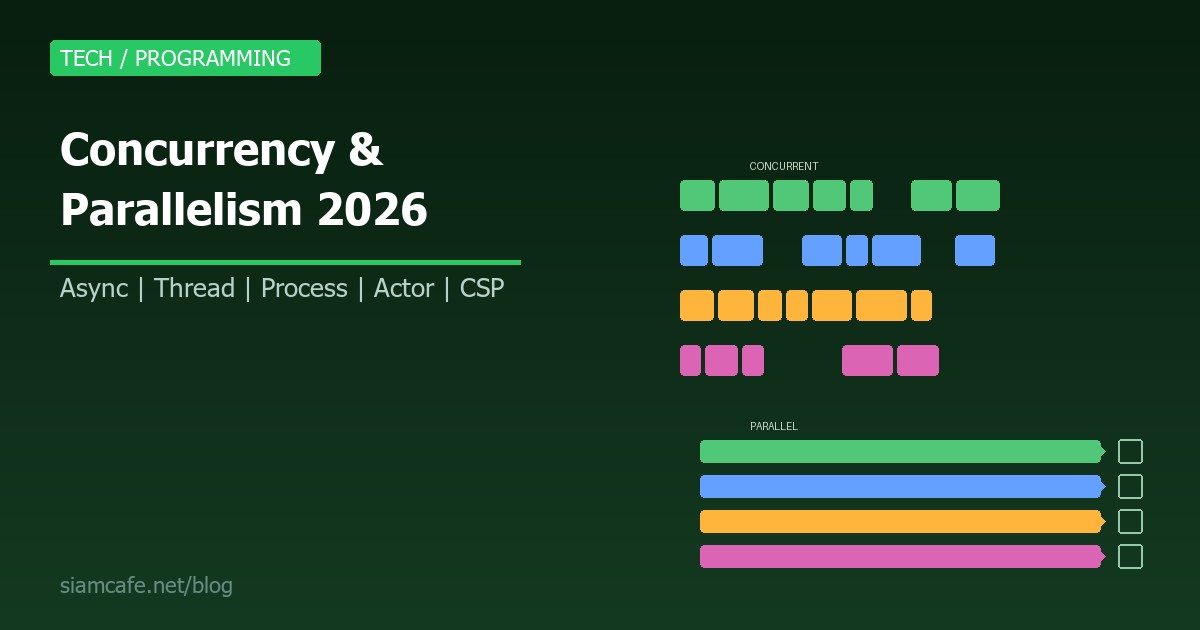
Rob Pike (ผู้สร้างภาษา Go) ได้ให้คำนิยามที่ชัดเจนที่สุดไว้ว่า "Concurrency is about dealing with lots of things at once. Parallelism is about doing lots of things at once." ซึ่งหมายความว่า Concurrency คือการจัดการกับหลายสิ่งพร้อมกัน ในขณะที่ Parallelism คือการทำหลายสิ่งพร้อมกันจริงๆ
Concurrency (การทำงานพร้อมกันเชิงโครงสร้าง) คือการออกแบบโปรแกรมให้สามารถจัดการกับหลาย Task ได้ในเวลาเดียวกัน โดยไม่จำเป็นต้องทำงานพร้อมกันจริงๆ ทาง Physical ลองนึกภาพพ่อครัวคนเดียวที่ทำอาหาร 3 จานพร้อมกัน เขาสลับไปมาระหว่างหม้อ กระทะ เตาอบ แต่ในแต่ละขณะเขาทำได้แค่อย่างเดียว ผลลัพธ์คืออาหารทั้ง 3 จานเสร็จเร็วกว่าทำทีละจาน
Parallelism (การทำงานขนานจริง) คือการทำหลาย Task พร้อมกันจริงๆ บน Hardware หลายตัว เหมือนมีพ่อครัว 3 คน แต่ละคนทำอาหารคนละจาน ทำงานพร้อมกันจริงๆ ได้เลย
| คุณสมบัติ | Concurrency | Parallelism |
|---|---|---|
| ความหมาย | จัดการหลาย Task สลับไปมา | ทำหลาย Task พร้อมกันจริง |
| CPU Core | ทำได้แม้มี Core เดียว | ต้องมีหลาย Core |
| เหมาะกับ | I/O-bound tasks | CPU-bound tasks |
| ตัวอย่าง | Web Server รับหลาย Request | Render วิดีโอหลาย Frame |
| กลไก | Coroutine, Event Loop, Threading | Multi-core, GPU, Distributed |
Threading — การใช้หลาย Thread
Thread คือหน่วยการทำงานที่เล็กที่สุดที่ OS สามารถ Schedule ได้ หลาย Thread ภายใน Process เดียวกันจะแชร์ Memory ร่วมกัน ซึ่งทำให้สื่อสารกันง่ายแต่ก็เสี่ยงต่อ Race Condition
Python Threading
import threading
import time
import requests

def download_page(url: str, results: list, index: int):
    """ดาวน์โหลดหน้าเว็บและเก็บผลลัพธ์"""
    try:
        response = requests.get(url, timeout=10)
        results[index] = f"{url}: {len(response.content)} bytes"
        print(f"  Downloaded {url}")
    except Exception as e:
        results[index] = f"{url}: Error - {e}"

# รายการ URL ที่ต้องดาวน์โหลด
urls = [
    "https://example.com",
    "https://httpbin.org/get",
    "https://jsonplaceholder.typicode.com/posts",
    "https://api.github.com",
]

# แบบ Sequential (ช้า)
start = time.time()
for url in urls:
    requests.get(url, timeout=10)
print(f"Sequential: {time.time() - start:.2f}s")

# แบบ Threading (เร็วกว่ามาก)
results = [None] * len(urls)
threads = []
start = time.time()

for i, url in enumerate(urls):
    t = threading.Thread(target=download_page, args=(url, results, i))
    threads.append(t)
    t.start()

# รอทุก Thread ทำงานเสร็จ
for t in threads:
    t.join()

print(f"Threaded: {time.time() - start:.2f}s")
print("Results:", results)
Java Threads
// Java Virtual Threads (Project Loom - Java 21+)
import java.util.concurrent.*;

public class ConcurrencyDemo {
    public static void main(String[] args) throws Exception {
        // Traditional Platform Threads
        ExecutorService executor = Executors.newFixedThreadPool(4);

        List<Future<String>> futures = new ArrayList<>();
        for (int i = 0; i < 10; i++) {
            final int taskId = i;
            futures.add(executor.submit(() -> {
                Thread.sleep(1000);
                return "Task " + taskId + " completed";
            }));
        }

        for (Future<String> f : futures) {
            System.out.println(f.get());
        }
        executor.shutdown();

        // Virtual Threads (Java 21+) — ใช้ได้หลักล้าน Threads
        try (var exec = Executors.newVirtualThreadPerTaskExecutor()) {
            for (int i = 0; i < 100_000; i++) {
                final int id = i;
                exec.submit(() -> {
                    Thread.sleep(Duration.ofMillis(100));
                    return "Virtual task " + id;
                });
            }
        }
    }
}
Go Goroutines
package main

import (
    "fmt"
    "net/http"
    "sync"
    "time"
)

func fetchURL(url string, wg *sync.WaitGroup, results chan<- string) {
    defer wg.Done()
    start := time.Now()
    resp, err := http.Get(url)
    if err != nil {
        results <- fmt.Sprintf("%s: error - %v", url, err)
        return
    }
    defer resp.Body.Close()
    results <- fmt.Sprintf("%s: %d (%v)", url, resp.StatusCode, time.Since(start))
}

func main() {
    urls := []string{
        "https://example.com",
        "https://httpbin.org/get",
        "https://jsonplaceholder.typicode.com/posts",
    }

    var wg sync.WaitGroup
    results := make(chan string, len(urls))

    for _, url := range urls {
        wg.Add(1)
        go fetchURL(url, &wg, results) // goroutine — เบามาก
    }

    // รอทั้งหมดเสร็จแล้วปิด channel
    go func() {
        wg.Wait()
        close(results)
    }()

    for result := range results {
        fmt.Println(result)
    }
}Multiprocessing — ใช้หลาย Process
เมื่องานต้องใช้ CPU อย่างหนัก (CPU-bound) เช่น คำนวณเลข ประมวลผลภาพ หรือ Machine Learning การใช้ Multiprocessing จะดีกว่า Threading เพราะแต่ละ Process มี Memory Space แยกกัน และสามารถใช้หลาย CPU Core ได้จริง
Python Multiprocessing
import multiprocessing as mp
import time
import math

def compute_heavy(n: int) -> float:
    """งาน CPU-bound: คำนวณผลรวม sin"""
    total = 0.0
    for i in range(n):
        total += math.sin(i) * math.cos(i)
    return total

def compute_chunk(args):
    """Wrapper สำหรับ Pool.map"""
    start, end = args
    total = 0.0
    for i in range(start, end):
        total += math.sin(i) * math.cos(i)
    return total

if __name__ == "__main__":
    N = 10_000_000

    # แบบ Sequential
    start = time.time()
    result_seq = compute_heavy(N)
    print(f"Sequential: {time.time() - start:.2f}s  result={result_seq:.6f}")

    # แบบ Multiprocessing (Pool)
    num_cpus = mp.cpu_count()
    chunk_size = N // num_cpus
    chunks = [(i * chunk_size, (i + 1) * chunk_size) for i in range(num_cpus)]

    start = time.time()
    with mp.Pool(processes=num_cpus) as pool:
        results = pool.map(compute_chunk, chunks)
    result_mp = sum(results)
    print(f"Multiprocessing ({num_cpus} cores): {time.time() - start:.2f}s  result={result_mp:.6f}")

    # ProcessPoolExecutor (modern API)
    from concurrent.futures import ProcessPoolExecutor
    start = time.time()
    with ProcessPoolExecutor(max_workers=num_cpus) as executor:
        futures = [executor.submit(compute_chunk, chunk) for chunk in chunks]
        result_ppe = sum(f.result() for f in futures)
    print(f"ProcessPoolExecutor: {time.time() - start:.2f}s  result={result_ppe:.6f}")
เมื่อไหร่ใช้ Thread vs Process
| เกณฑ์ | Threading | Multiprocessing |
|---|---|---|
| ประเภทงาน | I/O-bound (Network, File, DB) | CPU-bound (คำนวณ, ประมวลผล) |
| Memory | แชร์กัน (ประหยัด) | แยกกัน (ใช้มากกว่า) |
| Communication | ง่าย (Shared Memory) | ต้องใช้ IPC (Queue, Pipe) |
| GIL (Python) | ถูก GIL จำกัด | ไม่ถูก GIL จำกัด |
| Overhead | ต่ำ | สูง (สร้าง Process แพง) |
| ความปลอดภัย | เสี่ยง Race Condition | ปลอดภัยกว่า (Memory แยก) |
Async/Await — Non-blocking I/O
Async/Await เป็นรูปแบบการเขียนโปรแกรมที่ทำให้โค้ดที่ทำงานแบบ Non-blocking อ่านง่ายเหมือนโค้ดปกติ ต่างจาก Threading ตรงที่ Async ใช้ Thread เดียว แต่สลับงานได้อย่างมีประสิทธิภาพเมื่อรอ I/O
Python asyncio
import asyncio
import aiohttp
import time

async def fetch_url(session: aiohttp.ClientSession, url: str) -> dict:
    """ดาวน์โหลด URL แบบ async"""
    async with session.get(url) as response:
        data = await response.text()
        return {"url": url, "size": len(data), "status": response.status}

async def main():
    urls = [
        "https://example.com",
        "https://httpbin.org/get",
        "https://jsonplaceholder.typicode.com/posts/1",
        "https://jsonplaceholder.typicode.com/posts/2",
        "https://jsonplaceholder.typicode.com/users/1",
    ]

    start = time.time()
    async with aiohttp.ClientSession() as session:
        # สร้าง Task ทั้งหมดพร้อมกัน
        tasks = [fetch_url(session, url) for url in urls]
        results = await asyncio.gather(*tasks)

    elapsed = time.time() - start
    for r in results:
        print(f"  {r['url']}: {r['size']} bytes ({r['status']})")
    print(f"Total: {elapsed:.2f}s ({len(urls)} URLs)")

# รัน async function
asyncio.run(main())

# Async Generator — ดึงข้อมูลทีละหน้า
async def fetch_pages(base_url: str, total_pages: int):
    async with aiohttp.ClientSession() as session:
        for page in range(1, total_pages + 1):
            url = f"{base_url}?page={page}"
            async with session.get(url) as resp:
                data = await resp.json()
                yield page, data

async def process_pages():
    async for page, data in fetch_pages("https://api.example.com/items", 10):
        print(f"Page {page}: {len(data)} items")

# Async Context Manager
class AsyncDBConnection:
    async def __aenter__(self):
        self.conn = await create_connection()
        return self.conn

    async def __aexit__(self, exc_type, exc_val, exc_tb):
        await self.conn.close()
JavaScript Async/Await
// Promise-based approach
function fetchData(url) {
    return fetch(url)
        .then(response => response.json())
        .catch(error => ({ error: error.message }));
}

// Async/Await — อ่านง่ายกว่ามาก
async function fetchAllData() {
    const urls = [
        'https://api.example.com/users',
        'https://api.example.com/posts',
        'https://api.example.com/comments',
    ];

    // Promise.all — รันทั้งหมดพร้อมกัน
    const results = await Promise.all(
        urls.map(url => fetch(url).then(r => r.json()))
    );
    console.log('All fetched:', results.length);

    // Promise.allSettled — ไม่หยุดถ้ามีอันเดียวพัง
    const settled = await Promise.allSettled(
        urls.map(url => fetch(url).then(r => r.json()))
    );
    settled.forEach((result, i) => {
        if (result.status === 'fulfilled') {
            console.log(`${urls[i]}: OK`);
        } else {
            console.log(`${urls[i]}: FAILED - ${result.reason}`);
        }
    });

    // Promise.race — เอาอันที่เสร็จก่อน
    const fastest = await Promise.race(
        urls.map(url => fetch(url))
    );
    console.log('Fastest response from:', fastest.url);
}

// Concurrency Limit — จำกัดจำนวน Concurrent Requests
async function fetchWithLimit(urls, limit = 5) {
    const results = [];
    const executing = new Set();

    for (const url of urls) {
        const p = fetch(url).then(r => r.json());
        results.push(p);
        executing.add(p);

        const clean = () => executing.delete(p);
        p.then(clean, clean);

        if (executing.size >= limit) {
            await Promise.race(executing);
        }
    }

    return Promise.all(results);
}
Rust Tokio (Async Runtime)
use tokio;
use reqwest;

#[tokio::main]
async fn main() -> Result<(), Box<dyn std::error::Error>> {
    let urls = vec![
        "https://example.com",
        "https://httpbin.org/get",
        "https://jsonplaceholder.typicode.com/posts/1",
    ];

    // Spawn concurrent tasks
    let mut handles = vec![];
    for url in &urls {
        let url = url.to_string();
        handles.push(tokio::spawn(async move {
            let resp = reqwest::get(&url).await?;
            let body = resp.text().await?;
            Ok::<(String, usize), reqwest::Error>((url, body.len()))
        }));
    }

    // รอทุก Task เสร็จ
    for handle in handles {
        match handle.await? {
            Ok((url, size)) => println!("{}: {} bytes", url, size),
            Err(e) => eprintln!("Error: {}", e),
        }
    }

    Ok(())
}
Event Loop — หัวใจของ Async
Event Loop เป็นกลไกหลักที่อยู่เบื้องหลังการทำงานของ Async Programming ทำหน้าที่จัดคิวและสลับ Task ให้ทำงานได้อย่างมีประสิทธิภาพบน Single Thread
Node.js Event Loop
// Node.js Event Loop มี 6 phases:
// 1. Timers (setTimeout, setInterval)
// 2. Pending Callbacks (I/O callbacks)
// 3. Idle/Prepare (internal)
// 4. Poll (รอ I/O events ใหม่)
// 5. Check (setImmediate)
// 6. Close Callbacks

console.log('1. Synchronous - Start');

setTimeout(() => console.log('2. Timer - setTimeout 0'), 0);

setImmediate(() => console.log('3. Check - setImmediate'));

process.nextTick(() => console.log('4. Microtask - nextTick'));

Promise.resolve().then(() => console.log('5. Microtask - Promise'));

console.log('6. Synchronous - End');

// Output order:
// 1. Synchronous - Start
// 6. Synchronous - End
// 4. Microtask - nextTick
// 5. Microtask - Promise
// 2. Timer - setTimeout 0
// 3. Check - setImmediate
Python asyncio Event Loop
import asyncio

async def task_a():
    print("Task A: start")
    await asyncio.sleep(2)  # จำลองรอ I/O 2 วินาที
    print("Task A: done")
    return "Result A"

async def task_b():
    print("Task B: start")
    await asyncio.sleep(1)  # จำลองรอ I/O 1 วินาที
    print("Task B: done")
    return "Result B"

async def task_c():
    print("Task C: start")
    await asyncio.sleep(1.5)
    print("Task C: done")
    return "Result C"

async def main():
    # สั่งรัน 3 Tasks พร้อมกัน
    # Event Loop จะสลับไปทำ Task อื่นเมื่อ Task ใด await
    results = await asyncio.gather(task_a(), task_b(), task_c())
    print(f"All results: {results}")
    # รวมเวลาประมาณ 2 วินาที (ไม่ใช่ 4.5 วินาที)

asyncio.run(main())

# ใช้ asyncio.wait สำหรับการควบคุมแบบละเอียด
async def advanced_wait():
    tasks = [
        asyncio.create_task(task_a()),
        asyncio.create_task(task_b()),
        asyncio.create_task(task_c()),
    ]

    # รอจน Task แรกเสร็จ
    done, pending = await asyncio.wait(tasks, return_when=asyncio.FIRST_COMPLETED)
    print(f"First done: {[t.result() for t in done]}")
    print(f"Still pending: {len(pending)}")

    # รอที่เหลือ
    done2, _ = await asyncio.wait(pending)
    print(f"Rest done: {[t.result() for t in done2]}")
Race Conditions และ Synchronization
Race Condition เกิดขึ้นเมื่อหลาย Thread เข้าถึง Shared Data พร้อมกัน และผลลัพธ์ขึ้นอยู่กับลำดับการทำงาน ซึ่งอาจให้ผลลัพธ์ที่ผิดพลาดและคาดเดาไม่ได้
ปัญหา Race Condition
import threading

# ตัวอย่าง Race Condition
counter = 0

def increment(n):
    global counter
    for _ in range(n):
        counter += 1  # ไม่ Atomic! อ่าน -> บวก -> เขียน

threads = [threading.Thread(target=increment, args=(100000,)) for _ in range(10)]
for t in threads: t.start()
for t in threads: t.join()

print(f"Expected: 1000000, Got: {counter}")
# ได้ค่าไม่ถูกต้อง! เช่น 873421
วิธีแก้ด้วย Lock (Mutex)
import threading

counter = 0
lock = threading.Lock()

def safe_increment(n):
    global counter
    for _ in range(n):
        with lock:  # Acquire lock -> ทำงาน -> Release lock
            counter += 1

threads = [threading.Thread(target=safe_increment, args=(100000,)) for _ in range(10)]
for t in threads: t.start()
for t in threads: t.join()

print(f"Expected: 1000000, Got: {counter}")  # ถูกต้องเสมอ
Semaphore — จำกัดจำนวน Thread
import threading
import time

# Semaphore จำกัดให้ทำพร้อมกันได้แค่ 3 Thread
semaphore = threading.Semaphore(3)

def limited_task(task_id):
    with semaphore:
        print(f"Task {task_id} started")
        time.sleep(2)  # จำลองงานหนัก
        print(f"Task {task_id} finished")

# สร้าง 10 Threads แต่ทำพร้อมกันได้แค่ 3
threads = [threading.Thread(target=limited_task, args=(i,)) for i in range(10)]
for t in threads: t.start()
for t in threads: t.join()
RLock (Reentrant Lock)
import threading

# RLock อนุญาตให้ Thread เดียวกัน Lock ซ้ำได้
rlock = threading.RLock()

def outer():
    with rlock:
        print("Outer lock acquired")
        inner()  # เรียก function ที่ต้อง Lock เดียวกัน

def inner():
    with rlock:  # ใช้ Lock ได้ ถ้าเป็น Thread เดียวกัน
        print("Inner lock acquired")

outer()  # ทำงานได้ปกติ ไม่ Deadlock
Deadlock — ปัญหาที่ต้องระวัง
Deadlock เกิดขึ้นเมื่อสองหรือมากกว่า Thread รอกันเองแบบวนรอบ ส่งผลให้โปรแกรมค้างอยู่ตลอดกาลโดยไม่สามารถทำงานต่อได้
import threading

lock_a = threading.Lock()
lock_b = threading.Lock()

def thread_1():
    with lock_a:
        print("Thread 1: acquired lock A")
        import time; time.sleep(0.1)
        with lock_b:  # รอ lock_b ที่ Thread 2 ถืออยู่
            print("Thread 1: acquired lock B")

def thread_2():
    with lock_b:
        print("Thread 2: acquired lock B")
        import time; time.sleep(0.1)
        with lock_a:  # รอ lock_a ที่ Thread 1 ถืออยู่
            print("Thread 2: acquired lock A")

# DEADLOCK! ทั้งคู่รอกันเอง ไม่มีใครทำงานต่อได้

# วิธีแก้ 1: Lock Ordering — ให้ทุก Thread ขอ Lock ในลำดับเดียวกัน
def safe_thread_1():
    with lock_a:  # ขอ A ก่อน
        with lock_b:  # แล้วค่อย B
            print("Safe Thread 1: OK")

def safe_thread_2():
    with lock_a:  # ขอ A ก่อนเหมือนกัน
        with lock_b:
            print("Safe Thread 2: OK")

# วิธีแก้ 2: Timeout Lock
def timeout_thread():
    acquired_a = lock_a.acquire(timeout=1)
    if acquired_a:
        acquired_b = lock_b.acquire(timeout=1)
        if acquired_b:
            print("Both locks acquired")
            lock_b.release()
        else:
            print("Could not get lock B, releasing A")
        lock_a.release()
    else:
print("Could not get lock A")Thread Pools และ Worker Pools
แทนที่จะสร้าง Thread ใหม่ทุกครั้ง Thread Pool จะสร้าง Thread ไว้ล่วงหน้าและนำกลับมาใช้ซ้ำ ช่วยลด Overhead ของการสร้างและทำลาย Thread
from concurrent.futures import ThreadPoolExecutor, as_completed
import time

def process_item(item: int) -> str:
    """จำลองการประมวลผลรายการ"""
    time.sleep(0.5)  # จำลอง I/O
    return f"Item {item} processed"

# ThreadPoolExecutor — วิธีที่แนะนำ
items = list(range(20))

start = time.time()
with ThreadPoolExecutor(max_workers=5) as executor:
    # submit — ส่งทีละ Task
    futures = {executor.submit(process_item, item): item for item in items}

    # as_completed — ดึงผลลัพธ์ตามลำดับที่เสร็จ (ไม่ใช่ลำดับที่ส่ง)
    for future in as_completed(futures):
        item_id = futures[future]
        result = future.result()
        print(f"  {result}")

print(f"Total: {time.time() - start:.2f}s")

# map — ใช้เมื่อต้องการผลลัพธ์ตามลำดับ
with ThreadPoolExecutor(max_workers=5) as executor:
    results = list(executor.map(process_item, items))
    print(f"All done: {len(results)} items")
Actor Model — Erlang/Elixir และ Akka
Actor Model เป็นรูปแบบ Concurrency ที่แต่ละ Actor เป็นหน่วยอิสระที่มี State ส่วนตัว สื่อสารกันผ่าน Message ไม่มี Shared State จึงไม่มี Race Condition ภาษาที่ใช้ Actor Model ที่โดดเด่น คือ Erlang/Elixir ซึ่งใช้ใน WhatsApp Discord และ RabbitMQ และ Akka สำหรับ JVM
# จำลอง Actor Model ใน Python ด้วย multiprocessing
import multiprocessing as mp
from multiprocessing import Queue
import time

class Actor:
    """Simple Actor implementation"""
    def __init__(self, name: str):
        self.name = name
        self.inbox = Queue()
        self.state = {}
        self.process = mp.Process(target=self._run)

    def _run(self):
        """Main loop ของ Actor — รอรับ Message"""
        while True:
            msg = self.inbox.get()
            if msg == "STOP":
                break
            self.handle_message(msg)

    def handle_message(self, msg):
        """Override method นี้ใน subclass"""
        pass

    def send(self, msg):
        """ส่ง Message ให้ Actor"""
        self.inbox.put(msg)

    def start(self):
        self.process.start()

    def stop(self):
        self.send("STOP")
        self.process.join()

class CounterActor(Actor):
    def __init__(self, name):
        super().__init__(name)
        self.state = {"count": 0}

    def handle_message(self, msg):
        if msg["type"] == "increment":
            self.state["count"] += msg.get("value", 1)
            print(f"[{self.name}] count = {self.state['count']}")
        elif msg["type"] == "get":
            msg["reply_to"].put(self.state["count"])
// Elixir Actor (GenServer) — ตัวอย่างจริง
defmodule Counter do
use GenServer
# Client API
def start_link(initial \\ 0) do
GenServer.start_link(__MODULE__, initial, name: __MODULE__)
end
def increment(value \\ 1), do: GenServer.cast(__MODULE__, {:increment, value})
def get(), do: GenServer.call(__MODULE__, :get)
# Server Callbacks
@impl true
def init(initial), do: {:ok, initial}
@impl true
def handle_cast({:increment, value}, state), do: {:noreply, state + value}
@impl true
def handle_call(:get, _from, state), do: {:reply, state, state}
end
# ใช้งาน:
# Counter.start_link(0)
# Counter.increment(5)
# Counter.get() #=> 5CSP — Communicating Sequential Processes (Go Channels)
CSP เป็นอีกหนึ่งรูปแบบ Concurrency ที่ Go ใช้เป็นแกนหลัก แนวคิดคือ "Don't communicate by sharing memory, share memory by communicating" หมายความว่าแทนที่จะให้หลาย Goroutine แชร์ตัวแปรเดียวกัน ให้ส่งข้อมูลผ่าน Channel แทน
package main

import (
    "fmt"
    "time"
)

// Pipeline Pattern ด้วย Channels
func generator(nums ...int) <-chan int {
    out := make(chan int)
    go func() {
        for _, n := range nums {
            out <- n
        }
        close(out)
    }()
    return out
}

func square(in <-chan int) <-chan int {
    out := make(chan int)
    go func() {
        for n := range in {
            out <- n * n
        }
        close(out)
    }()
    return out
}

func filter(in <-chan int, predicate func(int) bool) <-chan int {
    out := make(chan int)
    go func() {
        for n := range in {
            if predicate(n) {
                out <- n
            }
        }
        close(out)
    }()
    return out
}

func main() {
    // Pipeline: generate -> square -> filter (> 10)
    nums := generator(1, 2, 3, 4, 5, 6, 7, 8, 9, 10)
    squared := square(nums)
    filtered := filter(squared, func(n int) bool { return n > 10 })

    for result := range filtered {
        fmt.Println(result) // 16, 25, 36, 49, 64, 81, 100
    }

    // Select — รอหลาย Channel พร้อมกัน
    ch1 := make(chan string)
    ch2 := make(chan string)

    go func() {
        time.Sleep(100 * time.Millisecond)
        ch1 <- "from channel 1"
    }()
    go func() {
        time.Sleep(200 * time.Millisecond)
        ch2 <- "from channel 2"
    }()

    // รับจาก Channel ที่พร้อมก่อน
    select {
    case msg := <-ch1:
        fmt.Println(msg)
    case msg := <-ch2:
        fmt.Println(msg)
    case <-time.After(1 * time.Second):
        fmt.Println("timeout")
    }
}
Concurrent Data Structures
เมื่อทำงานกับ Concurrency เราต้องใช้ Data Structure ที่ Thread-safe เพื่อป้องกัน Race Condition โดยไม่ต้อง Lock เองทุกครั้ง
import queue
import threading

# Thread-safe Queue (Built-in Python)
q = queue.Queue(maxsize=100)

# Producer
def producer(q, items):
    for item in items:
        q.put(item)  # Thread-safe, จะ Block ถ้า Queue เต็ม
        print(f"Produced: {item}")
    q.put(None)  # Sentinel value

# Consumer
def consumer(q):
    while True:
        item = q.get()  # Thread-safe, จะ Block ถ้า Queue ว่าง
        if item is None:
            break
        print(f"Consumed: {item}")
        q.task_done()

# Priority Queue — เรียงลำดับ
pq = queue.PriorityQueue()
pq.put((1, "urgent"))    # ลำดับต่ำ = สำคัญกว่า
pq.put((10, "normal"))
pq.put((5, "medium"))

while not pq.empty():
    priority, item = pq.get()
    print(f"Priority {priority}: {item}")

# Go: sync.Map — Thread-safe Map
# Java: ConcurrentHashMap, CopyOnWriteArrayList
# Rust: Arc<Mutex<HashMap>>, crossbeam::queue
Parallelism Patterns
Map-Reduce Pattern
from concurrent.futures import ProcessPoolExecutor
from collections import Counter
import re

def map_words(text: str) -> Counter:
    """Map: นับจำนวนคำในข้อความ"""
    words = re.findall(r'\w+', text.lower())
    return Counter(words)

def reduce_counts(counters: list) -> Counter:
    """Reduce: รวมผลลัพธ์ทั้งหมด"""
    total = Counter()
    for c in counters:
        total += c
    return total

# จำลองข้อมูลขนาดใหญ่
texts = [
    "Python is great for data science and web development",
    "Java is popular for enterprise and Android development",
    "Go is excellent for concurrent and cloud native development",
    "Rust is amazing for systems programming and safety",
] * 1000  # 4000 chunks

# Map-Reduce ด้วย ProcessPool
with ProcessPoolExecutor() as executor:
    # Map phase — แต่ละ Process นับคำของตัวเอง
    mapped = list(executor.map(map_words, texts))

# Reduce phase — รวมผลลัพธ์
result = reduce_counts(mapped)
print("Top 10 words:", result.most_common(10))
Fan-Out / Fan-In Pattern
import asyncio
import random

async def fan_out_fan_in():
    """Fan-Out: กระจายงานไปหลาย Workers, Fan-In: รวมผลลัพธ์"""

    async def worker(worker_id: int, task_queue: asyncio.Queue, result_queue: asyncio.Queue):
        while True:
            task = await task_queue.get()
            if task is None:
                break
            # จำลองการประมวลผล
            await asyncio.sleep(random.uniform(0.1, 0.5))
            result = f"Worker {worker_id} processed task {task}"
            await result_queue.put(result)
            task_queue.task_done()

    task_q = asyncio.Queue()
    result_q = asyncio.Queue()

    # เพิ่มงาน
    for i in range(20):
        await task_q.put(i)

    # Fan-Out: สร้าง 5 Workers
    num_workers = 5
    workers = []
    for w in range(num_workers):
        workers.append(asyncio.create_task(worker(w, task_q, result_q)))

    # รอ Queue ว่าง
    await task_q.join()

    # หยุด Workers
    for _ in range(num_workers):
        await task_q.put(None)
    await asyncio.gather(*workers)

    # Fan-In: รวมผลลัพธ์
    results = []
    while not result_q.empty():
        results.append(await result_q.get())

    print(f"Completed {len(results)} tasks")
    return results

asyncio.run(fan_out_fan_in())
Pipeline Pattern
import asyncio
from typing import AsyncIterator

async def stage_read(filenames: list) -> AsyncIterator[str]:
    """Stage 1: อ่านข้อมูล"""
    for fname in filenames:
        # จำลองการอ่านไฟล์
        await asyncio.sleep(0.1)
        yield f"raw_data_from_{fname}"

async def stage_transform(data_stream: AsyncIterator[str]) -> AsyncIterator[str]:
    """Stage 2: แปลงข้อมูล"""
    async for data in data_stream:
        await asyncio.sleep(0.05)
        yield data.upper()

async def stage_save(data_stream: AsyncIterator[str]) -> list:
    """Stage 3: บันทึกข้อมูล"""
    saved = []
    async for data in data_stream:
        await asyncio.sleep(0.02)
        saved.append(data)
        print(f"Saved: {data}")
    return saved

async def run_pipeline():
    files = [f"file_{i}.txt" for i in range(10)]

    # สร้าง Pipeline: read -> transform -> save
    raw = stage_read(files)
    transformed = stage_transform(raw)
    results = await stage_save(transformed)

    print(f"Pipeline complete: {len(results)} items processed")

asyncio.run(run_pipeline())
GIL ใน Python — ข้อจำกัดสำคัญ
Global Interpreter Lock (GIL) คือ Lock ที่ CPython ใช้เพื่อให้มี Thread เดียวเท่านั้นที่ Execute Python Bytecode ได้ในเวลาหนึ่ง ซึ่งหมายความว่า Python Threading ไม่ได้ทำ CPU-bound Task แบบขนานจริงๆ แต่ยังมีประโยชน์สำหรับ I/O-bound Tasks
| Scenario | Threading | Multiprocessing | Asyncio |
|---|---|---|---|
| Web Scraping (I/O) | ดี | Overhead สูง | ดีมาก |
| Image Processing (CPU) | ไม่ดี (GIL) | ดีมาก | ไม่ดี |
| API Aggregation (I/O) | ดี | Overhead สูง | ดีมาก |
| Data Crunching (CPU) | ไม่ดี (GIL) | ดีมาก | ไม่ดี |
| File Operations (I/O) | ดี | ไม่จำเป็น | ดี |
# Python 3.13+ มี Free-threaded Mode (No GIL) — Experimental
# ติดตั้ง: python3.13t (t = free-threaded)
# PYTHON_GIL=0 python3.13t my_script.py

# ตัวอย่างที่ GIL ส่งผล
import threading, time

def cpu_task(n):
    total = 0
    for i in range(n):
        total += i * i
    return total

N = 50_000_000

# Single Thread
start = time.time()
cpu_task(N)
print(f"Single thread: {time.time() - start:.2f}s")

# 4 Threads — ไม่เร็วกว่า (หรือช้ากว่า) เพราะ GIL
start = time.time()
threads = [threading.Thread(target=cpu_task, args=(N // 4,)) for _ in range(4)]
for t in threads: t.start()
for t in threads: t.join()
print(f"4 threads: {time.time() - start:.2f}s")

# วิธีแก้: ใช้ multiprocessing
import multiprocessing as mp
start = time.time()
with mp.Pool(4) as pool:
    pool.map(cpu_task, [N // 4] * 4)
print(f"4 processes: {time.time() - start:.2f}s")  # เร็วกว่าจริง
Benchmarking Concurrent Code
import asyncio, threading, multiprocessing, time
from concurrent.futures import ThreadPoolExecutor, ProcessPoolExecutor

def io_task():
    """จำลอง I/O task"""
    import time
    time.sleep(0.1)
    return True

def cpu_task():
    """จำลอง CPU task"""
    total = sum(i * i for i in range(100000))
    return total

async def async_io_task():
    await asyncio.sleep(0.1)
    return True

def benchmark(name, func, n=50):
    start = time.time()
    func(n)
    elapsed = time.time() - start
    print(f"{name}: {elapsed:.2f}s for {n} tasks ({n/elapsed:.1f} tasks/s)")

# Sequential
def seq_io(n):
    for _ in range(n): io_task()

# Threading
def threaded_io(n):
    with ThreadPoolExecutor(max_workers=10) as ex:
        list(ex.map(lambda _: io_task(), range(n)))

# Async
def async_io(n):
    async def run():
        tasks = [async_io_task() for _ in range(n)]
        await asyncio.gather(*tasks)
    asyncio.run(run())

# เปรียบเทียบ
if __name__ == "__main__":
    print("=== I/O-bound Benchmark ===")
    benchmark("Sequential    ", seq_io)
    benchmark("ThreadPool(10)", threaded_io)
    benchmark("Asyncio       ", async_io)

    print("\n=== CPU-bound Benchmark ===")
    benchmark("Sequential    ", lambda n: [cpu_task() for _ in range(n)])
    benchmark("ThreadPool(4) ", lambda n: list(ThreadPoolExecutor(4).map(lambda _: cpu_task(), range(n))))
    benchmark("ProcessPool(4)", lambda n: list(ProcessPoolExecutor(4).map(lambda _: cpu_task(), range(n))))
Common Mistakes — ผิดพลาดที่พบบ่อย
1. ไม่ await Coroutine
# ผิด — ลืม await
async def bad_example():
    result = fetch_data()  # ไม่ได้ await! ได้แค่ coroutine object
    print(result)  # <coroutine object fetch_data at 0x...>

# ถูก
async def good_example():
    result = await fetch_data()  # await ให้ถูก
    print(result)
2. Blocking Call ใน Async Code
# ผิด — time.sleep() จะ Block Event Loop ทั้งหมด
async def bad_sleep():
    time.sleep(5)  # Block ทุกอย่าง!

# ถูก — ใช้ asyncio.sleep()
async def good_sleep():
    await asyncio.sleep(5)  # Non-blocking

# ถ้าต้องเรียก Blocking Function ใน async
async def run_blocking():
    loop = asyncio.get_event_loop()
    result = await loop.run_in_executor(None, blocking_function)
3. สร้าง Thread มากเกินไป
# ผิด — สร้าง 10000 Threads
for i in range(10000):
    threading.Thread(target=task, args=(i,)).start()  # OOM!

# ถูก — ใช้ Thread Pool
with ThreadPoolExecutor(max_workers=50) as executor:
    executor.map(task, range(10000))
4. ไม่จัดการ Exception ใน Thread
# ผิด — Exception หายไปเงียบๆ
def buggy_task():
    raise ValueError("Something went wrong")

t = threading.Thread(target=buggy_task)
t.start()
t.join()  # ไม่มี Error! Exception ถูกกลืน

# ถูก — ใช้ Future เพื่อจับ Exception
with ThreadPoolExecutor() as executor:
    future = executor.submit(buggy_task)
    try:
        result = future.result()  # จะ raise ValueError ที่นี่
    except ValueError as e:
        print(f"Caught error: {e}")
Real-World Examples
Web Scraper แบบ Concurrent
import asyncio
import aiohttp
from dataclasses import dataclass

@dataclass
class ScrapedPage:
    url: str
    title: str
    status: int
    size: int

async def scrape_page(session: aiohttp.ClientSession, url: str,
                       semaphore: asyncio.Semaphore) -> ScrapedPage:
    async with semaphore:  # จำกัด concurrent requests
        try:
            async with session.get(url, timeout=aiohttp.ClientTimeout(total=10)) as resp:
                html = await resp.text()
                # ดึง title จาก HTML
                import re
                title_match = re.search(r'<title>(.*?)</title>', html, re.IGNORECASE)
                title = title_match.group(1) if title_match else "No title"
                return ScrapedPage(url=url, title=title, status=resp.status, size=len(html))
        except Exception as e:
            return ScrapedPage(url=url, title=f"Error: {e}", status=0, size=0)

async def main_scraper():
    urls = [f"https://example.com/page/{i}" for i in range(100)]
    semaphore = asyncio.Semaphore(10)  # สูงสุด 10 connections พร้อมกัน

    async with aiohttp.ClientSession() as session:
        tasks = [scrape_page(session, url, semaphore) for url in urls]
        results = await asyncio.gather(*tasks)

    successful = [r for r in results if r.status == 200]
    print(f"Scraped {len(successful)}/{len(results)} pages")

asyncio.run(main_scraper())
API Aggregator
import asyncio
import aiohttp

async def fetch_api(session, name, url):
    async with session.get(url) as resp:
        return {name: await resp.json()}

async def aggregate_apis():
    """รวมข้อมูลจากหลาย API พร้อมกัน"""
    apis = {
        "users": "https://jsonplaceholder.typicode.com/users",
        "posts": "https://jsonplaceholder.typicode.com/posts",
        "todos": "https://jsonplaceholder.typicode.com/todos",
    }

    async with aiohttp.ClientSession() as session:
        tasks = [fetch_api(session, name, url) for name, url in apis.items()]
        results = await asyncio.gather(*tasks)

    # รวมผลลัพธ์
    aggregated = {}
    for r in results:
        aggregated.update(r)

    print(f"Users: {len(aggregated['users'])}")
    print(f"Posts: {len(aggregated['posts'])}")
    print(f"Todos: {len(aggregated['todos'])}")
    return aggregated

asyncio.run(aggregate_apis())
Image Processor แบบ Parallel
from concurrent.futures import ProcessPoolExecutor
from pathlib import Path
from PIL import Image
import time

def process_image(image_path: str) -> str:
    """ประมวลผลภาพ: Resize + Convert + Optimize"""
    img = Image.open(image_path)

    # Resize ให้ไม่เกิน 1920x1080
    img.thumbnail((1920, 1080), Image.Resampling.LANCZOS)

    # Convert to RGB (ถ้าเป็น RGBA)
    if img.mode == 'RGBA':
        img = img.convert('RGB')

    # บันทึกแบบ Optimized
    output_path = image_path.replace('.png', '_optimized.jpg')
    img.save(output_path, 'JPEG', quality=85, optimize=True)

    return f"Processed: {image_path} -> {output_path}"

def batch_process_images(input_dir: str, max_workers: int = None):
    """ประมวลผลภาพทั้ง Directory แบบ Parallel"""
    image_files = list(Path(input_dir).glob("*.png"))
    print(f"Found {len(image_files)} images")

    start = time.time()
    with ProcessPoolExecutor(max_workers=max_workers) as executor:
        results = list(executor.map(process_image, [str(f) for f in image_files]))

    elapsed = time.time() - start
    print(f"Processed {len(results)} images in {elapsed:.2f}s")
    print(f"Speed: {len(results)/elapsed:.1f} images/sec")
สรุป — เลือกใช้ Concurrency Model ไหนดี?
| สถานการณ์ | แนะนำ | เหตุผล |
|---|---|---|
| Web API Calls | Async/Await | I/O-bound, ไม่ต้อง Thread |
| Image/Video Processing | Multiprocessing | CPU-bound, ต้อง Multi-core |
| Web Server | Async + Worker Processes | ผสม I/O + CPU |
| File I/O | Threading / Async | I/O-bound |
| Data Pipeline | Multiprocessing + Queue | CPU-bound + Streaming |
| Real-time System | Actor Model / CSP | Message-based, ปลอดภัย |
| Distributed Computing | Celery / Dask / Ray | หลายเครื่อง |
Concurrency และ Parallelism เป็นหัวข้อที่ลึกซึ้งและท้าทาย แต่เป็นทักษะที่ขาดไม่ได้สำหรับนักพัฒนายุคใหม่ เริ่มต้นจากการเข้าใจความแตกต่างของ I/O-bound กับ CPU-bound แล้วเลือกเครื่องมือที่เหมาะสม ฝึกเขียนโค้ดจริง ระวังเรื่อง Race Condition และ Deadlock และอย่าลืม Benchmark เสมอ เพราะการ Optimize ที่ผิดจุดอาจทำให้โปรแกรมช้าลงแทนที่จะเร็วขึ้น
การเรียนรู้ Concurrency จะทำให้คุณเข้าใจวิธีที่ระบบซอฟต์แวร์ขนาดใหญ่ทำงาน ตั้งแต่ Web Server ที่รับ Request หลายพันต่อวินาที ไปจนถึง Database Engine ที่จัดการ Transaction พร้อมกันหลายร้อยรายการ ทักษะนี้จะติดตัวคุณไปตลอดอาชีพนักพัฒนาซอฟต์แวร์