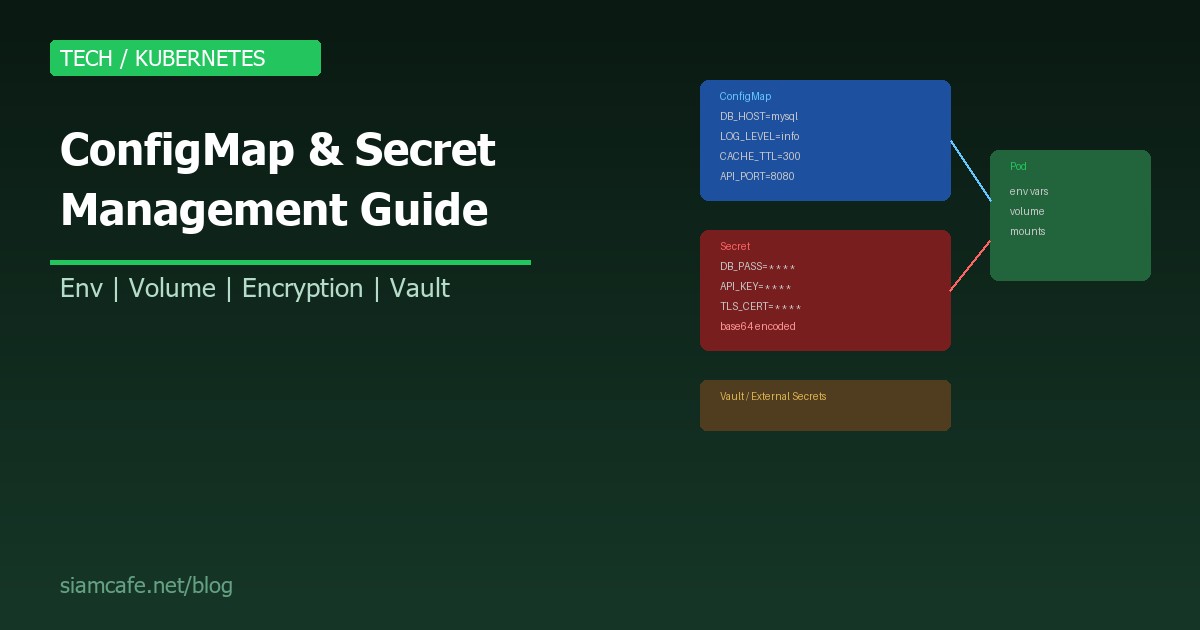
ใน Kubernetes การจัดการ Configuration และ Secrets เป็นสิ่งสำคัญมาก Application ไม่ควร Hardcode ค่า Config ลงใน Container Image เพราะทำให้ต้อง Build Image ใหม่ทุกครั้งที่ Config เปลี่ยน และ Secrets (เช่น Password, API Key) ไม่ควรอยู่ใน Code เลย
ConfigMap และ Secret คือ Kubernetes Resources ที่แยก Configuration ออกจาก Application Code ทำให้สามารถเปลี่ยน Config ได้โดยไม่ต้อง Rebuild Image
ConfigMap คืออะไร?
ConfigMap เก็บข้อมูล Configuration ที่ ไม่ลับ (Non-sensitive) เช่น Database host, Log level, Feature flags, Application settings ในรูปแบบ Key-Value pairs
สร้าง ConfigMap — 3 วิธี
# วิธีที่ 1: Literal (Key-Value)
kubectl create configmap app-config   --from-literal=DB_HOST=mysql-service   --from-literal=DB_PORT=3306   --from-literal=LOG_LEVEL=info   --from-literal=CACHE_TTL=300

# วิธีที่ 2: จากไฟล์
kubectl create configmap nginx-config   --from-file=nginx.conf   --from-file=mime.types

# วิธีที่ 3: YAML (แนะนำ — version control ได้)
apiVersion: v1
kind: ConfigMap
metadata:
  name: app-config
  namespace: production
data:
  DB_HOST: mysql-service
  DB_PORT: "3306"
  LOG_LEVEL: info
  CACHE_TTL: "300"
  APP_MODE: production
  # ไฟล์ Config ทั้งไฟล์:
  application.yaml: |
    server:
      port: 8080
      host: 0.0.0.0
    database:
      host: mysql-service
      port: 3306
      name: myapp
    logging:
      level: info
      format: json
Secret คืออะไร?
Secret เก็บข้อมูลที่ ลับ/สำคัญ (Sensitive) เช่น Database password, API keys, TLS certificates ข้อมูลถูกเก็บในรูปแบบ Base64 encoded
สร้าง Secret — ตามประเภท
# 1. Generic Secret (Opaque)
kubectl create secret generic db-credentials   --from-literal=username=admin   --from-literal=password='S3cretP@ss!'

# 2. Docker Registry Secret
kubectl create secret docker-registry regcred   --docker-server=ghcr.io   --docker-username=myuser   --docker-password=ghp_xxxxx   --docker-email=me@example.com

# 3. TLS Secret
kubectl create secret tls my-tls   --cert=server.crt   --key=server.key

# YAML (ต้อง Base64 encode เอง):
apiVersion: v1
kind: Secret
metadata:
  name: db-credentials
  namespace: production
type: Opaque
data:
  username: YWRtaW4=              # echo -n "admin" | base64
  password: UzNjcmV0UEBzcyE=     # echo -n "S3cretP@ss!" | base64

# หรือใช้ stringData (ไม่ต้อง base64 — K8s encode ให้):
apiVersion: v1
kind: Secret
metadata:
  name: db-credentials
type: Opaque
stringData:
  username: admin
  password: S3cretP@ss!
Secret Types
| Type | คำอธิบาย | ใช้เมื่อ |
|---|---|---|
| Opaque | Generic ใส่อะไรก็ได้ | Password, API Key, Token |
| kubernetes.io/dockerconfigjson | Docker Registry credentials | Pull Image จาก Private Registry |
| kubernetes.io/tls | TLS Certificate + Key | HTTPS Ingress, mTLS |
| kubernetes.io/basic-auth | Username + Password | Basic Authentication |
| kubernetes.io/ssh-auth | SSH Private Key | Git Clone, SSH Access |
| kubernetes.io/service-account-token | ServiceAccount Token (auto) | Pod authentication |
ใช้ ConfigMap/Secret ใน Pod
วิธีที่ 1: Environment Variables
apiVersion: apps/v1
kind: Deployment
metadata:
  name: my-app
spec:
  replicas: 2
  selector:
    matchLabels:
      app: my-app
  template:
    metadata:
      labels:
        app: my-app
    spec:
      containers:
        - name: app
          image: myapp:1.0
          env:
            # จาก ConfigMap (ระบุ Key)
            - name: DB_HOST
              valueFrom:
                configMapKeyRef:
                  name: app-config
                  key: DB_HOST
            - name: LOG_LEVEL
              valueFrom:
                configMapKeyRef:
                  name: app-config
                  key: LOG_LEVEL
            # จาก Secret (ระบุ Key)
            - name: DB_PASSWORD
              valueFrom:
                secretKeyRef:
                  name: db-credentials
                  key: password
          # หรือ Load ทั้งหมดจาก ConfigMap/Secret:
          envFrom:
            - configMapRef:
                name: app-config
            - secretRef:
                name: db-credentials
วิธีที่ 2: Volume Mount
apiVersion: apps/v1
kind: Deployment
metadata:
  name: my-app
spec:
  template:
    spec:
      containers:
        - name: app
          image: myapp:1.0
          volumeMounts:
            # Mount ConfigMap เป็นไฟล์
            - name: config-volume
              mountPath: /app/config
              readOnly: true
            # Mount Secret เป็นไฟล์
            - name: secret-volume
              mountPath: /app/secrets
              readOnly: true
            # Mount เฉพาะบาง Key
            - name: nginx-config
              mountPath: /etc/nginx/nginx.conf
              subPath: nginx.conf
              readOnly: true
      volumes:
        - name: config-volume
          configMap:
            name: app-config
        - name: secret-volume
          secret:
            secretName: db-credentials
            defaultMode: 0400    # Permission 400 (owner read only)
        - name: nginx-config
          configMap:
            name: nginx-config
            items:
              - key: nginx.conf
                path: nginx.conf

# เมื่อ Mount เป็น Volume:
# /app/config/DB_HOST     ← ไฟล์ที่มีเนื้อหา "mysql-service"
# /app/config/DB_PORT     ← ไฟล์ที่มีเนื้อหา "3306"
# /app/config/LOG_LEVEL   ← ไฟล์ที่มีเนื้อหา "info"
# /app/secrets/username   ← ไฟล์ที่มีเนื้อหา "admin"
# /app/secrets/password   ← ไฟล์ที่มีเนื้อหา "S3cretP@ss!"
env var vs Volume Mount
| Feature | Environment Variable | Volume Mount |
|---|---|---|
| อ่านค่า | os.getenv("DB_HOST") | อ่านไฟล์ /app/config/DB_HOST |
| Update | ต้อง Restart Pod | Auto-update (~60 วินาที) |
| ไฟล์ Config ใหญ่ | ไม่เหมาะ (ขนาดจำกัด) | เหมาะ (mount ทั้งไฟล์) |
| ใช้กับ Framework | Standard (Spring, Django, etc.) | ต้อง Watch file changes |
| แนะนำสำหรับ | Simple key-value config | Config files, Certificates |
Immutable ConfigMap/Secret
# Immutable ConfigMap — ห้ามแก้ไขหลังสร้าง
apiVersion: v1
kind: ConfigMap
metadata:
  name: app-config-v2
data:
  DB_HOST: mysql-service
  LOG_LEVEL: warn
immutable: true    # ← ห้ามแก้ไข!

# ข้อดี:
# 1. Performance: Kubelet ไม่ต้อง Watch การเปลี่ยนแปลง
# 2. Safety: ป้องกันการแก้ไขโดยไม่ตั้งใจ
# 3. Scale: ลด Load บน API server (ไม่ต้อง watch)

# วิธีใช้:
# 1. สร้าง ConfigMap ใหม่ทุกครั้งที่ Config เปลี่ยน (ใช้ version ในชื่อ)
# 2. Update Deployment ให้ reference ConfigMap ใหม่
# 3. ลบ ConfigMap เก่าเมื่อไม่ใช้แล้ว
Encryption at Rest
# EncryptionConfiguration (ตั้งที่ API Server)
apiVersion: apiserver.config.k8s.io/v1
kind: EncryptionConfiguration
resources:
  - resources:
      - secrets
    providers:
      - aescbc:
          keys:
            - name: key1
              secret: <base64-encoded-32-byte-key>
      - identity: {}    # Fallback: ไม่เข้ารหัส (สำหรับ Secret เก่า)

# ขั้นตอน:
# 1. สร้าง EncryptionConfiguration file
# 2. ตั้ง --encryption-provider-config ที่ API Server
# 3. Restart API Server
# 4. Encrypt Secret เก่า:
kubectl get secrets -A -o json | kubectl replace -f -

# ตรวจสอบ:
kubectl get secret db-credentials -o jsonpath='{.data.password}' | base64 -d
# → ยังอ่านได้ผ่าน API แต่ใน etcd จะถูก encrypt แล้ว

# Managed K8s (EKS, GKE, AKS):
# EKS: เปิด Encryption ที่ Cluster settings (ใช้ KMS key)
# GKE: Application-layer secret encryption (ใช้ Cloud KMS)
# AKS: Azure Key Vault integration
External Secrets Operator (ESO)
External Secrets Operator (ESO) ดึง Secret จาก External Provider (AWS Secrets Manager, HashiCorp Vault, Azure Key Vault, GCP Secret Manager) มาสร้างเป็น Kubernetes Secret อัตโนมัติ
# ติดตั้ง ESO:
helm repo add external-secrets https://charts.external-secrets.io
helm install external-secrets external-secrets/external-secrets   --namespace external-secrets   --create-namespace

# 1. สร้าง SecretStore (เชื่อมต่อกับ Provider)
apiVersion: external-secrets.io/v1beta1
kind: SecretStore
metadata:
  name: aws-secrets-manager
  namespace: production
spec:
  provider:
    aws:
      service: SecretsManager
      region: ap-southeast-1
      auth:
        secretRef:
          accessKeyIDSecretRef:
            name: aws-credentials
            key: access-key
          secretAccessKeySecretRef:
            name: aws-credentials
            key: secret-key

# 2. สร้าง ExternalSecret (ดึง Secret จาก Provider)
apiVersion: external-secrets.io/v1beta1
kind: ExternalSecret
metadata:
  name: db-credentials
  namespace: production
spec:
  refreshInterval: 1h    # Sync ทุก 1 ชั่วโมง
  secretStoreRef:
    name: aws-secrets-manager
    kind: SecretStore
  target:
    name: db-credentials    # ชื่อ K8s Secret ที่จะสร้าง
    creationPolicy: Owner
  data:
    - secretKey: username
      remoteRef:
        key: production/database    # ชื่อ Secret ใน AWS
        property: username
    - secretKey: password
      remoteRef:
        key: production/database
        property: password

# ESO จะ:
# 1. ดึง Secret จาก AWS Secrets Manager
# 2. สร้าง K8s Secret ชื่อ db-credentials
# 3. Sync ทุก 1 ชั่วโมง (ถ้า Secret เปลี่ยนใน AWS จะ update อัตโนมัติ)
HashiCorp Vault CSI Provider
# Vault CSI Provider Mount Secret จาก Vault เป็น Volume
# ไม่ต้องสร้าง K8s Secret เลย!

# 1. ติดตั้ง Vault CSI Provider
helm repo add hashicorp https://helm.releases.hashicorp.com
helm install vault hashicorp/vault   --set "csi.enabled=true"   --set "injector.enabled=true"

# 2. สร้าง SecretProviderClass
apiVersion: secrets-store.csi.x-k8s.io/v1
kind: SecretProviderClass
metadata:
  name: vault-db-creds
spec:
  provider: vault
  parameters:
    vaultAddress: "https://vault.company.com"
    roleName: "my-app-role"
    objects: |
      - objectName: "db-username"
        secretPath: "secret/data/production/database"
        secretKey: "username"
      - objectName: "db-password"
        secretPath: "secret/data/production/database"
        secretKey: "password"

# 3. Mount ใน Pod
spec:
  containers:
    - name: app
      volumeMounts:
        - name: secrets
          mountPath: "/mnt/secrets"
          readOnly: true
  volumes:
    - name: secrets
      csi:
        driver: secrets-store.csi.k8s.io
        readOnly: true
        volumeAttributes:
          secretProviderClass: vault-db-creds
Sealed Secrets — Encrypt Secret ใน Git
# Sealed Secrets ให้ Encrypt Secret แล้ว Commit ลง Git ได้อย่างปลอดภัย
# เฉพาะ Sealed Secrets Controller ใน Cluster เท่านั้นที่ Decrypt ได้

# 1. ติดตั้ง:
helm repo add sealed-secrets https://bitnami-labs.github.io/sealed-secrets
helm install sealed-secrets sealed-secrets/sealed-secrets   --namespace kube-system

# 2. ติดตั้ง kubeseal CLI:
# macOS: brew install kubeseal
# Linux: wget https://github.com/bitnami-labs/sealed-secrets/releases/...

# 3. Encrypt Secret:
# สร้าง Secret ปกติ (ไม่ apply):
kubectl create secret generic db-credentials   --from-literal=password=S3cretP@ss!   --dry-run=client -o yaml > secret.yaml

# Seal it:
kubeseal --format yaml < secret.yaml > sealed-secret.yaml

# 4. ไฟล์ sealed-secret.yaml สามารถ Commit ลง Git ได้!
apiVersion: bitnami.com/v1alpha1
kind: SealedSecret
metadata:
  name: db-credentials
spec:
  encryptedData:
    password: AgBy3i4OJSWK+...  # Encrypted! ปลอดภัย

# 5. Apply:
kubectl apply -f sealed-secret.yaml
# → Controller Decrypt แล้วสร้าง K8s Secret ให้อัตโนมัติ
SOPS — Encrypt ทั้งไฟล์
# SOPS (Secrets OPerationS) encrypt ไฟล์ YAML/JSON/ENV
# ใช้ร่วมกับ AWS KMS, GCP KMS, Azure Key Vault, age, PGP

# ติดตั้ง: brew install sops (หรือ download binary)

# Encrypt:
sops --encrypt --age age1ql3z7hjy... secret.yaml > secret.enc.yaml

# Decrypt:
sops --decrypt secret.enc.yaml > secret.yaml

# SOPS encrypt เฉพาะ Values ไม่ encrypt Keys:
apiVersion: v1
kind: Secret
data:
    password: ENC[AES256_GCM,data:...,iv:...,tag:...,type:str]
    username: ENC[AES256_GCM,data:...,iv:...,tag:...,type:str]

# ใช้กับ Flux CD / ArgoCD:
# Flux: kustomize-controller รองรับ SOPS โดยตรง
# ArgoCD: ใช้ argocd-vault-plugin หรือ sops-secrets-operator
ConfigMap Hot-Reload ด้วย Reloader
# ปัญหา: เมื่อ ConfigMap/Secret เปลี่ยน Pod ไม่ Restart อัตโนมัติ
# (Volume mount อัปเดตได้ แต่ Env var ไม่อัปเดต!)

# Reloader: Watch ConfigMap/Secret แล้ว Rolling restart Pod อัตโนมัติ

# ติดตั้ง:
helm repo add stakater https://stakater.github.io/stakater-charts
helm install reloader stakater/reloader --namespace kube-system

# ใช้งาน: เพิ่ม Annotation ที่ Deployment
apiVersion: apps/v1
kind: Deployment
metadata:
  name: my-app
  annotations:
    reloader.stakater.com/auto: "true"    # Watch ทุก ConfigMap/Secret ที่ใช้
    # หรือระบุเฉพาะ:
    # configmap.reloader.stakater.com/reload: "app-config"
    # secret.reloader.stakater.com/reload: "db-credentials"
spec:
  template:
    spec:
      containers:
        - name: app
          envFrom:
            - configMapRef:
                name: app-config

# เมื่อ app-config เปลี่ยน → Reloader จะ Rolling restart my-app อัตโนมัติ!
Secret Rotation — หมุนเวียน Secret
# Best Practice: หมุนเวียน Secret เป็นระยะ
#
# วิธี Manual:
# 1. สร้าง Secret ใหม่ (ชื่อเดิม)
kubectl create secret generic db-credentials   --from-literal=password=N3wP@ssw0rd!   --dry-run=client -o yaml | kubectl apply -f -
# 2. Reloader จะ Restart Pod อัตโนมัติ (ถ้าติดตั้งแล้ว)

# วิธี Automated (ESO + AWS Secrets Manager):
# 1. ตั้ง Rotation ใน AWS Secrets Manager (Lambda rotation)
# 2. ESO refreshInterval จะ Sync Secret ใหม่อัตโนมัติ
# 3. Reloader จะ Restart Pod

# วิธี Automated (Vault):
# 1. Vault Dynamic Secrets สร้าง Credentials ใหม่ทุกครั้ง
# 2. TTL หมด → Vault revoke → สร้างใหม่
# 3. Application ต้อง Handle credential refresh
Best Practices สำหรับ ConfigMap/Secret
| Practice | ทำไม |
|---|---|
| ห้าม Commit Secret ลง Git (ยกเว้น Sealed/SOPS) | ใครก็อ่านได้ Base64 ไม่ใช่ Encryption |
| เปิด Encryption at Rest | ป้องกันใครเข้าถึง etcd แล้วอ่าน Secret |
| ใช้ External Secrets Manager | Vault/AWS SM เป็น Source of Truth ไม่ใช่ K8s |
| ใช้ RBAC จำกัดสิทธิ์ | ไม่ใช่ทุกคนควรอ่าน Secret ได้ |
| ใช้ Immutable ConfigMap/Secret | Performance ดีขึ้น ป้องกันแก้ไขโดยไม่ตั้งใจ |
| Secret Mount: defaultMode 0400 | ให้ Owner อ่านได้อย่างเดียว |
| ติดตั้ง Reloader | Pod Restart อัตโนมัติเมื่อ Config เปลี่ยน |
| หมุนเวียน Secret เป็นระยะ | ลดความเสี่ยงเมื่อ Secret ถูก Leak |
| ใช้ stringData แทน data ใน YAML | ไม่ต้อง base64 encode เอง (K8s ทำให้) |
| แยก ConfigMap/Secret ตาม Environment | Dev, Staging, Prod ใช้ Config/Secret ต่างกัน |
สรุป
ConfigMap เก็บ Configuration ที่ไม่ลับ Secret เก็บข้อมูลลับ (Password, API Key, Cert) ทั้งสองสามารถส่งเข้า Pod ผ่าน Environment Variables หรือ Volume Mount ได้
สิ่งสำคัญที่สุดคือ Base64 ไม่ใช่ Encryption ต้องเปิด Encryption at Rest ใน etcd และใช้ External Secret Management (ESO, Vault, Sealed Secrets, SOPS) สำหรับ Production เพื่อความปลอดภัยที่แท้จริง ติดตั้ง Reloader เพื่อ Auto-restart Pod เมื่อ Config/Secret เปลี่ยน และหมุนเวียน Secret เป็นระยะ