Flux คืออะไร? สอน GitOps สำหรับ Kubernetes ด้วย Flux CD ทางเลือกจาก ArgoCD 2026
GitOps คือแนวทางการจัดการ Infrastructure และ Application deployment โดยใช้ Git เป็น Single Source of Truth สถานะที่ต้องการของ Cluster ถูกเก็บใน Git Repository และระบบจะ Reconcile (ทำให้ตรงกัน) อัตโนมัติ
ในปี 2026 มี GitOps tool หลักๆ 2 ตัว: ArgoCD (เป็นที่นิยมมากกว่า) และ Flux (CNCF Graduated project) บทความนี้จะเจาะลึก Flux ซึ่งเป็นทางเลือกที่ Lightweight กว่าและเน้น Automation มากกว่า
Flux คืออะไร?
Flux (หรือ Flux CD) เป็น GitOps toolkit สำหรับ Kubernetes พัฒนาโดย Weaveworks (ปัจจุบันอยู่ภายใต้ CNCF) เป็น CNCF Graduated project (ระดับเดียวกับ Kubernetes, Prometheus, Envoy)
Flux vs ArgoCD
| Feature | Flux | ArgoCD |
|---|---|---|
| CNCF Status | Graduated | Graduated |
| Architecture | ชุด Controllers หลายตัว (Microservices) | Monolithic application + UI |
| GUI | ไม่มี Built-in (ใช้ Weave GitOps หรือ Capacitor) | มี Web UI สวยงาม built-in |
| Pull vs Push | Pull-based เท่านั้น | Pull-based (+ Push option) |
| Helm Support | HelmRelease CRD (Native) | Helm Application |
| Image Automation | Built-in (image-automation-controller) | Argocd Image Updater (separate) |
| Multi-tenant | Built-in (RBAC per namespace) | ผ่าน AppProject |
| Secret Management | SOPS + age built-in | ต้องใช้ External (Vault, SOPS) |
| Notifications | Built-in (notification-controller) | Built-in |
| Learning Curve | สูงกว่า (ไม่มี GUI) | ต่ำกว่า (มี GUI) |
| Resource Usage | น้อยกว่า (Lightweight) | มากกว่า (UI + Redis + Dex) |
| เหมาะกับ | ทีมที่ชอบ CLI + Automation, Multi-cluster | ทีมที่ต้องการ GUI + Visualization |
Flux Components
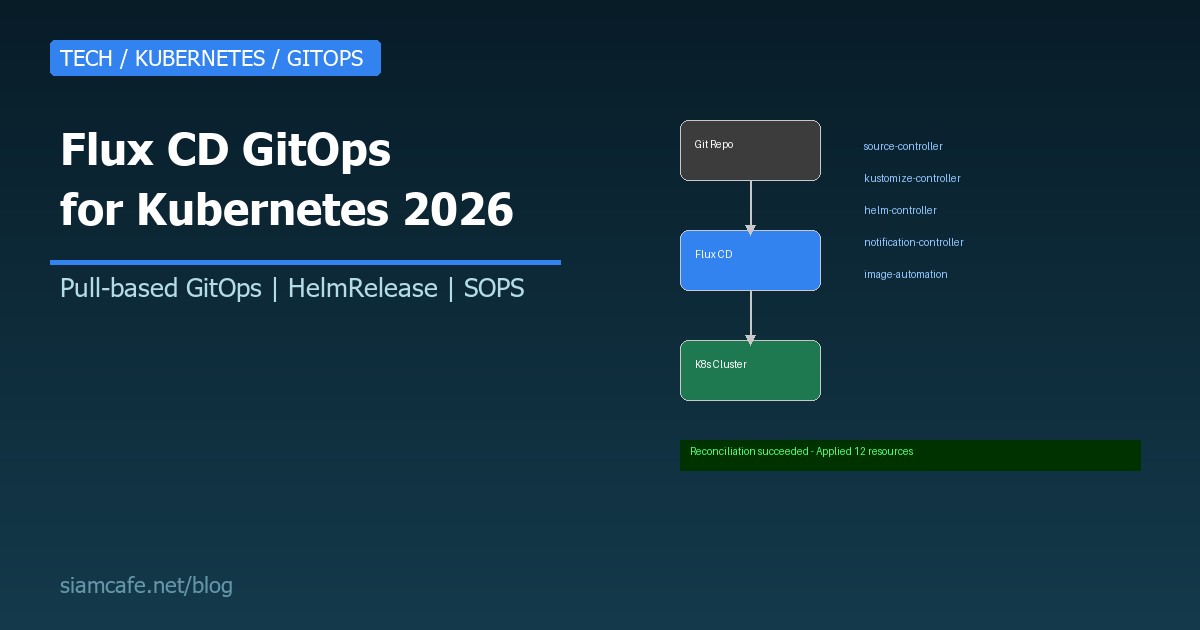
Flux ประกอบด้วย Controllers แยกกัน แต่ละตัวทำหน้าที่เฉพาะ:
| Controller | หน้าที่ | CRDs |
|---|---|---|
| source-controller | ดึง Source จาก Git, Helm repo, OCI, S3 | GitRepository, HelmRepository, OCIRepository, Bucket |
| kustomize-controller | Apply Kustomize overlays / Plain YAML | Kustomization |
| helm-controller | จัดการ Helm releases | HelmRelease |
| notification-controller | ส่ง Alerts + รับ Webhooks | Alert, Provider, Receiver |
| image-reflector-controller | Scan container registries สำหรับ New tags | ImageRepository, ImagePolicy |
| image-automation-controller | อัปเดต YAML + Commit กลับไป Git เมื่อมี New image | ImageUpdateAutomation |
Bootstrapping Flux
# ติดตั้ง Flux CLI
curl -s https://fluxcd.io/install.sh | sudo bash

# macOS
brew install fluxcd/tap/flux

# ตรวจสอบ
flux --version

# ตรวจสอบ Prerequisites
flux check --pre

# Bootstrap กับ GitHub
export GITHUB_TOKEN=ghp_xxxxxxxxxxxxxxxxxxxx

flux bootstrap github \
  --owner=my-org \
  --repository=fleet-infra \
  --branch=main \
  --path=clusters/production \
  --personal

# Bootstrap กับ GitLab
export GITLAB_TOKEN=glpat-xxxxxxxxxxxxxxxxxxxx

flux bootstrap gitlab \
  --owner=my-group \
  --repository=fleet-infra \
  --branch=main \
  --path=clusters/production

# ตรวจสอบว่า Flux ทำงาน
flux check
kubectl get pods -n flux-systemGitRepository + Kustomization
GitRepository — กำหนด Source
# git-repo.yaml
apiVersion: source.toolkit.fluxcd.io/v1
kind: GitRepository
metadata:
  name: my-app
  namespace: flux-system
spec:
  interval: 5m  # Sync ทุก 5 นาที
  url: https://github.com/my-org/my-app
  ref:
    branch: main
  secretRef:
    name: github-token  # Secret ที่มี Token
Kustomization — กำหนดว่าจะ Apply อะไร
# kustomization.yaml
apiVersion: kustomize.toolkit.fluxcd.io/v1
kind: Kustomization
metadata:
  name: my-app
  namespace: flux-system
spec:
  interval: 10m
  targetNamespace: production
  sourceRef:
    kind: GitRepository
    name: my-app
  path: ./deploy/production
  prune: true  # ลบ Resource ที่ไม่อยู่ใน Git แล้ว
  healthChecks:
    - apiVersion: apps/v1
      kind: Deployment
      name: my-app
      namespace: production
  timeout: 5m
HelmRelease
# helm-repo.yaml
apiVersion: source.toolkit.fluxcd.io/v1
kind: HelmRepository
metadata:
  name: bitnami
  namespace: flux-system
spec:
  interval: 1h
  url: https://charts.bitnami.com/bitnami

---
# nginx-release.yaml
apiVersion: helm.toolkit.fluxcd.io/v2
kind: HelmRelease
metadata:
  name: nginx
  namespace: production
spec:
  interval: 30m
  chart:
    spec:
      chart: nginx
      version: ">=15.0.0 <16.0.0"  # SemVer range
      sourceRef:
        kind: HelmRepository
        name: bitnami
        namespace: flux-system
  values:
    replicaCount: 3
    service:
      type: ClusterIP
    ingress:
      enabled: true
      hostname: app.example.com
  upgrade:
    remediation:
      retries: 3  # Retry ถ้า Upgrade fail
  rollback:
    cleanupOnFail: true
Image Automation — Auto-update on New Image
# image-repo.yaml — Scan registry สำหรับ New tags
apiVersion: image.toolkit.fluxcd.io/v1beta2
kind: ImageRepository
metadata:
  name: my-app
  namespace: flux-system
spec:
  image: ghcr.io/my-org/my-app
  interval: 5m

---
# image-policy.yaml — กำหนดว่าจะใช้ Tag ไหน
apiVersion: image.toolkit.fluxcd.io/v1beta2
kind: ImagePolicy
metadata:
  name: my-app
  namespace: flux-system
spec:
  imageRepositoryRef:
    name: my-app
  policy:
    semver:
      range: ">=1.0.0"  # ใช้ Latest semver tag

---
# image-update.yaml — อัปเดต YAML + Commit กลับ Git
apiVersion: image.toolkit.fluxcd.io/v1beta2
kind: ImageUpdateAutomation
metadata:
  name: my-app
  namespace: flux-system
spec:
  interval: 30m
  sourceRef:
    kind: GitRepository
    name: fleet-infra
  git:
    checkout:
      ref:
        branch: main
    commit:
      author:
        name: fluxcdbot
        email: fluxcdbot@example.com
      messageTemplate: "chore: update {{.AutomationObject}} images"
    push:
      branch: main
  update:
    path: ./clusters/production
    strategy: Setters
# ใน Deployment YAML — เพิ่ม Marker สำหรับ Image automation
apiVersion: apps/v1
kind: Deployment
metadata:
name: my-app
spec:
template:
spec:
containers:
- name: my-app
image: ghcr.io/my-org/my-app:1.2.3 # {"$imagepolicy": "flux-system:my-app"}
# ↑ Flux จะอัปเดต tag อัตโนมัติเมื่อมี version ใหม่Multi-tenant Flux
# แต่ละทีมมี Namespace + Git repo ของตัวเอง
# Flux จำกัดสิทธิ์ไม่ให้ข้าม Namespace

# clusters/production/tenants/team-a.yaml
apiVersion: kustomize.toolkit.fluxcd.io/v1
kind: Kustomization
metadata:
  name: team-a
  namespace: flux-system
spec:
  interval: 10m
  sourceRef:
    kind: GitRepository
    name: team-a-repo
  path: ./deploy
  targetNamespace: team-a  # จำกัดให้ Deploy ได้แค่ใน team-a namespace
  prune: true
  serviceAccountName: team-a-sa  # ใช้ ServiceAccount ที่มีสิทธิ์จำกัด

---
# team-a ServiceAccount + RBAC
apiVersion: v1
kind: ServiceAccount
metadata:
  name: team-a-sa
  namespace: team-a
---
apiVersion: rbac.authorization.k8s.io/v1
kind: RoleBinding
metadata:
  name: team-a-reconciler
  namespace: team-a
roleRef:
  apiGroup: rbac.authorization.k8s.io
  kind: ClusterRole
  name: cluster-admin  # หรือ Custom role ที่จำกัดมากกว่า
subjects:
  - kind: ServiceAccount
    name: team-a-sa
    namespace: team-a
Flux + SOPS สำหรับ Secrets
# SOPS (Secrets OPerationS) เข้ารหัส Secrets ใน Git ได้
# Flux รองรับ SOPS + age (ทางเลือกจาก PGP/AWS KMS/Azure Key Vault)

# ติดตั้ง SOPS + age
brew install sops age  # macOS
# หรือ
apt install sops age   # Linux

# สร้าง age key pair
age-keygen -o age.agekey
# Public key: age1xxxxxxxxxxxxxxxxxxxxxxxxxxxxxxxxxxxxxxxxx

# เข้ารหัส Secret
sops --age age1xxxxx --encrypt --in-place secret.yaml

# Flux Kustomization — decrypt SOPS
apiVersion: kustomize.toolkit.fluxcd.io/v1
kind: Kustomization
metadata:
  name: my-app
  namespace: flux-system
spec:
  interval: 10m
  sourceRef:
    kind: GitRepository
    name: my-app
  path: ./deploy
  prune: true
  decryption:
    provider: sops  # Flux จะ Decrypt SOPS secrets อัตโนมัติ
    secretRef:
      name: sops-age  # Secret ที่เก็บ age private key

# สร้าง Secret สำหรับ age key
kubectl create secret generic sops-age \
  --namespace=flux-system \
  --from-file=age.agekey=age.agekey
Flux Alerts (Slack, Teams, Discord)
# Provider — กำหนด Notification channel
apiVersion: notification.toolkit.fluxcd.io/v1beta3
kind: Provider
metadata:
  name: slack
  namespace: flux-system
spec:
  type: slack
  channel: "#flux-alerts"
  secretRef:
    name: slack-webhook-url

---
# Alert — กำหนดว่าจะ Alert เมื่อไหร่
apiVersion: notification.toolkit.fluxcd.io/v1beta3
kind: Alert
metadata:
  name: on-call
  namespace: flux-system
spec:
  providerRef:
    name: slack
  eventSeverity: error  # เฉพาะ Error (info, error)
  eventSources:
    - kind: Kustomization
      name: "*"
    - kind: HelmRelease
      name: "*"
    - kind: GitRepository
      name: "*"
  summary: "Flux alert in production cluster"

---
# Slack webhook secret
apiVersion: v1
kind: Secret
metadata:
  name: slack-webhook-url
  namespace: flux-system
stringData:
  address: https://hooks.slack.com/services/T00/B00/xxxxx
Flux Monitoring (Prometheus)
# Flux Controllers expose Prometheus metrics โดยอัตโนมัติ
# ใช้ ServiceMonitor (Prometheus Operator) หรือ PodMonitor

apiVersion: monitoring.coreos.com/v1
kind: PodMonitor
metadata:
  name: flux-system
  namespace: flux-system
spec:
  namespaceSelector:
    matchNames:
      - flux-system
  selector:
    matchLabels:
      app.kubernetes.io/part-of: flux
  podMetricsEndpoints:
    - port: http-prom
      path: /metrics

# Grafana Dashboard — ใช้ Official Flux dashboard
# Dashboard ID: 16714 (Flux Cluster Stats)
# Dashboard ID: 16715 (Flux Control Plane)
Flux + Terraform (tf-controller)
# tf-controller ให้ Flux จัดการ Terraform resources ด้วย
# ติดตั้ง
flux create source helm tf-controller \
  --url=https://weaveworks.github.io/tf-controller \
  --interval=1h

flux create helmrelease tf-controller \
  --source=HelmRepository/tf-controller \
  --chart=tf-controller

# Terraform resource ที่ Flux manage
apiVersion: infra.contrib.fluxcd.io/v1alpha2
kind: Terraform
metadata:
  name: vpc
  namespace: flux-system
spec:
  interval: 1h
  path: ./terraform/vpc
  sourceRef:
    kind: GitRepository
    name: fleet-infra
  approvePlan: auto  # Auto approve plan
  vars:
    - name: region
      value: ap-southeast-1
    - name: environment
      value: production
Multi-cluster กับ Flux
# Repository structure สำหรับ Multi-cluster
# fleet-infra/
# ├── clusters/
# │   ├── production/
# │   │   ├── flux-system/      # Flux bootstrap
# │   │   ├── infrastructure/   # Shared infra (ingress, cert-manager)
# │   │   └── apps/             # Production apps
# │   ├── staging/
# │   │   ├── flux-system/
# │   │   ├── infrastructure/
# │   │   └── apps/
# │   └── dev/
# │       ├── flux-system/
# │       └── apps/
# ├── infrastructure/           # Shared infrastructure definitions
# │   ├── controllers/          # Ingress, cert-manager, external-dns
# │   └── configs/              # ClusterIssuers, StorageClasses
# └── apps/                     # Application definitions
#     ├── base/                  # Base manifests
#     ├── production/            # Production overlays
#     └── staging/               # Staging overlays

# Bootstrap Cluster A (Production)
flux bootstrap github \
  --owner=my-org --repository=fleet-infra \
  --path=clusters/production

# Bootstrap Cluster B (Staging)
flux bootstrap github \
  --owner=my-org --repository=fleet-infra \
  --path=clusters/staging
Migration จาก ArgoCD ไป Flux
ถ้าใช้ ArgoCD อยู่แล้ว ต้องการย้ายมา Flux ทำได้แบบ Gradual:
- ติดตั้ง Flux ใน Cluster เดียวกัน: Flux + ArgoCD อยู่ร่วมกันได้ แต่ต้องแบ่ง Namespace ชัดเจน
- ย้าย App ทีละตัว: เริ่มจาก App ที่ไม่ Critical → ลบ ArgoCD Application → สร้าง Flux Kustomization
- ย้าย Helm releases: ArgoCD Application (Helm) → Flux HelmRelease
- ย้าย Secrets: ArgoCD + Vault → Flux + SOPS/age
- ลบ ArgoCD: เมื่อย้ายทุก App แล้ว
Flux Best Practices
- ใช้ Repository structure ที่ชัดเจน: แยก Clusters, Infrastructure, Apps ออกจากกัน
- เปิด Prune:
prune: trueใน Kustomization เพื่อลบ Resources ที่ไม่อยู่ใน Git แล้ว - ใช้ Health checks: กำหนด Health checks ใน Kustomization เพื่อให้ Flux รอจนกว่า Deployment จะ Ready
- ใช้ Dependsön: กำหนด Dependencies ระหว่าง Kustomization (เช่น Infrastructure ต้อง Ready ก่อน Apps)
- เข้ารหัส Secrets ด้วย SOPS: ไม่เก็บ Secrets plaintext ใน Git
- ตั้ง Alerts: แจ้งเตือน Slack/Teams เมื่อ Reconciliation ล้มเหลว
- ใช้ Semantic Versioning สำหรับ Helm:
version: ">=15.0.0 <16.0.0"ไม่ใช่* - Monitor Flux metrics: ดู Reconciliation time, Error rate ใน Grafana
- Test ใน Staging ก่อน Production: ใช้ Multi-cluster setup ดัน Staging → Production
- ใช้ Image automation สำหรับ Dev/Staging: แต่ Production ควร Manual approve
Flux เป็น GitOps tool ที่ทรงพลัง Lightweight และ Flexible กว่า ArgoCD ในหลายด้าน โดยเฉพาะเรื่อง Image automation, SOPS secrets, และ Multi-tenant ข้อเสียคือไม่มี GUI built-in ต้องใช้ CLI หรือ Weave GitOps UI แยก ถ้าทีมชอบ CLI-first approach และต้องการ Automation เต็มรูปแบบ Flux เป็นตัวเลือกที่ยอดเยี่ยม