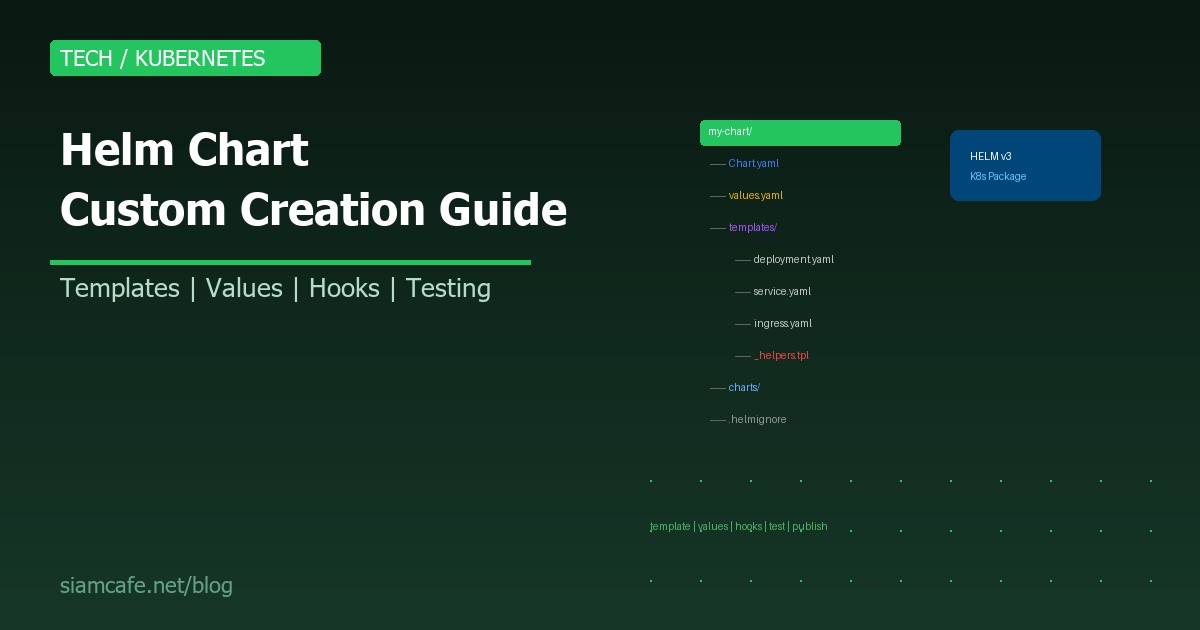
Helm เป็น Package Manager ของ Kubernetes เหมือน apt สำหรับ Ubuntu หรือ npm สำหรับ Node.js การสร้าง Helm Chart เองทำให้สามารถ Package Application พร้อม Configuration ทั้งหมดเป็นหน่วยเดียว Deploy ซ้ำได้ แชร์กับทีมได้ และ Version control ได้
บทความนี้สอนสร้าง Custom Helm Chart ตั้งแต่เริ่มต้น จนถึง Publish ขึ้น Registry สำหรับใช้งานจริงในปี 2026
ทำไมต้องสร้าง Helm Chart เอง?
- Reproducible Deployment: Deploy ซ้ำได้เหมือนเดิมทุกครั้ง ทุก Environment
- Configuration Management: แยก Config ออกจาก Template เปลี่ยน values.yaml ไม่ต้องแก้ YAML ทุกไฟล์
- Version Control: Chart version + App version track ได้ Rollback ได้
- Sharing: แชร์กับทีม Publish ขึ้น Registry ให้ทุกคนใช้
- DRY Principle: ไม่ต้อง Copy-paste Kubernetes YAML ซ้ำซ้อน
helm create — เริ่มต้นสร้าง Chart
# สร้าง Chart scaffold
helm create my-webapp

# โครงสร้างที่ได้:
my-webapp/
  Chart.yaml          # Metadata ของ Chart
  values.yaml         # Default configuration values
  charts/             # Chart dependencies
  templates/          # Kubernetes manifest templates
    deployment.yaml
    service.yaml
    ingress.yaml
    hpa.yaml
    serviceaccount.yaml
    _helpers.tpl       # Named templates (helper functions)
    NOTES.txt          # Post-install instructions
    tests/
      test-connection.yaml
  .helmignore          # Files to ignore when packaging
Chart.yaml — Metadata ของ Chart
# Chart.yaml
apiVersion: v2                    # Helm 3 ใช้ v2
name: my-webapp                   # ชื่อ Chart
description: A web application Helm chart
type: application                 # application หรือ library
version: 1.2.0                   # Chart version (SemVer)
appVersion: "3.5.1"              # App version ที่ deploy

# Optional
home: https://github.com/myorg/my-webapp
icon: https://example.com/icon.png
sources:
  - https://github.com/myorg/my-webapp
maintainers:
  - name: DevOps Team
    email: devops@example.com
keywords:
  - webapp
  - api
  - microservice

# Dependencies
dependencies:
  - name: postgresql
    version: "12.x.x"
    repository: "https://charts.bitnami.com/bitnami"
    condition: postgresql.enabled
  - name: redis
    version: "17.x.x"
    repository: "https://charts.bitnami.com/bitnami"
    condition: redis.enabled
Version Strategy
| Version | เมื่อเปลี่ยน | ตัวอย่าง |
|---|---|---|
| Chart version (version) | เมื่อแก้ไข Chart (templates, values, etc.) | 1.0.0 → 1.1.0 → 2.0.0 |
| App version (appVersion) | เมื่อ Application มี Release ใหม่ | 3.5.0 → 3.5.1 → 3.6.0 |
values.yaml — Configuration Design
# values.yaml — ออกแบบให้ครอบคลุมทุก Environment
replicaCount: 2

image:
  repository: myorg/my-webapp
  tag: ""                         # Default ใช้ appVersion จาก Chart.yaml
  pullPolicy: IfNotPresent

imagePullSecrets: []

serviceAccount:
  create: true
  name: ""
  annotations: {}

service:
  type: ClusterIP
  port: 80
  targetPort: 8080

ingress:
  enabled: false
  className: nginx
  annotations: {}
  hosts:
    - host: my-webapp.example.com
      paths:
        - path: /
          pathType: Prefix
  tls: []

resources:
  requests:
    cpu: 100m
    memory: 128Mi
  limits:
    cpu: 500m
    memory: 512Mi

autoscaling:
  enabled: false
  minReplicas: 2
  maxReplicas: 10
  targetCPUUtilizationPercentage: 80

env: []
envFrom: []

configMap:
  enabled: false
  data: {}

secret:
  enabled: false
  data: {}

persistence:
  enabled: false
  storageClass: ""
  accessMode: ReadWriteOnce
  size: 10Gi

healthcheck:
  liveness:
    path: /healthz
    port: 8080
    initialDelaySeconds: 30
    periodSeconds: 10
  readiness:
    path: /ready
    port: 8080
    initialDelaySeconds: 5
    periodSeconds: 5

postgresql:
  enabled: false

redis:
  enabled: false
Templates — Deployment, Service, Ingress
templates/deployment.yaml
apiVersion: apps/v1
kind: Deployment
metadata:
  name: {{ include "my-webapp.fullname" . }}
  labels:
    {{- include "my-webapp.labels" . | nindent 4 }}
spec:
  {{- if not .Values.autoscaling.enabled }}
  replicas: {{ .Values.replicaCount }}
  {{- end }}
  selector:
    matchLabels:
      {{- include "my-webapp.selectorLabels" . | nindent 6 }}
  template:
    metadata:
      labels:
        {{- include "my-webapp.selectorLabels" . | nindent 8 }}
    spec:
      {{- with .Values.imagePullSecrets }}
      imagePullSecrets:
        {{- toYaml . | nindent 8 }}
      {{- end }}
      serviceAccountName: {{ include "my-webapp.serviceAccountName" . }}
      containers:
        - name: {{ .Chart.Name }}
          image: "{{ .Values.image.repository }}:{{ .Values.image.tag | default .Chart.AppVersion }}"
          imagePullPolicy: {{ .Values.image.pullPolicy }}
          ports:
            - name: http
              containerPort: {{ .Values.service.targetPort }}
              protocol: TCP
          {{- if .Values.healthcheck }}
          livenessProbe:
            httpGet:
              path: {{ .Values.healthcheck.liveness.path }}
              port: {{ .Values.healthcheck.liveness.port }}
            initialDelaySeconds: {{ .Values.healthcheck.liveness.initialDelaySeconds }}
            periodSeconds: {{ .Values.healthcheck.liveness.periodSeconds }}
          readinessProbe:
            httpGet:
              path: {{ .Values.healthcheck.readiness.path }}
              port: {{ .Values.healthcheck.readiness.port }}
            initialDelaySeconds: {{ .Values.healthcheck.readiness.initialDelaySeconds }}
            periodSeconds: {{ .Values.healthcheck.readiness.periodSeconds }}
          {{- end }}
          {{- with .Values.resources }}
          resources:
            {{- toYaml . | nindent 12 }}
          {{- end }}
          {{- with .Values.env }}
          env:
            {{- toYaml . | nindent 12 }}
          {{- end }}
          {{- with .Values.envFrom }}
          envFrom:
            {{- toYaml . | nindent 12 }}
          {{- end }}
Template Functions — include, tpl, toYaml
# include — เรียก Named template
{{ include "my-webapp.fullname" . }}
# ใช้แทน {{ template "my-webapp.fullname" . }} เพราะ include ส่งผลลัพธ์เป็น string
# → pipe ต่อกับ function อื่นได้ เช่น | nindent 4

# toYaml — แปลง Go object เป็น YAML string
{{- toYaml .Values.resources | nindent 12 }}
# .Values.resources = map[string]interface{} → แปลงเป็น YAML

# nindent — indent + newline ข้างหน้า
{{- toYaml .Values.env | nindent 12 }}
# nindent 12 = newline + 12 spaces indent

# tpl — render template string จาก values
# values.yaml: customAnnotation: "app-{{ .Release.Name }}"
{{ tpl .Values.customAnnotation . }}
# → render ค่า .Release.Name แทน placeholder

# default — ค่า default ถ้าเป็น empty
{{ .Values.image.tag | default .Chart.AppVersion }}

# quote — ครอบ string ด้วย double quotes
{{ .Values.image.tag | quote }}

# required — error ถ้าค่า empty
{{ required "image.repository is required" .Values.image.repository }}
Flow Control — if/else, range, with
# if/else
{{- if .Values.ingress.enabled }}
apiVersion: networking.k8s.io/v1
kind: Ingress
...
{{- end }}

# if/else/if
{{- if eq .Values.service.type "NodePort" }}
  nodePort: {{ .Values.service.nodePort }}
{{- else if eq .Values.service.type "LoadBalancer" }}
  loadBalancerIP: {{ .Values.service.loadBalancerIP }}
{{- end }}

# range — loop
{{- range .Values.ingress.hosts }}
  - host: {{ .host | quote }}
    http:
      paths:
        {{- range .paths }}
        - path: {{ .path }}
          pathType: {{ .pathType }}
          backend:
            service:
              name: {{ include "my-webapp.fullname" $ }}
              port:
                number: {{ $.Values.service.port }}
        {{- end }}
{{- end }}

# with — change scope
{{- with .Values.resources }}
resources:
  {{- toYaml . | nindent 2 }}
{{- end }}
Named Templates — _helpers.tpl
# templates/_helpers.tpl
# ไฟล์ที่ขึ้นต้นด้วย _ จะไม่ถูก render เป็น Kubernetes manifest
# ใช้สำหรับเก็บ Named templates ที่เรียกซ้ำได้

# Chart name
{{- define "my-webapp.name" -}}
{{- default .Chart.Name .Values.nameOverride | trunc 63 | trimSuffix "-" }}
{{- end }}

# Full name (release + chart)
{{- define "my-webapp.fullname" -}}
{{- if .Values.fullnameOverride }}
{{- .Values.fullnameOverride | trunc 63 | trimSuffix "-" }}
{{- else }}
{{- $name := default .Chart.Name .Values.nameOverride }}
{{- printf "%s-%s" .Release.Name $name | trunc 63 | trimSuffix "-" }}
{{- end }}
{{- end }}

# Common labels
{{- define "my-webapp.labels" -}}
helm.sh/chart: {{ include "my-webapp.chart" . }}
{{ include "my-webapp.selectorLabels" . }}
app.kubernetes.io/managed-by: {{ .Release.Service }}
app.kubernetes.io/version: {{ .Chart.AppVersion | quote }}
{{- end }}

# Selector labels
{{- define "my-webapp.selectorLabels" -}}
app.kubernetes.io/name: {{ include "my-webapp.name" . }}
app.kubernetes.io/instance: {{ .Release.Name }}
{{- end }}

# Service Account name
{{- define "my-webapp.serviceAccountName" -}}
{{- if .Values.serviceAccount.create }}
{{- default (include "my-webapp.fullname" .) .Values.serviceAccount.name }}
{{- else }}
{{- default "default" .Values.serviceAccount.name }}
{{- end }}
{{- end }}
Chart Dependencies
# Chart.yaml — dependencies section
dependencies:
  - name: postgresql
    version: "12.12.10"
    repository: "https://charts.bitnami.com/bitnami"
    condition: postgresql.enabled
  - name: redis
    version: "17.15.6"
    repository: "https://charts.bitnami.com/bitnami"
    condition: redis.enabled
    alias: cache           # ใช้ .Values.cache แทน .Values.redis

# อัพเดท Dependencies
helm dependency update ./my-webapp
# → download charts ลงใน charts/ directory

# ล็อค Version
helm dependency build ./my-webapp
# → สร้าง Chart.lock

# values.yaml — configure dependencies
postgresql:
  enabled: true
  auth:
    postgresPassword: "secretpass"
    database: "myapp"
  primary:
    persistence:
      size: 20Gi

redis:
  enabled: false
Chart Hooks — Pre/Post Install/Upgrade
# templates/hooks/db-migration.yaml
# Hook ที่รัน Database migration ก่อน Upgrade
apiVersion: batch/v1
kind: Job
metadata:
  name: {{ include "my-webapp.fullname" . }}-db-migrate
  annotations:
    "helm.sh/hook": pre-upgrade,pre-install
    "helm.sh/hook-weight": "-5"        # ลำดับ (ตัวน้อยรันก่อน)
    "helm.sh/hook-delete-policy": hook-succeeded  # ลบ Job หลังสำเร็จ
spec:
  template:
    spec:
      containers:
        - name: migrate
          image: "{{ .Values.image.repository }}:{{ .Values.image.tag | default .Chart.AppVersion }}"
          command: ["python", "manage.py", "migrate"]
          env:
            - name: DATABASE_URL
              valueFrom:
                secretKeyRef:
                  name: {{ include "my-webapp.fullname" . }}-db
                  key: url
      restartPolicy: Never
backoffLimit: 3| Hook | เมื่อรัน | ตัวอย่างใช้งาน |
|---|---|---|
| pre-install | ก่อน install resources | สร้าง namespace, secrets |
| post-install | หลัง install ทั้งหมด | ส่ง notification, seed data |
| pre-upgrade | ก่อน upgrade | Database migration |
| post-upgrade | หลัง upgrade | Clear cache, notification |
| pre-delete | ก่อนลบ Release | Backup data |
| post-delete | หลังลบ Release | Cleanup external resources |
| pre-rollback | ก่อน rollback | Database rollback |
| test | helm test | Integration test |
Testing — helm lint, template, test
# 1. helm lint — ตรวจ syntax
helm lint ./my-webapp
# ==> Linting ./my-webapp
# [INFO] Chart.yaml: icon is recommended
# 1 chart(s) linted, 0 chart(s) failed

# 2. helm template — render template ดู output
helm template my-release ./my-webapp --values custom-values.yaml
# → แสดง Kubernetes YAML ที่จะ apply

# 3. helm template + kubeval — validate output
helm template my-release ./my-webapp | kubeval --strict

# 4. helm test — รัน Test Pod
# templates/tests/test-connection.yaml
apiVersion: v1
kind: Pod
metadata:
  name: "{{ include "my-webapp.fullname" . }}-test"
  annotations:
    "helm.sh/hook": test
spec:
  containers:
    - name: wget
      image: busybox
      command: ['wget']
      args: ['{{ include "my-webapp.fullname" . }}:{{ .Values.service.port }}']
  restartPolicy: Never

# รัน test
helm test my-release

# 5. chart-testing (ct) — CI/CD testing
# ติดตั้ง: pip install chart-testing
ct lint --charts ./my-webapp
ct install --charts ./my-webapp
Packaging & Publishing
Helm Package
# Package chart เป็น .tgz
helm package ./my-webapp
# → my-webapp-1.2.0.tgz

# Package พร้อม sign (GPG)
helm package --sign --key 'My Key' --keyring ~/.gnupg/pubring.gpg ./my-webapp
Publish ไปที่ OCI Registry (แนะนำ 2026)
# Login to OCI Registry
helm registry login ghcr.io -u myuser

# Push chart
helm push my-webapp-1.2.0.tgz oci://ghcr.io/myorg/charts

# Pull chart
helm pull oci://ghcr.io/myorg/charts/my-webapp --version 1.2.0

# Install from OCI
helm install my-release oci://ghcr.io/myorg/charts/my-webapp --version 1.2.0
Publish ไปที่ GitHub Pages
# 1. สร้าง gh-pages branch
# 2. helm package ./my-webapp
# 3. helm repo index . --url https://myorg.github.io/charts
# 4. Push index.yaml + .tgz ไป gh-pages

# ผู้ใช้ add repo:
helm repo add myorg https://myorg.github.io/charts
helm repo update
helm install my-release myorg/my-webapp
ChartMuseum (Self-hosted)
# Deploy ChartMuseum
docker run -d -p 8080:8080   -e STORAGE=local   -e STORAGE_LOCAL_ROOTDIR=/charts   -v /data/chartmuseum:/charts   ghcr.io/helm/chartmuseum:v0.16.1

# Push chart
curl --data-binary "@my-webapp-1.2.0.tgz" http://chartmuseum:8080/api/charts

# Add repo
helm repo add mymuseum http://chartmuseum:8080
helm install my-release mymuseum/my-webapp
Helm Chart Best Practices
| Practice | ทำไม |
|---|---|
| ใช้ include แทน template | include ส่ง string กลับ pipe ต่อได้ (nindent, quote) |
| ใช้ {{- (dash) ตัด whitespace | ลด blank lines ใน output YAML |
| ตั้ง values.yaml ให้มี Default ที่ใช้งานได้ | helm install ได้เลยโดยไม่ต้อง --set อะไร |
| ใส่ required สำหรับ mandatory values | Error ชัดเจนเมื่อไม่ได้ใส่ค่าที่จำเป็น |
| ใช้ SemVer สำหรับ version | MAJOR.MINOR.PATCH ชัดเจน |
| เขียน NOTES.txt | ผู้ใช้เห็น Instructions หลัง install |
| เขียน Test | ตรวจสอบว่า Deploy สำเร็จ |
| ใช้ .helmignore | ไม่ Pack ไฟล์ที่ไม่จำเป็น (.git, tests, docs) |
| Document ทุก value ใน values.yaml | ผู้ใช้รู้ว่าตั้งค่าอะไรได้บ้าง |
| ใช้ OCI Registry (2026+) | Standard ใหม่ รองรับ RBAC signing verification |
สรุป
การสร้าง Custom Helm Chart ทำให้ Kubernetes Deployment เป็นระบบ ทำซ้ำได้ แชร์ได้ และ Version control ได้ เริ่มจาก helm create แก้ไข Chart.yaml, values.yaml, templates ใส่ Flow control (if/range/with) สร้าง Named templates ใน _helpers.tpl เพิ่ม Hooks สำหรับ Migration ทดสอบด้วย lint + template + test แล้ว Package + Publish ขึ้น OCI Registry หรือ GitHub Pages
Helm Chart ที่ดีคือ Chart ที่ helm install ได้เลยโดยไม่ต้อง Config อะไร (sensible defaults) แต่สามารถ Customize ได้ทุกอย่างผ่าน values.yaml เมื่อต้องการ