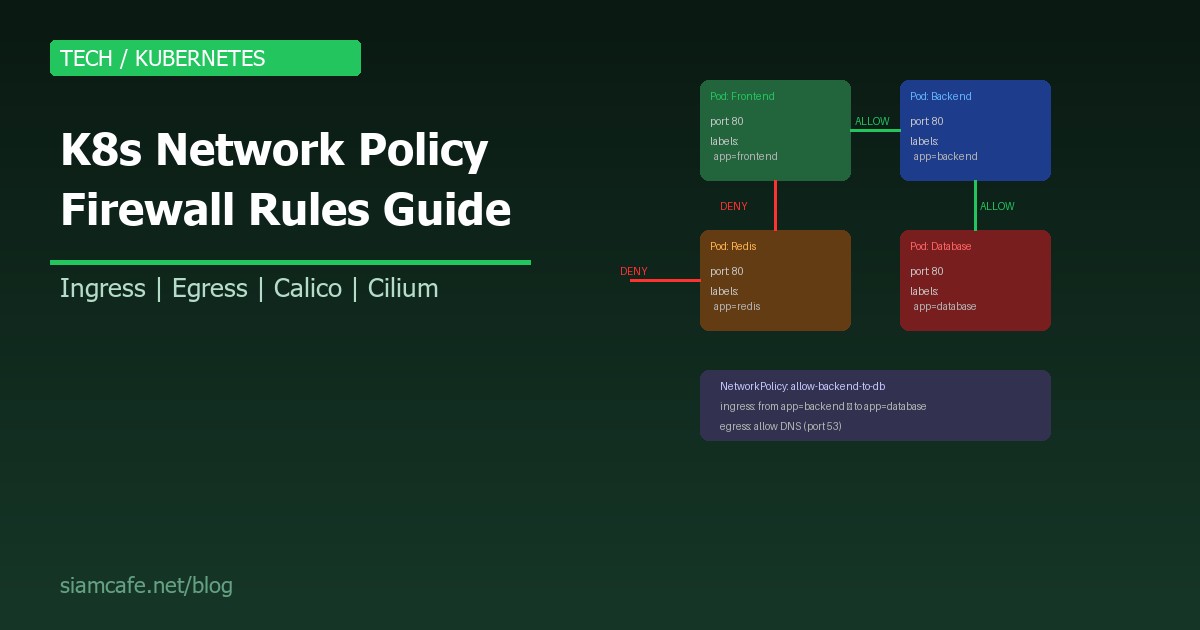
Kubernetes Network Policy คืออะไร? สอนสร้าง Firewall Rules ภายใน K8s Cluster 2026
ใน Kubernetes Cluster แบบ Default ทุก Pod สามารถคุยกับทุก Pod ได้ ไม่ว่าจะอยู่ Namespace ไหนก็ตาม นี่คือปัญหาด้าน Security ที่ใหญ่มาก เพราะถ้า Attacker เจาะเข้า Pod เดียวได้ จะสามารถเข้าถึง Database, Internal APIs และ Service อื่น ๆ ทั้งหมดได้ทันที
Network Policy คือ Kubernetes Resource ที่ทำหน้าที่เป็น Firewall Rules ภายใน Cluster ควบคุมว่า Pod ไหนสามารถคุยกับ Pod ไหนได้ ทั้ง Ingress (ขาเข้า) และ Egress (ขาออก)
Network Policy Spec — โครงสร้างที่ต้องรู้
# โครงสร้าง Network Policy
apiVersion: networking.k8s.io/v1
kind: NetworkPolicy
metadata:
  name: policy-name
  namespace: default
spec:
  # 1. podSelector: เลือก Pod ที่จะถูก Apply Policy นี้
  podSelector:
    matchLabels:
      app: backend

  # 2. policyTypes: ประเภท Policy (Ingress, Egress, หรือทั้งคู่)
  policyTypes:
    - Ingress
    - Egress

  # 3. ingress: กฎสำหรับ Traffic ขาเข้า
  ingress:
    - from:
        - podSelector:
            matchLabels:
              app: frontend
      ports:
        - protocol: TCP
          port: 8080

  # 4. egress: กฎสำหรับ Traffic ขาออก
  egress:
    - to:
        - podSelector:
            matchLabels:
              app: database
      ports:
        - protocol: TCP
          port: 5432
Components สำคัญ
| Component | หน้าที่ | ตัวอย่าง |
|---|---|---|
| podSelector | เลือก Pod ที่จะถูก Apply Policy | matchLabels: app: backend |
| policyTypes | ประเภท Policy | [Ingress, Egress] |
| ingress.from | อนุญาต Traffic จากไหน | podSelector, namespaceSelector, ipBlock |
| egress.to | อนุญาต Traffic ไปไหน | podSelector, namespaceSelector, ipBlock |
| ports | Port ที่อนุญาต | port: 8080, protocol: TCP |
Default Deny Policy — ต้องมี!
Default Deny All Ingress
# default-deny-ingress.yaml
# บล็อก Traffic ขาเข้าทั้งหมด (ยกเว้นที่ Allow ไว้)
apiVersion: networking.k8s.io/v1
kind: NetworkPolicy
metadata:
  name: default-deny-ingress
  namespace: production
spec:
  podSelector: {}    # เลือกทุก Pod ใน namespace
  policyTypes:
    - Ingress
  # ไม่มี ingress rules = ปฏิเสธทุก ingress traffic
Default Deny All Egress
# default-deny-egress.yaml
# บล็อก Traffic ขาออกทั้งหมด
apiVersion: networking.k8s.io/v1
kind: NetworkPolicy
metadata:
  name: default-deny-egress
  namespace: production
spec:
  podSelector: {}
  policyTypes:
    - Egress
  # ไม่มี egress rules = ปฏิเสธทุก egress traffic
  # ระวัง: DNS จะใช้ไม่ได้ด้วย!
Default Deny All (Ingress + Egress)
# default-deny-all.yaml
# บล็อกทั้ง Ingress และ Egress ทั้งหมด
apiVersion: networking.k8s.io/v1
kind: NetworkPolicy
metadata:
  name: default-deny-all
  namespace: production
spec:
  podSelector: {}
  policyTypes:
    - Ingress
    - Egress

# Apply:
# kubectl apply -f default-deny-all.yaml
# ทุก Pod ใน namespace production จะไม่สามารถรับหรือส่ง traffic ได้เลย
# ต้องสร้าง Allow Policy เพิ่มสำหรับ traffic ที่ต้องการ
Allow Specific Ingress
Allow Frontend → Backend
# allow-frontend-to-backend.yaml
apiVersion: networking.k8s.io/v1
kind: NetworkPolicy
metadata:
  name: allow-frontend-to-backend
  namespace: production
spec:
  podSelector:
    matchLabels:
      app: backend           # Apply กับ Pod ที่มี label app=backend
  policyTypes:
    - Ingress
  ingress:
    - from:
        - podSelector:
            matchLabels:
              app: frontend   # อนุญาตจาก Pod ที่มี label app=frontend
      ports:
        - protocol: TCP
          port: 8080          # เฉพาะ port 8080

# ผลลัพธ์:
# ✅ frontend → backend:8080   (ALLOW)
# ❌ redis → backend:8080      (DENY)
# ❌ frontend → backend:3000   (DENY - ผิด port)
# ❌ external → backend:8080   (DENY)
Allow Backend → Database
# allow-backend-to-database.yaml
apiVersion: networking.k8s.io/v1
kind: NetworkPolicy
metadata:
  name: allow-backend-to-database
  namespace: production
spec:
  podSelector:
    matchLabels:
      app: database
  policyTypes:
    - Ingress
  ingress:
    - from:
        - podSelector:
            matchLabels:
              app: backend
      ports:
        - protocol: TCP
          port: 5432          # PostgreSQL
        - protocol: TCP
          port: 3306          # MySQL
Allow Specific Egress
Allow DNS (จำเป็นเสมอ!)
# allow-dns-egress.yaml
# ถ้าใช้ Default Deny Egress ต้อง Allow DNS ด้วย!
apiVersion: networking.k8s.io/v1
kind: NetworkPolicy
metadata:
  name: allow-dns-egress
  namespace: production
spec:
  podSelector: {}     # ทุก Pod
  policyTypes:
    - Egress
  egress:
    - to:
        - namespaceSelector: {}      # ทุก Namespace
          podSelector:
            matchLabels:
              k8s-app: kube-dns       # CoreDNS
      ports:
        - protocol: UDP
          port: 53
        - protocol: TCP
          port: 53
Allow Backend → External API
# allow-backend-external-api.yaml
apiVersion: networking.k8s.io/v1
kind: NetworkPolicy
metadata:
  name: allow-backend-external-api
  namespace: production
spec:
  podSelector:
    matchLabels:
      app: backend
  policyTypes:
    - Egress
  egress:
    # Allow DNS
    - to:
        - namespaceSelector: {}
          podSelector:
            matchLabels:
              k8s-app: kube-dns
      ports:
        - protocol: UDP
          port: 53
    # Allow HTTPS ไปยัง External API
    - to:
        - ipBlock:
            cidr: 0.0.0.0/0    # ทุก IP ภายนอก
            except:
              - 10.0.0.0/8     # ยกเว้น Private IP
              - 172.16.0.0/12
              - 192.168.0.0/16
      ports:
        - protocol: TCP
          port: 443            # HTTPS only
Namespace Isolation
# namespace-isolation.yaml
# แยก Namespace ออกจากกัน (Production ↔ Staging ไม่คุยกัน)
apiVersion: networking.k8s.io/v1
kind: NetworkPolicy
metadata:
  name: deny-other-namespaces
  namespace: production
spec:
  podSelector: {}
  policyTypes:
    - Ingress
  ingress:
    - from:
        # อนุญาตเฉพาะ Pod ใน Namespace เดียวกัน
        - podSelector: {}

---
# Allow จาก Namespace ที่กำหนด (เช่น monitoring)
apiVersion: networking.k8s.io/v1
kind: NetworkPolicy
metadata:
  name: allow-monitoring
  namespace: production
spec:
  podSelector: {}
  policyTypes:
    - Ingress
  ingress:
    - from:
        # อนุญาตจาก monitoring namespace
        - namespaceSelector:
            matchLabels:
              name: monitoring
      ports:
        - protocol: TCP
          port: 9090           # Prometheus metrics
Label-based Policies
# ใช้ Labels เพื่อควบคุมการเข้าถึงแบบยืดหยุ่น
apiVersion: networking.k8s.io/v1
kind: NetworkPolicy
metadata:
  name: allow-by-tier
  namespace: production
spec:
  podSelector:
    matchLabels:
      tier: backend           # Apply กับทุก Pod ที่เป็น tier=backend
  policyTypes:
    - Ingress
  ingress:
    - from:
        - podSelector:
            matchLabels:
              tier: frontend  # อนุญาตจากทุก Pod ที่เป็น tier=frontend
        - podSelector:
            matchLabels:
              tier: api-gateway  # และจาก api-gateway
      ports:
        - protocol: TCP
          port: 8080

# Labels ที่แนะนำ:
# tier: frontend / backend / database / cache
# env: production / staging / development
# team: platform / backend / frontend
# app: web / api / worker / scheduler
CIDR-based Policies
# allow-specific-cidr.yaml
# อนุญาตเฉพาะ IP Range ที่กำหนด
apiVersion: networking.k8s.io/v1
kind: NetworkPolicy
metadata:
  name: allow-office-ingress
  namespace: production
spec:
  podSelector:
    matchLabels:
      app: admin-panel
  policyTypes:
    - Ingress
  ingress:
    - from:
        - ipBlock:
            cidr: 203.150.100.0/24    # Office IP range
        - ipBlock:
            cidr: 110.164.200.0/24    # VPN IP range
      ports:
        - protocol: TCP
          port: 443
Network Policy กับ Calico (Advanced)
Calico GlobalNetworkPolicy
# Calico GlobalNetworkPolicy — Apply ทุก Namespace!
apiVersion: projectcalico.org/v3
kind: GlobalNetworkPolicy
metadata:
  name: deny-all-external
spec:
  selector: all()
  types:
    - Ingress
    - Egress
  ingress:
    - action: Allow
      source:
        selector: all()
  egress:
    - action: Allow
      destination:
        selector: all()
    # Allow DNS
    - action: Allow
      protocol: UDP
      destination:
        ports: [53]
    - action: Allow
      protocol: TCP
      destination:
        ports: [53]
  # ผลลัพธ์: Pod คุยกัน ภายใน Cluster ได้
  # แต่ไม่สามารถ connect ออก internet ได้
Calico DNS Policy
# calico-dns-policy.yaml
# ควบคุม DNS queries (Calico Only!)
apiVersion: projectcalico.org/v3
kind: NetworkPolicy
metadata:
  name: allow-specific-dns
  namespace: production
spec:
  selector: app == 'backend'
  egress:
    - action: Allow
      protocol: UDP
      destination:
        selector: k8s-app == 'kube-dns'
        ports: [53]
    - action: Allow
      protocol: TCP
      destination:
        selector: k8s-app == 'kube-dns'
        ports: [53]
  types:
    - Egress
Testing Network Policies — ด้วย netshoot Pod
# สร้าง Test Pod ด้วย netshoot (มี Tools ครบ)
kubectl run netshoot --rm -it --image=nicolaka/netshoot   --labels="app=test" -- bash

# ภายใน netshoot pod:

# 1. ทดสอบ TCP connection
nc -zv backend-service 8080
# Connection to backend-service 8080 port [tcp/*] succeeded!

# 2. ทดสอบ HTTP
curl -v http://backend-service:8080/health
# → ถ้าถูก Block จะ timeout

# 3. ทดสอบ DNS
nslookup backend-service.production.svc.cluster.local

# 4. ทดสอบ External connectivity
curl -v https://api.example.com
# → ถ้า Egress ถูก Block จะ timeout

# 5. ทดสอบจาก Namespace อื่น
kubectl run netshoot -n staging --rm -it   --image=nicolaka/netshoot --labels="app=test" --   curl -v http://backend-service.production:8080
# → ถ้า Namespace isolation ทำงาน จะ timeout

# 6. Traceroute
traceroute backend-service

# 7. ดู Network Policy ที่ Apply อยู่
kubectl get networkpolicies -n production
kubectl describe networkpolicy allow-frontend-to-backend -n production
Common Patterns — Frontend → Backend → DB
# Complete 3-Tier Network Policy Setup
#
# Architecture:
# Internet → Ingress Controller → Frontend → Backend → Database
#
# Rules:
# 1. Default Deny ทุกอย่าง
# 2. Allow Ingress Controller → Frontend (port 3000)
# 3. Allow Frontend → Backend (port 8080)
# 4. Allow Backend → Database (port 5432)
# 5. Allow DNS สำหรับทุก Pod
# 6. Deny everything else

---
# 1. Default Deny All
apiVersion: networking.k8s.io/v1
kind: NetworkPolicy
metadata:
  name: default-deny-all
  namespace: production
spec:
  podSelector: {}
  policyTypes: [Ingress, Egress]

---
# 2. Allow DNS (ทุก Pod)
apiVersion: networking.k8s.io/v1
kind: NetworkPolicy
metadata:
  name: allow-dns
  namespace: production
spec:
  podSelector: {}
  policyTypes: [Egress]
  egress:
    - to:
        - namespaceSelector: {}
          podSelector:
            matchLabels:
              k8s-app: kube-dns
      ports:
        - protocol: UDP
          port: 53
        - protocol: TCP
          port: 53

---
# 3. Allow Ingress → Frontend
apiVersion: networking.k8s.io/v1
kind: NetworkPolicy
metadata:
  name: allow-ingress-to-frontend
  namespace: production
spec:
  podSelector:
    matchLabels:
      app: frontend
  policyTypes: [Ingress]
  ingress:
    - from:
        - namespaceSelector:
            matchLabels:
              name: ingress-nginx
      ports:
        - protocol: TCP
          port: 3000

---
# 4. Allow Frontend → Backend
apiVersion: networking.k8s.io/v1
kind: NetworkPolicy
metadata:
  name: allow-frontend-to-backend
  namespace: production
spec:
  podSelector:
    matchLabels:
      app: backend
  policyTypes: [Ingress]
  ingress:
    - from:
        - podSelector:
            matchLabels:
              app: frontend
      ports:
        - protocol: TCP
          port: 8080

---
# 5. Allow Backend → Frontend (egress)
apiVersion: networking.k8s.io/v1
kind: NetworkPolicy
metadata:
  name: allow-frontend-egress
  namespace: production
spec:
  podSelector:
    matchLabels:
      app: frontend
  policyTypes: [Egress]
  egress:
    - to:
        - podSelector:
            matchLabels:
              app: backend
      ports:
        - protocol: TCP
          port: 8080

---
# 6. Allow Backend → Database
apiVersion: networking.k8s.io/v1
kind: NetworkPolicy
metadata:
  name: allow-backend-to-db
  namespace: production
spec:
  podSelector:
    matchLabels:
      app: database
  policyTypes: [Ingress]
  ingress:
    - from:
        - podSelector:
            matchLabels:
              app: backend
      ports:
        - protocol: TCP
          port: 5432

---
# 7. Allow Backend Egress to DB
apiVersion: networking.k8s.io/v1
kind: NetworkPolicy
metadata:
  name: allow-backend-egress-db
  namespace: production
spec:
  podSelector:
    matchLabels:
      app: backend
  policyTypes: [Egress]
  egress:
    - to:
        - podSelector:
            matchLabels:
              app: database
      ports:
        - protocol: TCP
          port: 5432
Troubleshooting Network Policy
| ปัญหา | สาเหตุที่พบบ่อย | วิธีแก้ |
|---|---|---|
| Pod ไม่สามารถ resolve DNS | Egress deny block DNS | เพิ่ม Allow DNS egress policy (port 53) |
| Policy ไม่มีผล | CNI ไม่รองรับ Network Policy | ใช้ Calico, Cilium, Weave Net (ไม่ใช่ Flannel) |
| Pod timeout เมื่อ connect | Ingress/Egress ถูก deny | ตรวจ labels ว่าตรงกับ selector ไหม |
| Cross-namespace ไม่ได้ | ต้องใช้ namespaceSelector | เพิ่ม namespaceSelector ใน policy |
| ทุกอย่างถูก block | Default deny แต่ไม่มี allow | สร้าง allow policy ก่อน apply deny |
| Policy apply แล้วไม่เห็นผล | Labels ไม่ตรง | kubectl get pods --show-labels |
# Debugging Commands:
# ดู Network Policies
kubectl get networkpolicies -n production -o wide
kubectl describe networkpolicy POLICY_NAME -n production

# ดู Pod Labels
kubectl get pods -n production --show-labels

# ดู Namespace Labels
kubectl get namespaces --show-labels

# ทดสอบ Connection
kubectl run test --rm -it --image=busybox -- wget -qO- --timeout=5 http://SERVICE:PORT

# Calico: ดู Policy ที่ Apply กับ Pod
calicoctl get workloadendpoint -n production
calicoctl get networkpolicy -n production -o yaml
Network Policy Limitations
| ข้อจำกัด | รายละเอียด | ทางเลือก |
|---|---|---|
| L3/L4 เท่านั้น | ควบคุมได้แค่ IP + Port ไม่ได้ดู HTTP Path/Header | ใช้ Cilium L7 Policy หรือ Service Mesh (Istio) |
| ไม่มี Deny Rule | มีแค่ Allow (default deny ผ่าน empty selector) | Calico มี Action: Deny |
| ไม่ Log Traffic | ไม่มี Logging built-in | Calico/Cilium มี Flow Logs |
| CNI Support | ไม่ทุก CNI รองรับ (Flannel ไม่รองรับ) | ใช้ Calico หรือ Cilium |
| No DNS Filtering | ไม่สามารถ filter DNS domain | Cilium มี DNS-aware Policy |
Cilium NetworkPolicy Extensions
# Cilium L7 Policy — ควบคุมระดับ HTTP!
apiVersion: cilium.io/v2
kind: CiliumNetworkPolicy
metadata:
  name: l7-api-policy
  namespace: production
spec:
  endpointSelector:
    matchLabels:
      app: backend
  ingress:
    - fromEndpoints:
        - matchLabels:
            app: frontend
      toPorts:
        - ports:
            - port: "8080"
              protocol: TCP
          rules:
            http:
              - method: "GET"
                path: "/api/v1/.*"    # Allow GET /api/v1/*
              - method: "POST"
                path: "/api/v1/orders" # Allow POST /api/v1/orders
              # ทุก method/path อื่น → DENY!

---
# Cilium DNS-aware Policy
apiVersion: cilium.io/v2
kind: CiliumNetworkPolicy
metadata:
  name: dns-aware-egress
  namespace: production
spec:
  endpointSelector:
    matchLabels:
      app: backend
  egress:
    - toEndpoints:
        - matchLabels:
            k8s:io.kubernetes.pod.namespace: kube-system
            k8s-app: kube-dns
      toPorts:
        - ports:
            - port: "53"
              protocol: ANY
          rules:
            dns:
              - matchPattern: "*.example.com"  # Allow DNS query เฉพาะ *.example.com
    - toFQDNs:
        - matchName: "api.example.com"
      toPorts:
        - ports:
            - port: "443"
              protocol: TCP
สรุป
Network Policy เป็นสิ่งที่ ทุก Production Kubernetes Cluster ต้องมี เริ่มจาก Default Deny ทั้ง Ingress และ Egress แล้วค่อย ๆ เปิด Allow เฉพาะ Traffic ที่จำเป็น อย่าลืม Allow DNS Egress (port 53) เพราะถ้าไม่มี Pod จะ resolve DNS ไม่ได้เลย
สำหรับ Advanced use case ที่ต้องการ L7 Policy (HTTP Path/Method), DNS-aware filtering หรือ Flow Logging ให้ใช้ Calico หรือ Cilium แทน Built-in Network Policy ของ Kubernetes ที่รองรับแค่ L3/L4