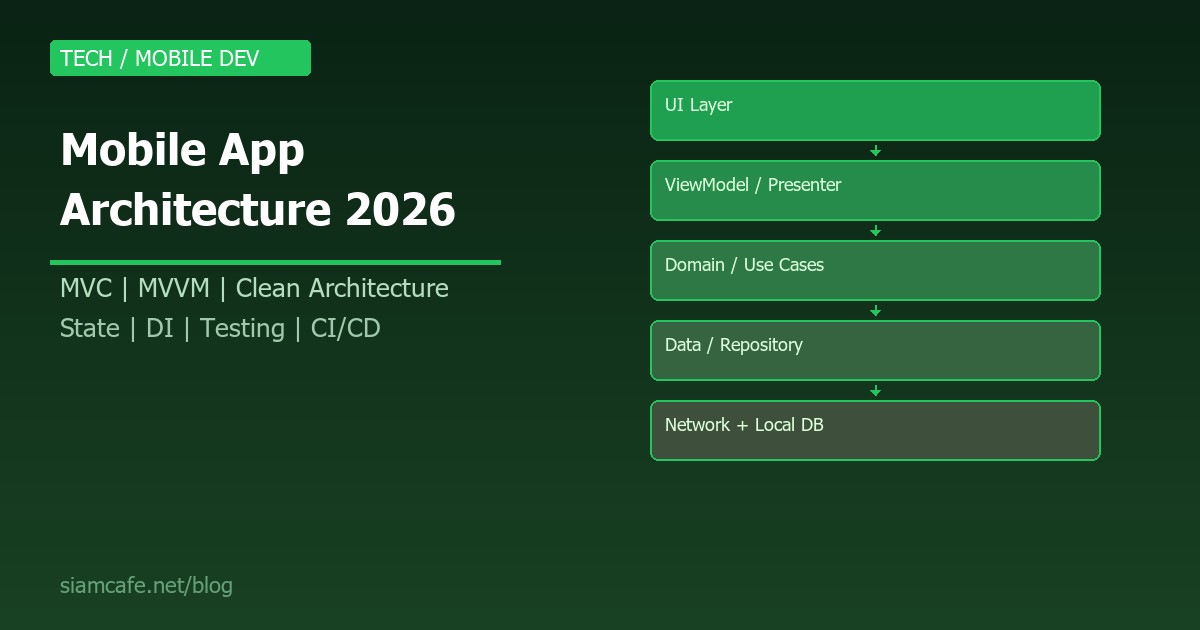
การพัฒนา Mobile App ในปี 2026 ไม่ใช่แค่เรื่องของการเขียน Code ให้ทำงานได้อีกต่อไป แต่เป็นเรื่องของ Architecture ที่ดี ซึ่งเป็นรากฐานที่ตัดสินว่าแอปของคุณจะ Scale ได้หรือไม่ จะ Maintain ง่ายหรือยาก จะ Test ได้สะดวกหรือเปล่า และท้ายที่สุดจะส่งมอบประสบการณ์ที่ดีให้ผู้ใช้ได้หรือไม่
บทความนี้จะพาคุณเจาะลึก Mobile App Architecture ตั้งแต่พื้นฐานจนถึงระดับ Enterprise ครอบคลุมทุก Pattern ที่ Mobile Developer ต้องรู้ ทั้ง MVC, MVVM, MVP, Clean Architecture, VIPER รวมถึง State Management, Data Layer, Dependency Injection, Testing Architecture และ CI/CD Pipeline ที่เป็นมาตรฐานอุตสาหกรรม สำหรับผู้ที่สนใจพัฒนา Cross-platform ด้วย Flutter แนะนำอ่าน คู่มือ Flutter และ Dart หรือ คู่มือ React Native ประกอบด้วย
ทำไม Architecture ถึงสำคัญสำหรับ Mobile App?
หลายคนเริ่มเขียน Mobile App โดยไม่คิดเรื่อง Architecture มาก่อน เขียน Code ทั้งหมดไว้ใน Activity หรือ ViewController เดียว พอแอปเริ่มซับซ้อนขึ้น Code เริ่มพันกันจนแก้บั๊กที่หนึ่งแล้วพังอีกที่หนึ่ง ปัญหานี้เรียกว่า Massive View Controller หรือ God Activity ซึ่งเป็นสัญญาณว่าแอปขาด Architecture ที่ดี
Architecture ที่ดีช่วยให้คุณ:
- Separation of Concerns — แยก UI Logic, Business Logic, Data Logic ออกจากกัน ทำให้โค้ดแต่ละส่วนมีหน้าที่ชัดเจน
- Testability — สามารถเขียน Unit Test ได้ง่ายเพราะ Business Logic ไม่ผูกกับ UI Framework
- Scalability — เพิ่มฟีเจอร์ใหม่ได้โดยไม่ต้องแก้ Code เก่า
- Team Collaboration — หลายคนทำงานพร้อมกันได้โดยไม่ Conflict
- Maintainability — โค้ดอ่านง่าย แก้ไขง่าย Developer ใหม่เข้าใจได้เร็ว
- Reusability — นำ Business Logic กลับมาใช้ใหม่ได้ข้ามแพลตฟอร์ม
Architecture Patterns สำหรับ Mobile App
MVC (Model-View-Controller)
MVC เป็น Pattern เก่าแก่ที่สุดและเป็นพื้นฐานของ iOS Development (UIKit) แบ่งออกเป็น 3 ส่วน: Model เก็บข้อมูลและ Business Logic, View แสดงผลบนหน้าจอ, Controller เป็นตัวกลางรับ Input จาก User แล้วสั่ง Model และ Update View
// MVC ใน iOS (UIKit) — ตัวอย่าง
class UserModel {
    var name: String
    var email: String

    func validate() -> Bool {
        return !name.isEmpty && email.contains("@")
    }
}

class UserViewController: UIViewController {
    @IBOutlet var nameLabel: UILabel!
    @IBOutlet var emailLabel: UILabel!

    var user: UserModel!

    override func viewDidLoad() {
        super.viewDidLoad()
        updateUI()
    }

    func updateUI() {
        nameLabel.text = user.name
        emailLabel.text = user.email
    }

    @IBAction func saveTapped() {
        if user.validate() {
            // Save to database
        }
    }
}
ข้อดี: เข้าใจง่าย เหมาะกับแอปเล็กๆ Apple ใช้เป็น Pattern หลักใน UIKit
ข้อเสีย: Controller มักจะบวมมาก (Massive View Controller) เพราะ Logic ทุกอย่างรวมอยู่ที่เดียว ทำให้ Test ยาก
MVP (Model-View-Presenter)
MVP แก้ปัญหาของ MVC โดยแยก Logic ออกจาก View ไปไว้ใน Presenter ที่เป็น Plain Object (ไม่ขึ้นกับ UI Framework) ทำให้ Test ได้ง่ายขึ้นมาก
// MVP ใน Android (Kotlin)
// Contract กำหนด Interface
interface UserContract {
    interface View {
        fun showUser(name: String, email: String)
        fun showError(message: String)
        fun showLoading()
        fun hideLoading()
    }

    interface Presenter {
        fun loadUser(userId: String)
        fun saveUser(name: String, email: String)
        fun onDestroy()
    }
}

// Presenter — ไม่มี Android dependency
class UserPresenter(
    private var view: UserContract.View?,
    private val repository: UserRepository
) : UserContract.Presenter {

    override fun loadUser(userId: String) {
        view?.showLoading()
        repository.getUser(userId) { user, error ->
            view?.hideLoading()
            if (error != null) {
                view?.showError(error.message ?: "Unknown error")
            } else if (user != null) {
                view?.showUser(user.name, user.email)
            }
        }
    }

    override fun saveUser(name: String, email: String) {
        if (name.isBlank() || !email.contains("@")) {
            view?.showError("Invalid input")
            return
        }
        repository.saveUser(User(name, email))
    }

    override fun onDestroy() {
        view = null  // ป้องกัน Memory Leak
    }
}

// Activity ทำหน้าที่เป็น View เท่านั้น
class UserActivity : AppCompatActivity(), UserContract.View {
    private lateinit var presenter: UserPresenter

    override fun showUser(name: String, email: String) {
        nameText.text = name
        emailText.text = email
    }

    override fun showError(message: String) {
        Toast.makeText(this, message, Toast.LENGTH_SHORT).show()
    }

    override fun showLoading() { progressBar.visibility = View.VISIBLE }
    override fun hideLoading() { progressBar.visibility = View.GONE }
}
ข้อดี: Presenter ไม่ขึ้นกับ Framework จึง Test ได้ง่ายมาก View บางลง
ข้อเสีย: ต้องเขียน Interface เยอะ Presenter อาจบวมถ้าหน้าจอซับซ้อน
MVVM (Model-View-ViewModel)
MVVM เป็น Pattern ที่ได้รับความนิยมมากที่สุดในปี 2026 ทั้ง Android (Jetpack ViewModel), iOS (SwiftUI + ObservableObject) และ Cross-platform (Flutter, React Native) จุดเด่นคือ Data Binding ที่ทำให้ View อัพเดตอัตโนมัติเมื่อข้อมูลเปลี่ยน
// MVVM ใน Android (Kotlin + Jetpack)
class UserViewModel(
    private val repository: UserRepository
) : ViewModel() {

    private val _user = MutableLiveData<User>()
    val user: LiveData<User> = _user

    private val _loading = MutableLiveData<Boolean>()
    val loading: LiveData<Boolean> = _loading

    private val _error = MutableLiveData<String?>()
    val error: LiveData<String?> = _error

    fun loadUser(userId: String) {
        viewModelScope.launch {
            _loading.value = true
            try {
                val result = repository.getUser(userId)
                _user.value = result
            } catch (e: Exception) {
                _error.value = e.message
            } finally {
                _loading.value = false
            }
        }
    }

    fun saveUser(name: String, email: String) {
        if (name.isBlank() || !email.contains("@")) {
            _error.value = "Invalid input"
            return
        }
        viewModelScope.launch {
            repository.saveUser(User(name, email))
        }
    }
}

// Jetpack Compose UI — observe ViewModel
@Composable
fun UserScreen(viewModel: UserViewModel = viewModel()) {
    val user by viewModel.user.observeAsState()
    val loading by viewModel.loading.observeAsState(false)

    if (loading) {
        CircularProgressIndicator()
    } else {
        user?.let {
            Text("Name: ${it.name}")
            Text("Email: ${it.email}")
        }
    }
}
// MVVM ใน Flutter (Riverpod)
class UserViewModel extends StateNotifier<AsyncValue<User>> {
final UserRepository _repository;
UserViewModel(this._repository) : super(const AsyncLoading()) {
loadUser();
}
Future<void> loadUser() async {
state = const AsyncLoading();
try {
final user = await _repository.getUser();
state = AsyncData(user);
} catch (e, st) {
state = AsyncError(e, st);
}
}
Future<void> saveUser(String name, String email) async {
if (name.isEmpty || !email.contains('@')) {
state = AsyncError('Invalid input', StackTrace.current);
return;
}
await _repository.saveUser(User(name: name, email: email));
}
}
final userProvider = StateNotifierProvider<UserViewModel, AsyncValue<User>>(
(ref) => UserViewModel(ref.read(userRepositoryProvider)),
);ข้อดี: Reactive Data Binding ทำให้ UI อัพเดตอัตโนมัติ ViewModel ไม่รู้จัก View จึง Test ได้ง่าย รองรับ Lifecycle ดี
ข้อเสีย: อาจมี Boilerplate เยอะ การจัดการ State ที่ซับซ้อนต้องใช้ความระมัดระวัง
Clean Architecture
Clean Architecture ถูกออกแบบโดย Robert C. Martin (Uncle Bob) เป็น Architecture ระดับ Enterprise ที่แบ่ง Code เป็นชั้นๆ (Layer) แต่ละชั้นขึ้นกันผ่าน Interface เท่านั้น โดยชั้นในสุดไม่รู้จักชั้นนอก เลย
// Clean Architecture Layers
project/
├── domain/                    # ชั้นในสุด — ไม่พึ่ง Framework ใดๆ
│   ├── entities/
│   │   └── User.kt
│   ├── usecases/
│   │   ├── GetUserUseCase.kt
│   │   └── SaveUserUseCase.kt
│   └── repositories/
│       └── UserRepository.kt  # Interface เท่านั้น
│
├── data/                      # ชั้น Data — Implement Repository
│   ├── repositories/
│   │   └── UserRepositoryImpl.kt
│   ├── remote/
│   │   ├── api/
│   │   │   └── UserApi.kt
│   │   └── dto/
│   │       └── UserDto.kt
│   └── local/
│       ├── dao/
│       │   └── UserDao.kt
│       └── entities/
│           └── UserEntity.kt
│
└── presentation/              # ชั้น UI
    ├── viewmodels/
    │   └── UserViewModel.kt
    └── screens/
        └── UserScreen.kt
// Domain Layer — Use Case
class GetUserUseCase(
private val repository: UserRepository // Interface
) {
suspend operator fun invoke(userId: String): Result<User> {
return try {
val user = repository.getUser(userId)
if (user.isValid()) {
Result.success(user)
} else {
Result.failure(InvalidUserException())
}
} catch (e: Exception) {
Result.failure(e)
}
}
}
// Data Layer — Repository Implementation
class UserRepositoryImpl(
private val api: UserApi,
private val dao: UserDao,
private val networkChecker: NetworkChecker
) : UserRepository {
override suspend fun getUser(userId: String): User {
return if (networkChecker.isConnected()) {
val dto = api.getUser(userId)
val entity = dto.toEntity()
dao.insertUser(entity) // Cache locally
entity.toDomain()
} else {
dao.getUser(userId)?.toDomain()
?: throw NoDataException()
}
}
}VIPER (View-Interactor-Presenter-Entity-Router)
VIPER เป็น Architecture ที่แยก Concern ละเอียดที่สุด นิยมใช้ใน iOS Development สำหรับแอปขนาดใหญ่
// VIPER Components
// View      — แสดง UI (UIViewController / SwiftUI View)
// Interactor — Business Logic (คล้าย Use Case)
// Presenter — จัดเตรียมข้อมูลให้ View
// Entity    — Data Model
// Router    — จัดการ Navigation

protocol UserViewProtocol: AnyObject {
    func showUser(_ viewModel: UserViewModel)
    func showError(_ message: String)
}

protocol UserInteractorProtocol {
    func fetchUser(id: String)
}

protocol UserPresenterProtocol {
    func viewDidLoad()
    func didFetchUser(_ user: User)
    func didFailFetchUser(_ error: Error)
}

protocol UserRouterProtocol {
    func navigateToProfile(user: User)
    static func createModule() -> UIViewController
}

// Interactor ทำ Business Logic
class UserInteractor: UserInteractorProtocol {
    weak var presenter: UserPresenterProtocol?
    var repository: UserRepository?

    func fetchUser(id: String) {
        repository?.getUser(id: id) { [weak self] result in
            switch result {
            case .success(let user):
                self?.presenter?.didFetchUser(user)
            case .failure(let error):
                self?.presenter?.didFailFetchUser(error)
            }
        }
    }
}
ข้อดี: แยก Concern ชัดเจนมาก Test ได้ทุกชิ้น เหมาะกับทีมใหญ่
ข้อเสีย: Boilerplate เยอะมาก ไม่เหมาะกับแอปเล็กหรือทีมเล็ก
เลือก Architecture ตามขนาดโปรเจกต์
| ขนาดโปรเจกต์ | จำนวนหน้าจอ | ทีม | Architecture แนะนำ |
|---|---|---|---|
| เล็ก (MVP/Prototype) | 3-5 หน้าจอ | 1 คน | MVC หรือ MVVM อย่างง่าย |
| กลาง (Startup) | 10-20 หน้าจอ | 2-5 คน | MVVM + Repository Pattern |
| ใหญ่ (Enterprise) | 30+ หน้าจอ | 5+ คน | Clean Architecture หรือ VIPER |
| Cross-platform | แล้วแต่ขนาด | แล้วแต่ | MVVM + Clean Architecture |
State Management Patterns
State Management คือหัวใจของ Mobile App ที่ Reactive เพราะ UI ต้องแสดงข้อมูลที่ถูกต้องตลอดเวลา ถ้าจัดการ State ไม่ดี จะเจอบั๊กที่หาสาเหตุยากมาก เช่น UI ไม่อัพเดต ข้อมูลไม่ตรงกัน หรือแอปค้าง
React Native — Redux / Zustand / MobX
// Zustand (แนะนำ 2026 — เบาและง่ายกว่า Redux)
import { create } from 'zustand';

interface UserState {
  user: User | null;
  loading: boolean;
  error: string | null;
  fetchUser: (id: string) => Promise<void>;
  updateUser: (data: Partial<User>) => void;
}

const useUserStore = create<UserState>((set) => ({
  user: null,
  loading: false,
  error: null,

  fetchUser: async (id: string) => {
    set({ loading: true, error: null });
    try {
      const user = await api.getUser(id);
      set({ user, loading: false });
    } catch (error) {
      set({ error: error.message, loading: false });
    }
  },

  updateUser: (data) => {
    set((state) => ({
      user: state.user ? { ...state.user, ...data } : null,
    }));
  },
}));

// ใช้ใน Component
function UserProfile() {
  const { user, loading, fetchUser } = useUserStore();

  useEffect(() => {
    fetchUser('user-123');
  }, []);

  if (loading) return <ActivityIndicator />;
  return <Text>{user?.name}</Text>;
}
Flutter — Riverpod / Bloc
// Riverpod + Freezed (แนะนำ 2026)
@freezed
class UserState with _$UserState {
  const factory UserState.initial() = _Initial;
  const factory UserState.loading() = _Loading;
  const factory UserState.loaded(User user) = _Loaded;
  const factory UserState.error(String message) = _Error;
}

@riverpod
class UserNotifier extends _$UserNotifier {
  @override
  FutureOr<User> build(String userId) async {
    return ref.read(userRepositoryProvider).getUser(userId);
  }

  Future<void> updateUser(String name, String email) async {
    state = const AsyncLoading();
    state = await AsyncValue.guard(() =>
      ref.read(userRepositoryProvider).updateUser(name, email),
    );
  }
}
Android Native — ViewModel + StateFlow
// Modern Android State Management (2026)
data class UserUiState(
    val user: User? = null,
    val isLoading: Boolean = false,
    val errorMessage: String? = null
)

class UserViewModel(
    private val getUserUseCase: GetUserUseCase
) : ViewModel() {

    private val _uiState = MutableStateFlow(UserUiState())
    val uiState: StateFlow<UserUiState> = _uiState.asStateFlow()

    fun loadUser(userId: String) {
        viewModelScope.launch {
            _uiState.update { it.copy(isLoading = true) }
            getUserUseCase(userId)
                .onSuccess { user ->
                    _uiState.update { it.copy(user = user, isLoading = false) }
                }
                .onFailure { error ->
                    _uiState.update { it.copy(
                        errorMessage = error.message,
                        isLoading = false
                    ) }
                }
        }
    }
}
Data Layer Design — Repository Pattern
Repository Pattern เป็นรูปแบบที่สำคัญที่สุดใน Data Layer ทำหน้าที่เป็นตัวกลางระหว่าง Business Logic และแหล่งข้อมูล (API, Database, Cache) ทำให้ Business Logic ไม่จำเป็นต้องรู้ว่าข้อมูลมาจากไหน
Offline-First Architecture
// Offline-First Repository (Kotlin)
class ProductRepositoryImpl(
    private val api: ProductApi,
    private val dao: ProductDao,
    private val connectivity: ConnectivityManager
) : ProductRepository {

    override fun getProducts(): Flow<List<Product>> {
        return dao.observeAllProducts()  // ดึงจาก Local DB ก่อนเสมอ
            .onStart {
                refreshFromNetwork()  // แล้วค่อย Sync กับ Server
            }
    }

    private suspend fun refreshFromNetwork() {
        if (!connectivity.isConnected()) return
        try {
            val remoteProducts = api.getProducts()
            dao.upsertAll(remoteProducts.map { it.toEntity() })
        } catch (e: Exception) {
            // ไม่ throw — แค่ใช้ข้อมูล Local
            Log.w("ProductRepo", "Network sync failed", e)
        }
    }

    override suspend fun syncPendingChanges() {
        val pending = dao.getPendingChanges()
        pending.forEach { change ->
            try {
                when (change.action) {
                    "CREATE" -> api.createProduct(change.toDto())
                    "UPDATE" -> api.updateProduct(change.id, change.toDto())
                    "DELETE" -> api.deleteProduct(change.id)
                }
                dao.markSynced(change.id)
            } catch (e: Exception) {
                // Retry later
            }
        }
    }
}Networking Layer
Networking Layer ที่ดีต้องจัดการ API Call, Error Handling, Retry, Caching และ Authentication ให้เรียบร้อยในที่เดียว เพื่อไม่ต้องเขียนซ้ำทุกครั้ง
Retrofit (Android) / Dio (Flutter) / Axios (React Native)
// Retrofit + OkHttp (Android)
interface ProductApi {
    @GET("products")
    suspend fun getProducts(): List<ProductDto>

    @GET("products/{id}")
    suspend fun getProduct(@Path("id") id: String): ProductDto

    @POST("products")
    suspend fun createProduct(@Body product: ProductDto): ProductDto
}

// OkHttp Interceptors สำหรับ Auth, Logging, Retry
val client = OkHttpClient.Builder()
    .addInterceptor(AuthInterceptor(tokenManager))
    .addInterceptor(HttpLoggingInterceptor().apply {
        level = HttpLoggingInterceptor.Level.BODY
    })
    .addInterceptor(RetryInterceptor(maxRetries = 3))
    .connectTimeout(30, TimeUnit.SECONDS)
    .readTimeout(30, TimeUnit.SECONDS)
    .cache(Cache(cacheDir, 10 * 1024 * 1024))  // 10MB cache
    .build()
// Dio (Flutter) — เทียบเท่า Retrofit
class ApiClient {
late final Dio _dio;
ApiClient(TokenManager tokenManager) {
_dio = Dio(BaseOptions(
baseUrl: 'https://api.example.com/v1/',
connectTimeout: Duration(seconds: 30),
receiveTimeout: Duration(seconds: 30),
headers: {'Content-Type': 'application/json'},
));
_dio.interceptors.addAll([
AuthInterceptor(tokenManager),
RetryInterceptor(maxRetries: 3),
LogInterceptor(requestBody: true, responseBody: true),
]);
}
Future<List<Product>> getProducts() async {
final response = await _dio.get('products');
return (response.data as List)
.map((json) => Product.fromJson(json))
.toList();
}
}Local Storage — เลือกให้เหมาะกับงาน
| เทคโนโลยี | ประเภท | เหมาะกับ | Platform |
|---|---|---|---|
| SQLite / Room | Relational DB | ข้อมูลโครงสร้างซับซ้อน, Query มาก | Android, iOS, Flutter |
| Realm | Object DB | ข้อมูล Object, Real-time Sync | Android, iOS, React Native |
| Hive | Key-Value / Box | ข้อมูลง่ายๆ, เร็วมาก | Flutter |
| MMKV | Key-Value | แทน SharedPreferences (เร็วกว่า 100x) | Android, iOS, React Native |
| AsyncStorage | Key-Value | ค่า Config, Token | React Native |
| Core Data | Object Graph | ข้อมูลซับซ้อน, Migration | iOS |
| Drift (Moor) | SQL Builder | Type-safe SQL ใน Flutter | Flutter |
// Room Database (Android)
@Entity(tableName = "users")
data class UserEntity(
    @PrimaryKey val id: String,
    val name: String,
    val email: String,
    @ColumnInfo(name = "updated_at") val updatedAt: Long,
    @ColumnInfo(name = "is_synced") val isSynced: Boolean = false
)

@Dao
interface UserDao {
    @Query("SELECT * FROM users ORDER BY updated_at DESC")
    fun observeAll(): Flow<List<UserEntity>>

    @Query("SELECT * FROM users WHERE id = :id")
    suspend fun getById(id: String): UserEntity?

    @Upsert
    suspend fun upsert(user: UserEntity)

    @Query("SELECT * FROM users WHERE is_synced = 0")
    suspend fun getPendingSync(): List<UserEntity>
}
Dependency Injection (DI)
Dependency Injection ทำให้โค้ดหลวมๆ (Loosely Coupled) ไม่ผูกกันแน่น สลับ Implementation ได้ง่าย โดยเฉพาะตอน Test ที่ต้องใส่ Mock แทน สำหรับพื้นฐาน DI และ Design Patterns อ่านที่ คู่มือ Design Patterns
Dagger Hilt (Android)
// Hilt Module
@Module
@InstallIn(SingletonComponent::class)
object NetworkModule {

    @Provides @Singleton
    fun provideOkHttpClient(): OkHttpClient {
        return OkHttpClient.Builder()
            .addInterceptor(AuthInterceptor())
            .build()
    }

    @Provides @Singleton
    fun provideRetrofit(client: OkHttpClient): Retrofit {
        return Retrofit.Builder()
            .baseUrl("https://api.example.com/")
            .client(client)
            .addConverterFactory(GsonConverterFactory.create())
            .build()
    }

    @Provides @Singleton
    fun provideUserApi(retrofit: Retrofit): UserApi {
        return retrofit.create(UserApi::class.java)
    }
}

@Module
@InstallIn(SingletonComponent::class)
object RepositoryModule {

    @Provides @Singleton
    fun provideUserRepository(
        api: UserApi,
        dao: UserDao
    ): UserRepository {
        return UserRepositoryImpl(api, dao)
    }
}

// ใช้ใน ViewModel
@HiltViewModel
class UserViewModel @Inject constructor(
    private val getUserUseCase: GetUserUseCase
) : ViewModel() {
    // Hilt จะ Inject dependencies ให้อัตโนมัติ
}
get_it (Flutter)
// Service Locator ด้วย get_it
final getIt = GetIt.instance;

void setupDependencies() {
  // Singletons
  getIt.registerLazySingleton<Dio>(() => createDio());
  getIt.registerLazySingleton<UserApi>(() => UserApi(getIt()));
  getIt.registerLazySingleton<AppDatabase>(() => AppDatabase());

  // Repositories
  getIt.registerLazySingleton<UserRepository>(
    () => UserRepositoryImpl(
      api: getIt(),
      database: getIt(),
    ),
  );

  // Use Cases
  getIt.registerFactory(() => GetUserUseCase(getIt()));
  getIt.registerFactory(() => SaveUserUseCase(getIt()));
}
Navigation Patterns
Navigation ใน Mobile App มีความซับซ้อนมากกว่า Web เพราะต้องจัดการ Back Stack, Deep Link, Tab Navigation, Modal, และ Nested Navigation ให้สอดคล้องกัน
// Android — Jetpack Navigation + Type-safe Args
// nav_graph.xml
<navigation
    android:id="@+id/nav_graph"
    app:startDestination="@id/homeFragment">

    <fragment android:id="@+id/homeFragment"
        android:name=".ui.home.HomeFragment">
        <action android:id="@+id/toProfile"
            app:destination="@id/profileFragment" />
    </fragment>

    <fragment android:id="@+id/profileFragment"
        android:name=".ui.profile.ProfileFragment">
        <argument android:name="userId"
            app:argType="string" />
    </fragment>
</navigation>
// Flutter — GoRouter (Declarative)
final router = GoRouter(
routes: [
GoRoute(
path: '/',
builder: (context, state) => const HomeScreen(),
routes: [
GoRoute(
path: 'profile/:userId',
builder: (context, state) => ProfileScreen(
userId: state.pathParameters['userId']!,
),
),
GoRoute(
path: 'settings',
builder: (context, state) => const SettingsScreen(),
),
],
),
],
redirect: (context, state) {
final isLoggedIn = ref.read(authProvider).isLoggedIn;
if (!isLoggedIn && state.matchedLocation != '/login') {
return '/login';
}
return null;
},
);Modular Architecture สำหรับ App ขนาดใหญ่
เมื่อแอปมีขนาดใหญ่ขึ้น (50+ หน้าจอ, 10+ Developer) การเขียนทุกอย่างใน Module เดียวจะทำให้ Build Time ช้า Code Conflict บ่อย และยากต่อการ Maintain ทางออกคือ Modular Architecture ที่แบ่งแอปเป็น Feature Module หลายๆ อัน
// Multi-module Structure
project/
├── app/                    # Main Application Module
│   └── src/main/
│       └── App.kt          # เชื่อมทุก Module เข้าด้วยกัน
│
├── core/                   # Shared Utilities
│   ├── core-network/       # API Client, Interceptors
│   ├── core-database/      # Database Config, Base DAO
│   ├── core-ui/            # Common Widgets, Theme
│   └── core-common/        # Extensions, Utils
│
├── features/               # Feature Modules (แยกอิสระ)
│   ├── feature-auth/       # Login, Register, Forgot Password
│   ├── feature-home/       # Home Feed, Dashboard
│   ├── feature-profile/    # User Profile, Settings
│   ├── feature-chat/       # Chat, Messaging
│   └── feature-payment/    # Payment, Subscription
│
└── shared/                 # Shared Business Logic
    ├── shared-domain/      # Entities, Use Cases ที่ใช้ร่วม
└── shared-data/ # Shared RepositoriesTesting Architecture
Architecture ที่ดีต้อง Test ได้ง่าย ใน Mobile App เราแบ่ง Test เป็น 3 ระดับตาม Testing Pyramid
Unit Test — ทดสอบ Logic
// Unit Test สำหรับ Use Case (Kotlin + JUnit + MockK)
class GetUserUseCaseTest {

    private val repository: UserRepository = mockk()
    private val useCase = GetUserUseCase(repository)

    @Test
    fun `should return user when found`() = runTest {
        // Given
        val expected = User("1", "John", "john@test.com")
        coEvery { repository.getUser("1") } returns expected

        // When
        val result = useCase("1")

        // Then
        assertTrue(result.isSuccess)
        assertEquals(expected, result.getOrNull())
    }

    @Test
    fun `should return failure when user invalid`() = runTest {
        // Given
        val invalidUser = User("1", "", "")  // empty name
        coEvery { repository.getUser("1") } returns invalidUser

        // When
        val result = useCase("1")

        // Then
        assertTrue(result.isFailure)
    }
}
Widget / UI Test — ทดสอบ UI Component
// Widget Test (Flutter)
void main() {
  testWidgets('UserCard shows name and email', (tester) async {
    await tester.pumpWidget(
      MaterialApp(
        home: UserCard(
          user: User(name: 'John', email: 'john@test.com'),
        ),
      ),
    );

    expect(find.text('John'), findsOneWidget);
    expect(find.text('john@test.com'), findsOneWidget);
  });

  testWidgets('UserCard shows loading state', (tester) async {
    await tester.pumpWidget(
      MaterialApp(
        home: UserCard(isLoading: true),
      ),
    );

    expect(find.byType(CircularProgressIndicator), findsOneWidget);
  });
}
Integration / E2E Test
// Integration Test (Flutter)
void main() {
  IntegrationTestWidgetsFlutterBinding.ensureInitialized();

  testWidgets('Login flow works correctly', (tester) async {
    app.main();
    await tester.pumpAndSettle();

    // กรอก Email
    await tester.enterText(find.byKey(Key('email_field')), 'test@test.com');
    // กรอก Password
    await tester.enterText(find.byKey(Key('password_field')), 'password123');
    // กด Login
    await tester.tap(find.byKey(Key('login_button')));
    await tester.pumpAndSettle();

    // ตรวจสอบว่าไปหน้า Home
    expect(find.text('Welcome'), findsOneWidget);
  });
}
สำหรับพื้นฐาน Testing เพิ่มเติม อ่านที่ คู่มือ Software Testing และเครื่องมือ E2E Testing ที่ คู่มือ Playwright
CI/CD สำหรับ Mobile App
CI/CD ใน Mobile App มีความซับซ้อนกว่า Web เพราะต้อง Build Native Binary, Sign App, จัดการ Certificates และ Upload ไป App Store / Google Play
Fastlane — มาตรฐาน CI/CD สำหรับ Mobile
# Fastfile (Ruby DSL)
default_platform(:ios)

platform :ios do
  desc "Deploy to TestFlight"
  lane :beta do
    increment_build_number
    build_app(
      scheme: "MyApp",
      workspace: "MyApp.xcworkspace",
      export_method: "app-store"
    )
    upload_to_testflight(
      skip_waiting_for_build_processing: true
    )
    slack(message: "iOS Beta deployed!")
  end

  desc "Deploy to App Store"
  lane :release do
    build_app(scheme: "MyApp")
    upload_to_app_store(
      skip_metadata: false,
      skip_screenshots: false
    )
  end
end

platform :android do
  desc "Deploy to Play Store Internal"
  lane :beta do
    gradle(task: "clean bundleRelease")
    upload_to_play_store(
      track: "internal",
      aab: "app/build/outputs/bundle/release/app-release.aab"
    )
  end
end
EAS Build (Expo / React Native)
// eas.json
{
  "build": {
    "development": {
      "developmentClient": true,
      "distribution": "internal"
    },
    "preview": {
      "distribution": "internal",
      "android": {
        "buildType": "apk"
      }
    },
    "production": {
      "android": {
        "buildType": "app-bundle"
      },
      "ios": {
        "autoIncrement": true
      }
    }
  },
  "submit": {
    "production": {
      "android": {
        "serviceAccountKeyPath": "./play-store-key.json",
        "track": "production"
      },
      "ios": {
        "appleId": "your@apple.com",
        "ascAppId": "1234567890"
      }
    }
  }
}
# EAS CLI Commands
eas build --platform all --profile production
eas submit --platform all --profile production
eas update --branch production --message "Bug fix v1.2.1"สำหรับพื้นฐาน CI/CD ทั่วไป อ่านที่ คู่มือ CI/CD Pipeline
Performance Architecture
Performance ที่ดีไม่ได้เกิดจากการ Optimize ทีหลัง แต่ต้องออกแบบตั้งแต่ Architecture เลย
Lazy Loading
// Lazy Loading ใน Flutter
class ProductListScreen extends StatelessWidget {
  @override
  Widget build(BuildContext context) {
    return ListView.builder(
      itemCount: products.length + 1,  // +1 สำหรับ loading indicator
      itemBuilder: (context, index) {
        if (index == products.length) {
          // โหลดหน้าถัดไป
          context.read(productProvider.notifier).loadMore();
          return const CircularProgressIndicator();
        }
        return ProductCard(product: products[index]);
      },
    );
  }
}
Image Caching
// Image Caching ด้วย Coil (Android)
AsyncImage(
    model = ImageRequest.Builder(context)
        .data(product.imageUrl)
        .crossfade(true)
        .memoryCachePolicy(CachePolicy.ENABLED)
        .diskCachePolicy(CachePolicy.ENABLED)
        .build(),
    contentDescription = product.name,
    placeholder = painterResource(R.drawable.placeholder),
    error = painterResource(R.drawable.error_image)
)

// Flutter — cached_network_image
CachedNetworkImage(
  imageUrl: product.imageUrl,
  placeholder: (context, url) => const CircularProgressIndicator(),
  errorWidget: (context, url, error) => const Icon(Icons.error),
  memCacheWidth: 400,  // Resize ใน Memory
)
Pagination Pattern
// Cursor-based Pagination (ดีกว่า Offset)
class PaginatedRepository {
  Future<PaginatedResult<Product>> getProducts({
    String? cursor,
    int limit = 20,
  }) async {
    final response = await api.get('/products', queryParameters: {
      'cursor': cursor,
      'limit': limit,
    });

    return PaginatedResult(
      items: response.data['items'].map(Product.fromJson).toList(),
      nextCursor: response.data['next_cursor'],
      hasMore: response.data['has_more'],
    );
  }
}
Security Architecture
Security ต้องถูก Built-in ตั้งแต่ Architecture ไม่ใช่เพิ่มทีหลัง สำหรับเรื่อง Security เชิงลึก อ่านที่ คู่มือ Web Security และ คู่มือ OAuth2 และ JWT
Certificate Pinning
// OkHttp Certificate Pinning (Android)
val client = OkHttpClient.Builder()
    .certificatePinner(
        CertificatePinner.Builder()
            .add("api.example.com", "sha256/AAAAAAA...")
            .add("api.example.com", "sha256/BBBBBBB...")  // Backup pin
            .build()
    )
    .build()

// Flutter — Dio + SecurityContext
final securityContext = SecurityContext();
securityContext.setTrustedCertificatesBytes(certBytes);
final httpClient = HttpClient(context: securityContext);
final dio = Dio()..httpClientAdapter = IOHttpClientAdapter(
  createHttpClient: () => httpClient,
);
Secure Storage
// Android — EncryptedSharedPreferences
val masterKey = MasterKey.Builder(context)
    .setKeyScheme(MasterKey.KeyScheme.AES256_GCM)
    .build()

val securePrefs = EncryptedSharedPreferences.create(
    context, "secure_prefs", masterKey,
    EncryptedSharedPreferences.PrefKeyEncryptionScheme.AES256_SIV,
    EncryptedSharedPreferences.PrefValueEncryptionScheme.AES256_GCM
)

securePrefs.edit().putString("auth_token", token).apply()

// Flutter — flutter_secure_storage
final storage = FlutterSecureStorage();
await storage.write(key: 'auth_token', value: token);
final token = await storage.read(key: 'auth_token');
Code Obfuscation
# Android ProGuard / R8 (build.gradle)
android {
    buildTypes {
        release {
            minifyEnabled true
            shrinkResources true
            proguardFiles getDefaultProguardFile('proguard-android-optimize.txt'),
                'proguard-rules.pro'
        }
    }
}

# Flutter
flutter build apk --obfuscate --split-debug-info=build/debug-info
Analytics Architecture
Analytics Architecture ที่ดีต้องเป็น Abstraction Layer ไม่ผูกกับ Provider ใดๆ เพื่อให้เปลี่ยน Provider ได้ง่าย
// Analytics Abstraction Layer
abstract class AnalyticsTracker {
  void trackEvent(String name, Map<String, dynamic> params);
  void trackScreen(String screenName);
  void setUserProperty(String key, String value);
  void setUserId(String userId);
}

class FirebaseAnalyticsTracker implements AnalyticsTracker {
  final FirebaseAnalytics _analytics = FirebaseAnalytics.instance;

  @override
  void trackEvent(String name, Map<String, dynamic> params) {
    _analytics.logEvent(name: name, parameters: params);
  }

  @override
  void trackScreen(String screenName) {
    _analytics.setCurrentScreen(screenName: screenName);
  }
}

class MixpanelTracker implements AnalyticsTracker {
  final Mixpanel _mixpanel;
  MixpanelTracker(this._mixpanel);

  @override
  void trackEvent(String name, Map<String, dynamic> params) {
    _mixpanel.track(name, properties: params);
  }
}

// Composite Tracker — ส่งทั้ง Firebase + Mixpanel
class CompositeAnalyticsTracker implements AnalyticsTracker {
  final List<AnalyticsTracker> _trackers;
  CompositeAnalyticsTracker(this._trackers);

  @override
  void trackEvent(String name, Map<String, dynamic> params) {
    for (final tracker in _trackers) {
      tracker.trackEvent(name, params);
    }
  }

  @override
  void trackScreen(String screenName) {
    for (final tracker in _trackers) {
      tracker.trackScreen(screenName);
    }
  }
}
สรุป — Architecture Decision Checklist
| หัวข้อ | ตัวเลือก 2026 | คำแนะนำ |
|---|---|---|
| Architecture Pattern | MVVM / Clean Architecture | MVVM สำหรับทั่วไป, Clean Architecture สำหรับ Enterprise |
| State Management | Riverpod, Zustand, StateFlow | เลือกตาม Framework ที่ใช้ |
| Networking | Retrofit, Dio, Axios | ใช้ Interceptor จัดการ Auth/Retry |
| Local Storage | Room, Hive, MMKV | Room/Drift สำหรับ SQL, MMKV สำหรับ Key-Value |
| DI | Hilt, get_it, Riverpod | Hilt สำหรับ Android, get_it สำหรับ Flutter |
| Navigation | Jetpack Navigation, GoRouter | Declarative Navigation เป็นมาตรฐาน |
| Testing | JUnit, Flutter Test, Jest | เน้น Unit Test 70%, Widget 20%, E2E 10% |
| CI/CD | Fastlane, EAS, Bitrise | Fastlane สำหรับ Native, EAS สำหรับ Expo |
Architecture ไม่มีสูตรสำเร็จตายตัว แต่หลักการ Separation of Concerns, Testability และ Dependency Inversion เป็นรากฐานที่ไม่เปลี่ยน ไม่ว่าคุณจะเลือก Pattern ไหน ยึดหลักเหล่านี้ไว้แล้วแอปของคุณจะ Maintain ได้ในระยะยาว สำหรับเรื่อง Clean Code เพิ่มเติม อ่านที่ คู่มือ Clean Code
ในบทความถัดไป เราจะพูดถึง Push Notification และ Real-time สำหรับ Mobile App ซึ่งเป็นอีกหนึ่งหัวข้อสำคัญที่ต้องออกแบบ Architecture ให้ดีตั้งแต่แรก