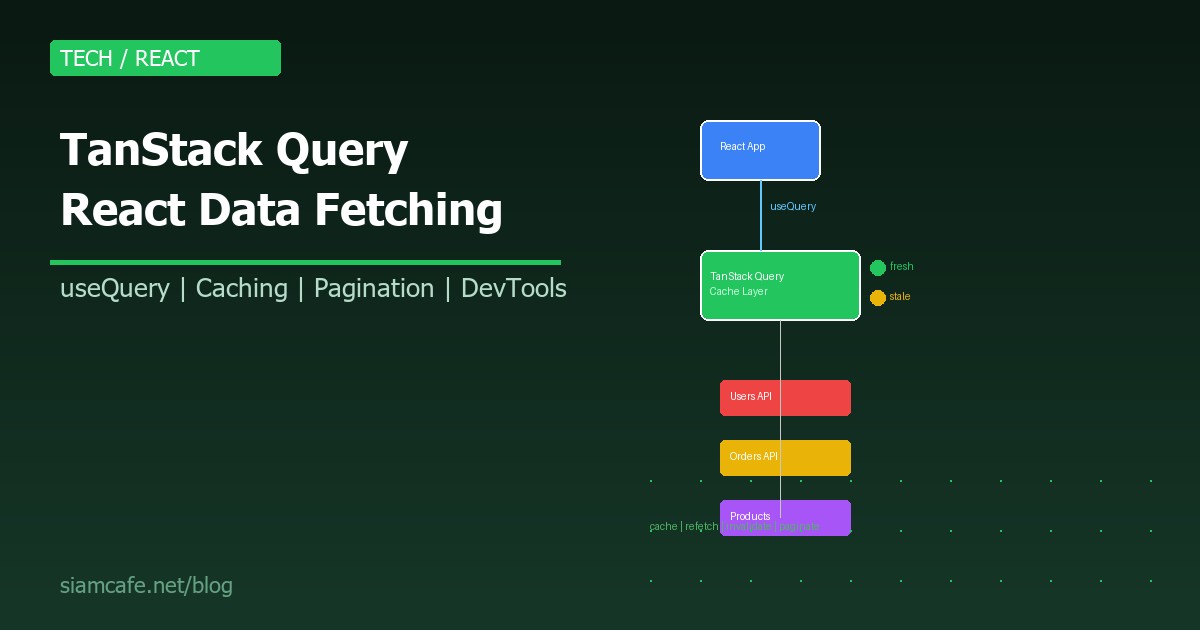
การ Fetch ข้อมูลจาก API ใน React เป็นเรื่องที่ทุกโปรเจคต้องทำ แต่ถ้าจัดการเอง (useEffect + useState) จะเจอปัญหามากมาย ทั้ง Loading state, Error handling, Caching, Background refetching, Race conditions, Stale data ทั้งหมดนี้แก้ได้ด้วย TanStack Query
บทความนี้จะสอนใช้ TanStack Query (เดิมชื่อ React Query) ตั้งแต่พื้นฐาน จนถึง Advanced patterns ที่ใช้จริงใน Production ปี 2026
TanStack Query คืออะไร?
TanStack Query (v5) คือ Library สำหรับจัดการ Server State ใน React/Vue/Solid/Angular ทำหน้าที่ Fetch, Cache, Synchronize, และ Update data จาก Server โดยอัตโนมัติ
ทำไมต้องใช้ TanStack Query?
// ❌ วิธีเดิม — useEffect + useState (ปัญหาเยอะ)
function UserList() {
  const [users, setUsers] = useState([]);
  const [loading, setLoading] = useState(true);
  const [error, setError] = useState(null);

  useEffect(() => {
    let cancelled = false;
    fetch('/api/users')
      .then(res => res.json())
      .then(data => {
        if (!cancelled) {
          setUsers(data);
          setLoading(false);
        }
      })
      .catch(err => {
        if (!cancelled) {
          setError(err);
          setLoading(false);
        }
      });
    return () => { cancelled = true; };
  }, []);

  // ปัญหา:
  // - ไม่มี Caching (fetch ใหม่ทุกครั้งที่ mount)
  // - ไม่มี Background refetching
  // - Race condition ต้องจัดการเอง
  // - Loading/Error state boilerplate ทุก Component
  // - ไม่มี Retry logic
  // - ไม่มี Pagination support
}

// ✅ TanStack Query — สะอาด ครบ จบ
function UserList() {
  const { data: users, isLoading, error } = useQuery({
    queryKey: ['users'],
    queryFn: () => fetch('/api/users').then(r => r.json()),
  });

  // ✅ Caching อัตโนมัติ
  // ✅ Background refetching
  // ✅ Race condition handled
  // ✅ Loading/Error state ในตัว
  // ✅ Retry 3 ครั้งอัตโนมัติ
  // ✅ Stale-while-revalidate
}
ติดตั้ง TanStack Query
# ติดตั้ง
npm install @tanstack/react-query
npm install @tanstack/react-query-devtools  # DevTools (แนะนำ)

# Setup ใน App
// App.tsx
import { QueryClient, QueryClientProvider } from '@tanstack/react-query';
import { ReactQueryDevtools } from '@tanstack/react-query-devtools';

const queryClient = new QueryClient({
  defaultOptions: {
    queries: {
      staleTime: 1000 * 60 * 5,    // 5 นาที (data ถือว่า fresh)
      gcTime: 1000 * 60 * 30,      // 30 นาที (เก็บ cache)
      retry: 3,                     // retry 3 ครั้งถ้า fail
      refetchOnWindowFocus: true,   // refetch เมื่อ focus กลับมา
    },
  },
});

function App() {
  return (
    <QueryClientProvider client={queryClient}>
      <YourApp />
      <ReactQueryDevtools initialIsOpen={false} />
    </QueryClientProvider>
  );
}
useQuery — ดึงข้อมูล
import { useQuery } from '@tanstack/react-query';

// Basic useQuery
function UserProfile({ userId }) {
  const { data, isLoading, isError, error, isFetching } = useQuery({
    queryKey: ['user', userId],          // Query Key — unique identifier
    queryFn: () =>                       // Query Function — fetch data
      fetch(`/api/users/${userId}`).then(r => r.json()),
    staleTime: 1000 * 60 * 5,           // 5 นาที
    gcTime: 1000 * 60 * 30,             // 30 นาที (เดิมชื่อ cacheTime)
    enabled: !!userId,                   // ไม่ fetch ถ้า userId เป็น null/undefined
    select: (data) => data.user,         // Transform data ก่อนส่งให้ Component
    placeholderData: { name: 'Loading...' }, // Placeholder ระหว่างรอ
  });

  if (isLoading) return <p>Loading...</p>;
  if (isError) return <p>Error: {error.message}</p>;

  return (
    <div>
      <h1>{data.name}</h1>
      <p>{data.email}</p>
      {isFetching && <span>Refreshing...</span>}
    </div>
  );
}
Query Keys — หัวใจของ TanStack Query
// Query Key คือ Array ที่ใช้ระบุ Query แต่ละตัว
// TanStack Query ใช้ Query Key เพื่อ:
// 1. Caching — key เดียวกัน = ใช้ cache เดียวกัน
// 2. Refetching — invalidate ตาม key
// 3. Deduplication — 2 component ใช้ key เดียวกัน = fetch ครั้งเดียว

// ตัวอย่าง Query Keys:
useQuery({ queryKey: ['users'], queryFn: fetchUsers });
useQuery({ queryKey: ['users', 'active'], queryFn: fetchActiveUsers });
useQuery({ queryKey: ['user', userId], queryFn: () => fetchUser(userId) });
useQuery({ queryKey: ['users', { page, sort, filter }], queryFn: fetchUsers });

// ⚠ Key เปลี่ยน = fetch ใหม่อัตโนมัติ!
// เช่น userId เปลี่ยนจาก 1 → 2 → fetch user 2 ทันที
Caching — staleTime vs gcTime
| Setting | ชื่อเดิม | หน้าที่ | Default |
|---|---|---|---|
| staleTime | staleTime | ข้อมูลถือว่า "fresh" นานแค่ไหน (ไม่ refetch) | 0 (stale ทันที) |
| gcTime | cacheTime | เก็บ cache นานแค่ไหนหลัง Component unmount | 5 นาที |
// staleTime: 0 (Default)
// → ทุกครั้งที่ Component mount → refetch ทันที (แต่แสดง cache ก่อน)
// → เหมาะกับข้อมูลที่เปลี่ยนบ่อย (chat, notifications)

// staleTime: 5 นาที
// → 5 นาทีหลัง fetch → ข้อมูลยังถือว่า fresh → ไม่ refetch
// → เหมาะกับข้อมูลที่ไม่ค่อยเปลี่ยน (user profile, settings)

// staleTime: Infinity
// → ไม่ refetch เลย จนกว่าจะ invalidate เอง
// → เหมาะกับ Static data (country list, categories)

// gcTime: 30 นาที
// → หลัง Component unmount → เก็บ cache ไว้ 30 นาที
// → ถ้ากลับมาภายใน 30 นาที → ใช้ cache ทันที (ไม่ต้อง Loading)
// → หลัง 30 นาที → Garbage collect → ลบ cache
Background Refetching
// TanStack Query refetch อัตโนมัติเมื่อ:
// 1. Window Focus — กลับมาที่ Tab นี้
// 2. Network Reconnect — Internet กลับมา
// 3. Component Mount — Component ถูก render ใหม่ (ถ้า data stale)
// 4. Interval — refetchInterval

useQuery({
  queryKey: ['notifications'],
  queryFn: fetchNotifications,
  refetchOnWindowFocus: true,      // Default: true
  refetchOnReconnect: true,        // Default: true
  refetchOnMount: true,            // Default: true (ถ้า stale)
  refetchInterval: 1000 * 30,      // Refetch ทุก 30 วินาที
  refetchIntervalInBackground: false, // ไม่ refetch ถ้า Tab ไม่ active
});
useMutation — สร้าง/แก้ไข/ลบข้อมูล
import { useMutation, useQueryClient } from '@tanstack/react-query';

function CreateUser() {
  const queryClient = useQueryClient();

  const mutation = useMutation({
    mutationFn: (newUser) =>
      fetch('/api/users', {
        method: 'POST',
        body: JSON.stringify(newUser),
        headers: { 'Content-Type': 'application/json' },
      }).then(r => r.json()),

    onSuccess: (data) => {
      // ✅ Invalidate → refetch users list อัตโนมัติ
      queryClient.invalidateQueries({ queryKey: ['users'] });
      console.log('Created:', data);
    },
    onError: (error) => {
      console.error('Failed:', error.message);
    },
    onSettled: () => {
      // ทำทั้งตอน success และ error
    },
  });

  return (
    <button
      onClick={() => mutation.mutate({ name: 'John', email: 'john@test.com' })}
      disabled={mutation.isPending}
    >
      {mutation.isPending ? 'Creating...' : 'Create User'}
    </button>
  );
}
Query Invalidation — อัปเดต Cache
const queryClient = useQueryClient();

// Invalidate ทุก query ที่ขึ้นต้นด้วย 'users'
queryClient.invalidateQueries({ queryKey: ['users'] });

// Invalidate เฉพาะ user ID 5
queryClient.invalidateQueries({ queryKey: ['user', 5] });

// Invalidate ทุก query (rare)
queryClient.invalidateQueries();

// Set data ตรงๆ (ไม่ต้อง refetch)
queryClient.setQueryData(['user', 5], (old) => ({
  ...old,
  name: 'Updated Name',
}));
Pagination — useInfiniteQuery
import { useInfiniteQuery } from '@tanstack/react-query';

function InfiniteUserList() {
  const {
    data,
    fetchNextPage,
    hasNextPage,
    isFetchingNextPage,
    isLoading,
  } = useInfiniteQuery({
    queryKey: ['users', 'infinite'],
    queryFn: ({ pageParam }) =>
      fetch(`/api/users?page=${pageParam}&limit=20`).then(r => r.json()),
    initialPageParam: 1,
    getNextPageParam: (lastPage, allPages) => {
      // return undefined ถ้าไม่มีหน้าถัดไป
      return lastPage.hasMore ? allPages.length + 1 : undefined;
    },
  });

  return (
    <div>
      {data?.pages.map((page, i) => (
        <div key={i}>
          {page.users.map(user => (
            <UserCard key={user.id} user={user} />
          ))}
        </div>
      ))}

      <button
        onClick={() => fetchNextPage()}
        disabled={!hasNextPage || isFetchingNextPage}
      >
        {isFetchingNextPage ? 'Loading more...'
          : hasNextPage ? 'Load More'
          : 'No more users'}
      </button>
    </div>
  );
}
Optimistic Updates — อัปเดตก่อน Server ตอบ
const mutation = useMutation({
  mutationFn: updateTodo,
  onMutate: async (newTodo) => {
    // 1. Cancel ongoing refetches
    await queryClient.cancelQueries({ queryKey: ['todos'] });

    // 2. Snapshot previous value
    const previousTodos = queryClient.getQueryData(['todos']);

    // 3. Optimistically update
    queryClient.setQueryData(['todos'], (old) =>
      old.map(todo =>
        todo.id === newTodo.id ? { ...todo, ...newTodo } : todo
      )
    );

    // 4. Return context with snapshot
    return { previousTodos };
  },
  onError: (err, newTodo, context) => {
    // ❌ Rollback ถ้า error
    queryClient.setQueryData(['todos'], context.previousTodos);
  },
  onSettled: () => {
    // ✅ Refetch เพื่อให้แน่ใจว่า data ตรงกับ server
    queryClient.invalidateQueries({ queryKey: ['todos'] });
  },
});
Prefetching — โหลดข้อมูลล่วงหน้า
const queryClient = useQueryClient();

// Prefetch เมื่อ Hover
function UserLink({ userId }) {
  return (
    <a
      href={`/users/${userId}`}
      onMouseEnter={() => {
        queryClient.prefetchQuery({
          queryKey: ['user', userId],
          queryFn: () => fetchUser(userId),
          staleTime: 1000 * 60 * 5,
        });
      }}
    >
      View User
    </a>
  );
}

// Prefetch ใน Router Loader (React Router v7+)
export const loader = (queryClient) => async ({ params }) => {
  await queryClient.ensureQueryData({
    queryKey: ['user', params.userId],
    queryFn: () => fetchUser(params.userId),
  });
  return null;
};
TanStack Query DevTools
// DevTools แสดง:
// - ทุก Query ที่ active
// - สถานะของแต่ละ Query (fresh, stale, fetching, paused, inactive)
// - Data ที่อยู่ใน cache
// - จำนวนครั้งที่ fetch
// - เวลาที่ fetch ล่าสุด
// - Query Key
// - สามารถ Trigger refetch, Invalidate, Reset ได้จาก DevTools

import { ReactQueryDevtools } from '@tanstack/react-query-devtools';

// เพิ่มใน App (เฉพาะ Development)
<ReactQueryDevtools
  initialIsOpen={false}
  buttonPosition="bottom-right"
/>

// Production: DevTools จะไม่ถูก include อัตโนมัติ (tree-shaking)
TanStack Query vs SWR vs RTK Query
| Feature | TanStack Query v5 | SWR v2 | RTK Query |
|---|---|---|---|
| Bundle Size | ~39 KB | ~12 KB | ต้องใช้กับ Redux (~45 KB) |
| Caching | ยืดหยุ่นมาก | ดี | ดีมาก (normalized) |
| DevTools | ดีเยี่ยม | พื้นฐาน | Redux DevTools |
| Optimistic Updates | Built-in | ทำเองได้ | Built-in |
| Infinite Query | Built-in | useSWRInfinite | ทำเองได้ |
| Mutations | useMutation | useSWRMutation | Built-in (endpoints) |
| SSR Support | ดีมาก | ดี | ดี |
| Framework | React, Vue, Solid, Angular | React only | React only (Redux) |
| เหมาะกับ | ทุกโปรเจค | โปรเจคเล็ก-กลาง | โปรเจคที่ใช้ Redux อยู่แล้ว |
TanStack Query กับ Next.js SSR
// Next.js App Router + TanStack Query
// app/providers.tsx
'use client';
import { QueryClient, QueryClientProvider } from '@tanstack/react-query';
import { useState } from 'react';

export function Providers({ children }) {
  const [queryClient] = useState(() => new QueryClient({
    defaultOptions: {
      queries: {
        staleTime: 1000 * 60 * 5,
      },
    },
  }));

  return (
    <QueryClientProvider client={queryClient}>
      {children}
    </QueryClientProvider>
  );
}

// Server Component — Prefetch
// app/users/page.tsx
import { dehydrate, HydrationBoundary, QueryClient } from '@tanstack/react-query';

export default async function UsersPage() {
  const queryClient = new QueryClient();
  await queryClient.prefetchQuery({
    queryKey: ['users'],
    queryFn: fetchUsers,
  });

  return (
    <HydrationBoundary state={dehydrate(queryClient)}>
      <UserList />  {/* Client Component ใช้ cache จาก Server */}
    </HydrationBoundary>
  );
}
Error Handling & Retry
useQuery({
  queryKey: ['users'],
  queryFn: fetchUsers,
  retry: 3,                    // retry 3 ครั้ง (default)
  retryDelay: (attemptIndex) => // Exponential backoff
    Math.min(1000 * 2 ** attemptIndex, 30000),
  retryOnMount: true,
  throwOnError: false,         // ไม่ throw (ใช้ isError แทน)
});

// Error Boundary (React)
import { QueryErrorResetBoundary } from '@tanstack/react-query';
import { ErrorBoundary } from 'react-error-boundary';

function App() {
  return (
    <QueryErrorResetBoundary>
      {({ reset }) => (
        <ErrorBoundary onReset={reset} fallbackRender={({ resetErrorBoundary }) => (
          <div>
            <p>Something went wrong</p>
            <button onClick={resetErrorBoundary}>Try again</button>
          </div>
        )}>
          <UserList />
        </ErrorBoundary>
      )}
    </QueryErrorResetBoundary>
  );
}
Best Practices
| Practice | ทำไม |
|---|---|
| ตั้ง staleTime ให้เหมาะสม | ลด unnecessary refetch ประหยัด bandwidth |
| ใช้ Query Key Factory | จัดการ key เป็นระบบ ไม่ผิดพลาด |
| แยก Query Function ออกจาก Component | Reusable test ง่าย |
| ใช้ select เพื่อ transform data | Component ไม่ต้องรู้ structure ของ API |
| ใช้ Prefetch สำหรับ Navigation | User ไม่ต้อง Loading ตอนเปลี่ยนหน้า |
| ใช้ Optimistic Updates สำหรับ UX ดีขึ้น | User เห็นผลทันที ไม่ต้องรอ Server |
| ตั้ง gcTime ให้นานพอ | กลับมาหน้าเดิมไม่ต้อง Loading ใหม่ |
| ใช้ DevTools ตอน Development | Debug cache, timing, refetch ง่ายมาก |
// Query Key Factory Pattern (แนะนำ)
export const userKeys = {
  all: ['users'] as const,
  lists: () => [...userKeys.all, 'list'] as const,
  list: (filters) => [...userKeys.lists(), filters] as const,
  details: () => [...userKeys.all, 'detail'] as const,
  detail: (id) => [...userKeys.details(), id] as const,
};

// ใช้:
useQuery({ queryKey: userKeys.detail(userId), queryFn: ... });
queryClient.invalidateQueries({ queryKey: userKeys.lists() }); // invalidate ทุก list
สรุป
TanStack Query เป็น Library ที่ทำให้ Data Fetching ใน React เปลี่ยนจาก "ปวดหัว" เป็น "สะดวก" ด้วย useQuery, useMutation, Caching (staleTime/gcTime), Background refetching, Pagination (useInfiniteQuery), Optimistic updates, DevTools และอีกมากมาย
ถ้าโปรเจค React ของคุณมีการ Fetch API จากหลาย Endpoint TanStack Query คือสิ่งที่ควรติดตั้งเป็นอย่างแรก เพราะมันจัดการ Server State ให้ทั้งหมด ให้คุณ Focus กับ UI และ Business Logic แทน